


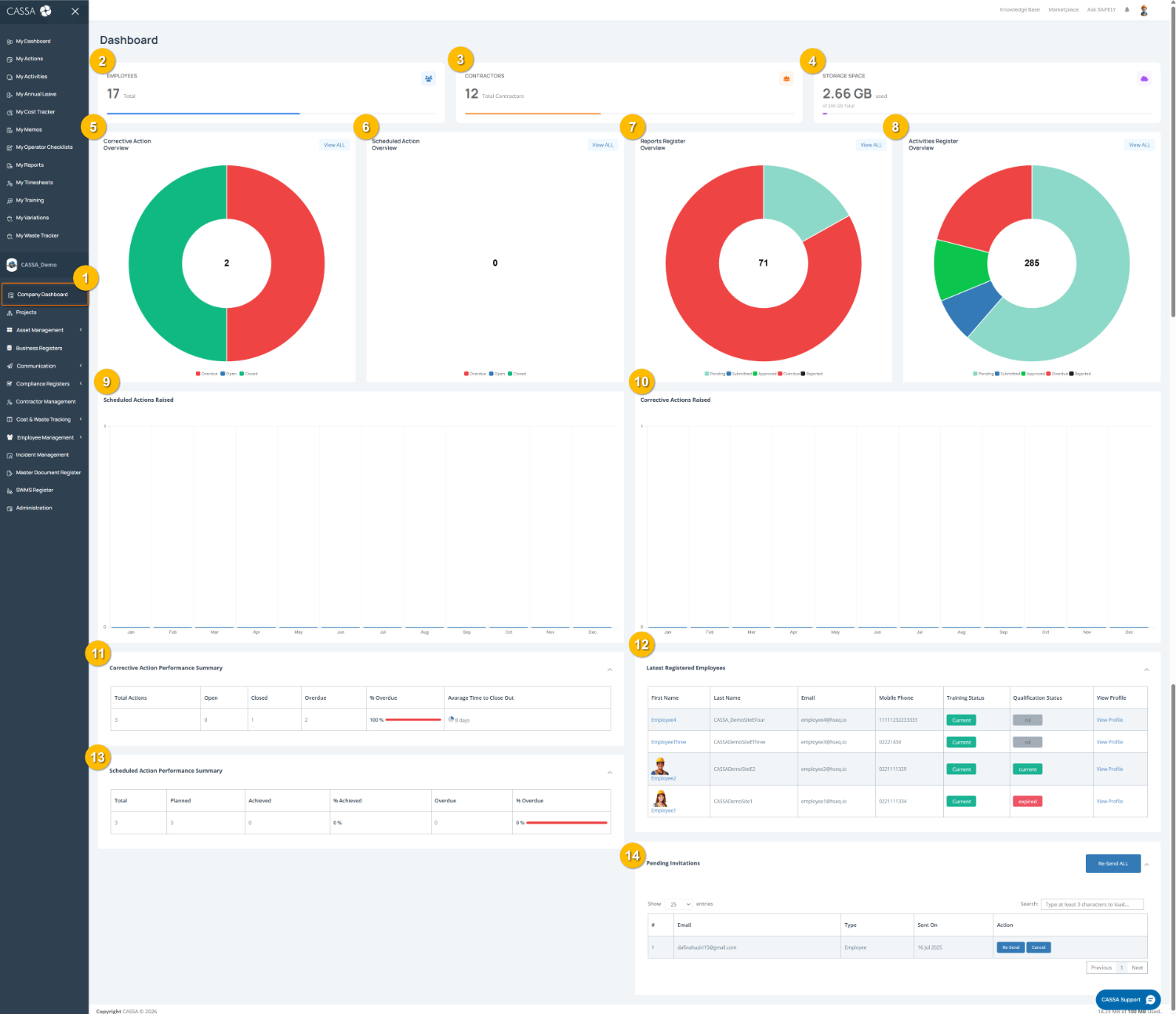
The Company Dashboard (1) provides an overview of company operations, workforce numbers, project activity, compliance performance, and pending actions. Dashboard widgets give quick visibility into key business and compliance metrics.
To review the Company Dashboard:
Open the Company Dashboard by selecting Company Dashboard (1) from the left-hand menu.
Review company totals using the summary cards to view:
Employees (2)
Contractors (3)
Storage Space usage (4)
Monitor corrective actions in the Corrective Action Overview widget (5) to track open, closed, and overdue corrective actions. Select View ALL to open the full register.
Review scheduled actions using the Scheduled Action Overview widget (6) to monitor planned and completed scheduled activities.
Track report activity in the Reports Register Overview widget (7), which displays report status trends, including submitted, approved, overdue, and rejected reports.
Monitor activities using the Activities Register Overview widget (8) to review activity status and workflow progress across the company.
Review action trends using the graph summaries for:
Scheduled Actions Raised (9)
Corrective Actions Raised (10)
These graphs display activity patterns over time.
Monitor performance summaries using:
Corrective Action Performance Summary (11) to review totals, open items, overdue actions, and average close-out time
Scheduled Action Performance Summary (13) to track planned, achieved, and overdue scheduled actions
Review employee compliance status in Latest Registered Employees (12), including training status, qualification status, and profile access.
Monitor outstanding invitations in Pending Invitations (14) to view invitation emails, resend invitations, or cancel invitations where required.
Note: Dashboard information will vary depending on company activity, permissions, assigned projects, and available system data.