

The Cost Tracking Register allows you to review submitted costs, filter register items, and manage their approval status.
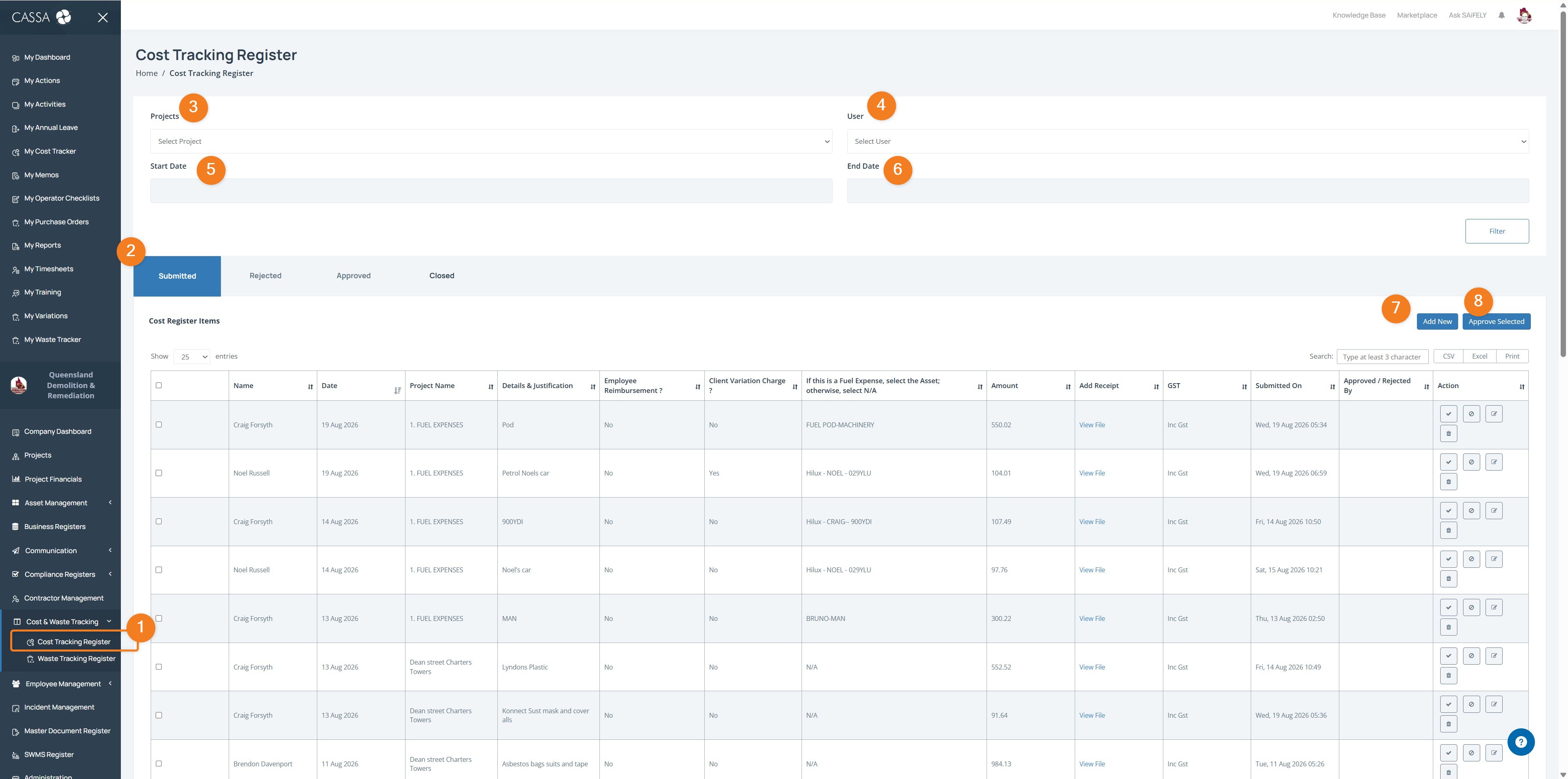
Open Cost Tracking Register from Cost & Waste Tracking in the side menu.
Select a status tab to view Submitted, Rejected, Approved, or Closed cost register items.
Select a Project to filter the register by project.
Select a User to filter items submitted by a specific user.
Enter a Start Date and End Date to filter items by date range.
Click Filter to apply your selections.
Click Add New to add a new cost register item.
Select one or more items and click Approve Selected to approve them.
You can also use the Search field to find specific register items and the CSV, Excel, or Print options to export or print the register.