

CASSA Registration
You must have an account to use CASSA, and registering is the first step.
How you register depends on whether you're a company owner, a contractor, or an employee.
Registering as a Company Owner (see below)
Registering as a Contractor (registration is via invitation from the company)
Registering as an Employee (registration is via invitation from the company)
Registering as a Company Owner
To register a company:
Go to www.cassa.io and click on the register/purchase button.
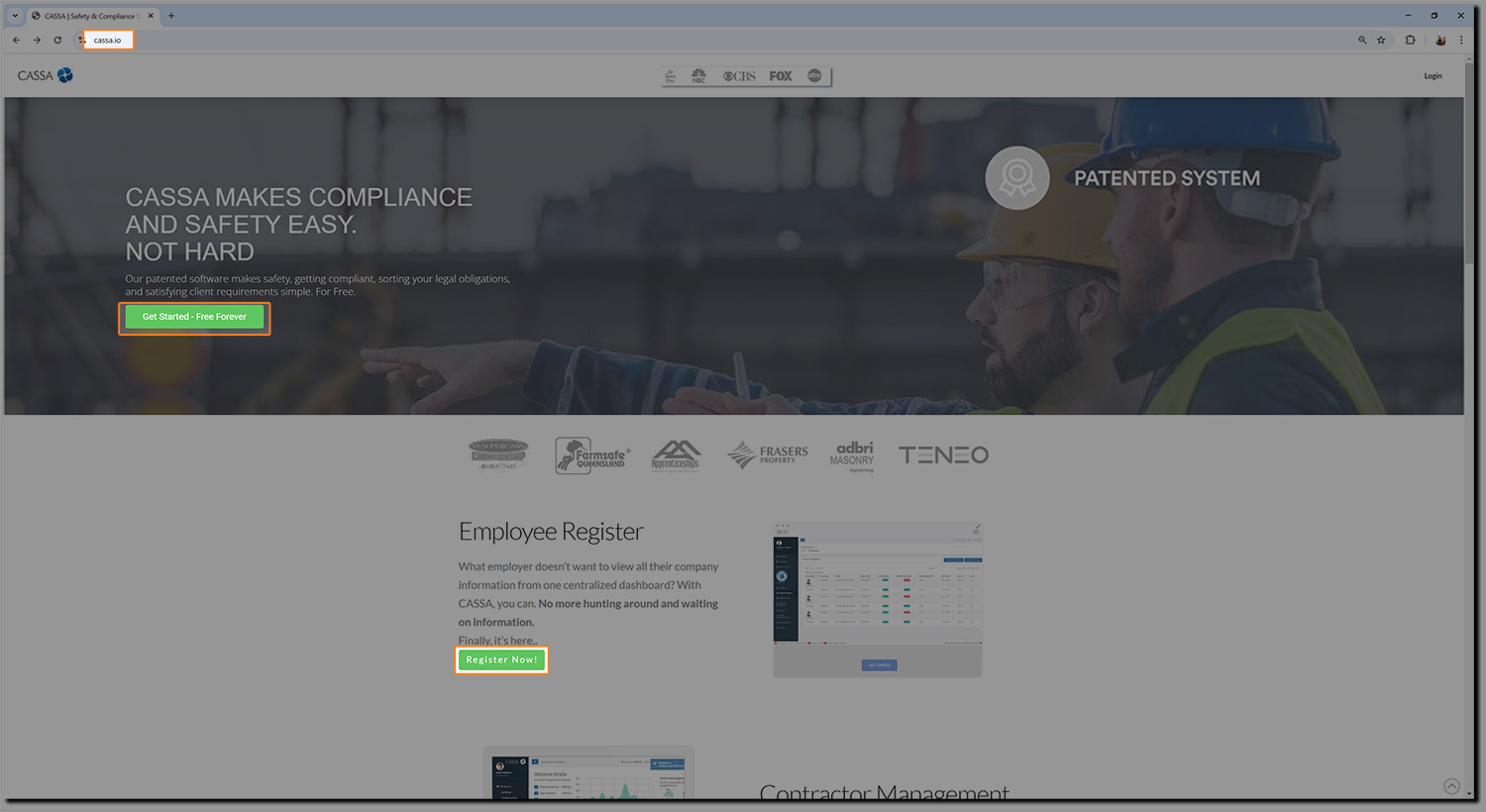
You'll be taken straight to the registration/payment form where you enter your requisite information.
Note: Please double-check everything before hitting the continue button.
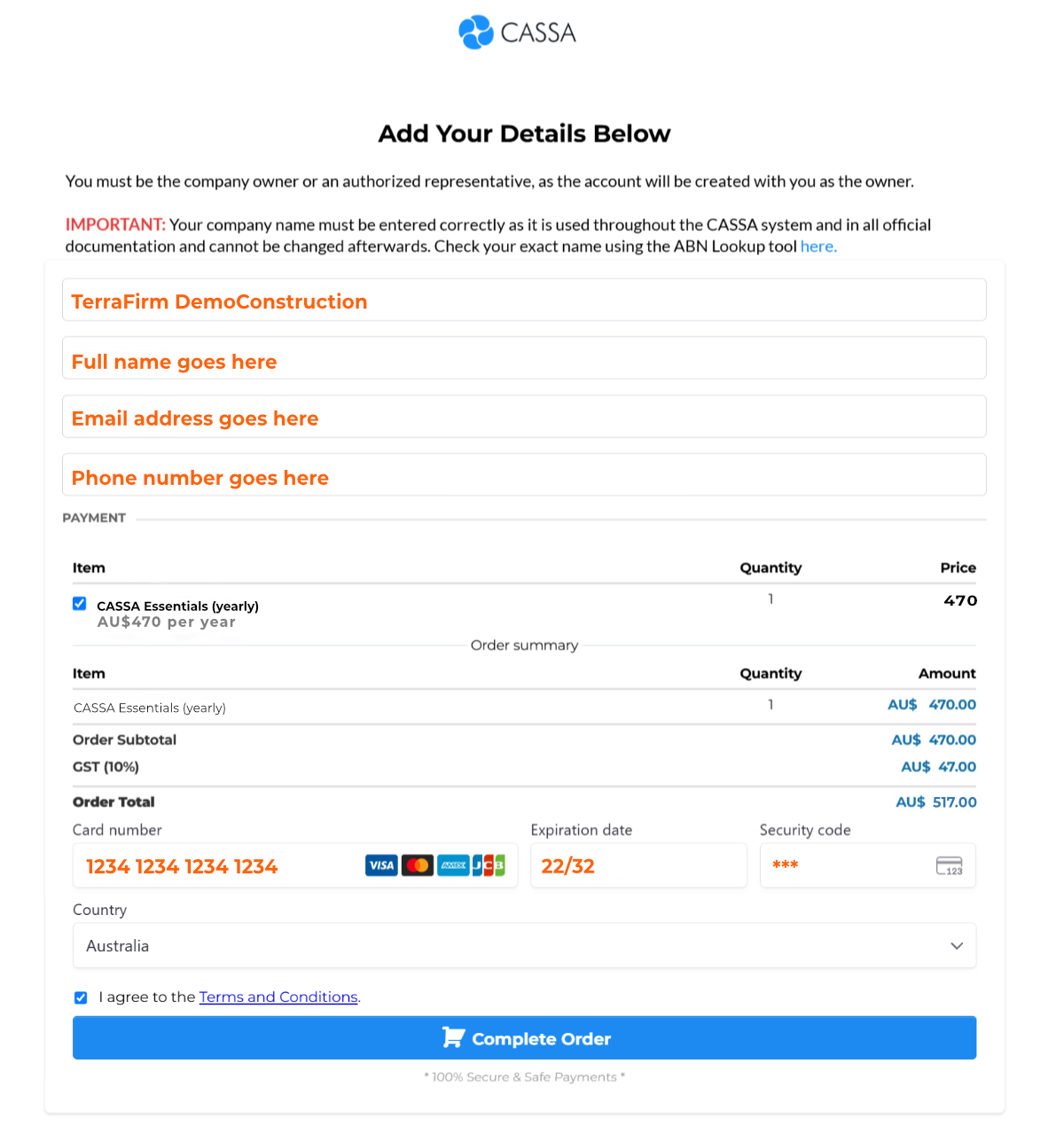
(Colour and emphasis added for visual purposes only.)
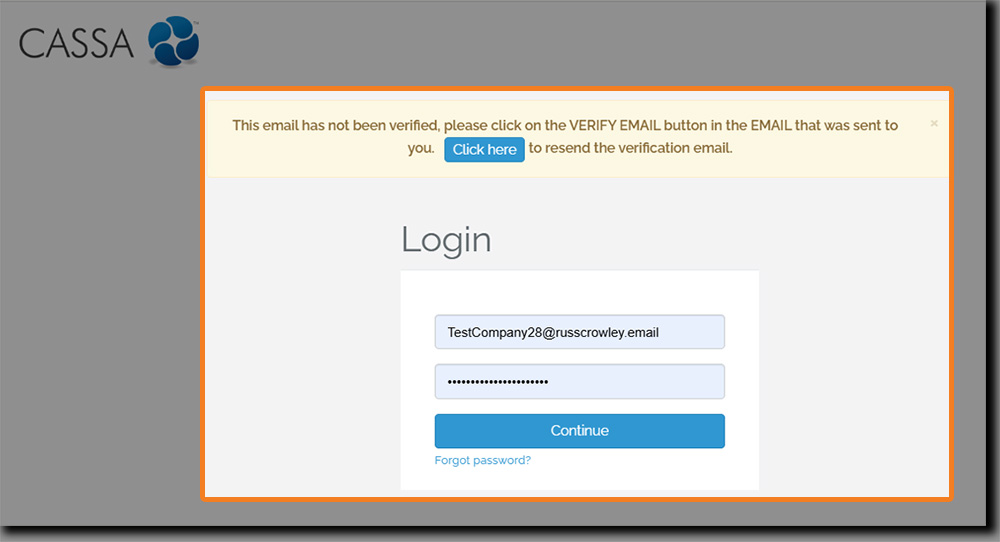
Once you've double-checked everything, clicking on the Continue button will take you straight to the login page. However, you must verify your email address before you login. if you don't, you'll see:
In your email software, look for the email with subject line CASSA Registration - Please Verify Email.
Open the email and then click on the Verify button:
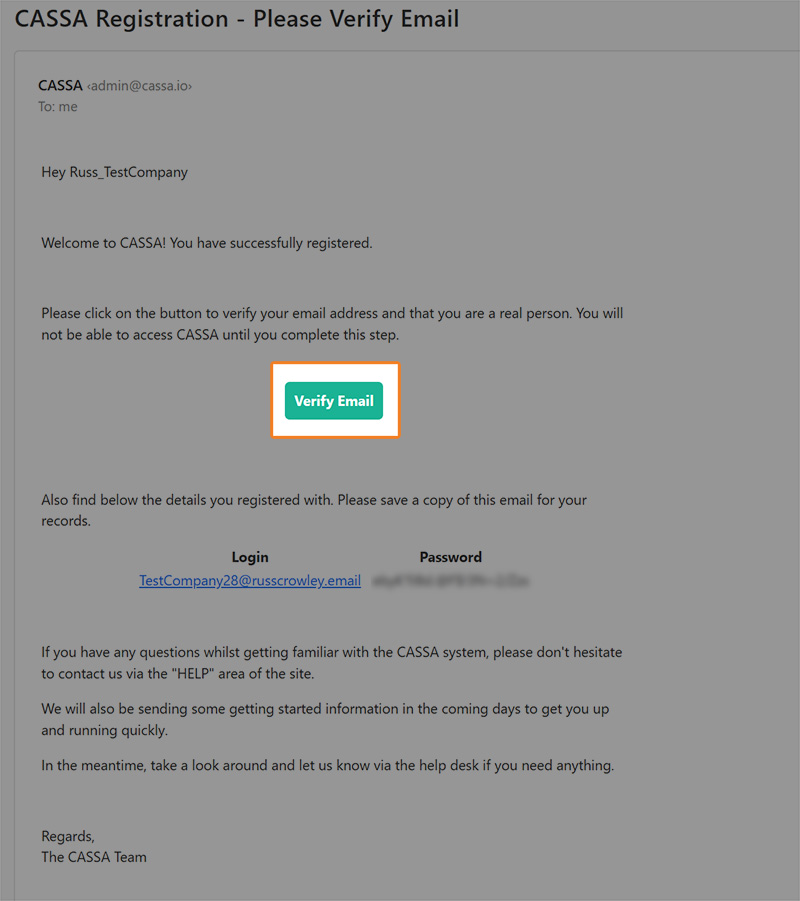
Sample company owner invitation email
This will log you straight into the CASSA system where your next step will be to complete your personal profile (next article).
Note: Company owners and contractors can register and set up one or more companies within CASSA. Once the company has been set up, they can then add/invite employees and contractors.
Registering as a Contractor
If you're a contractor, you will receive an email invitation from the company itself with instructions on what to do next. Refer to the Getting Started as a Contractor article.
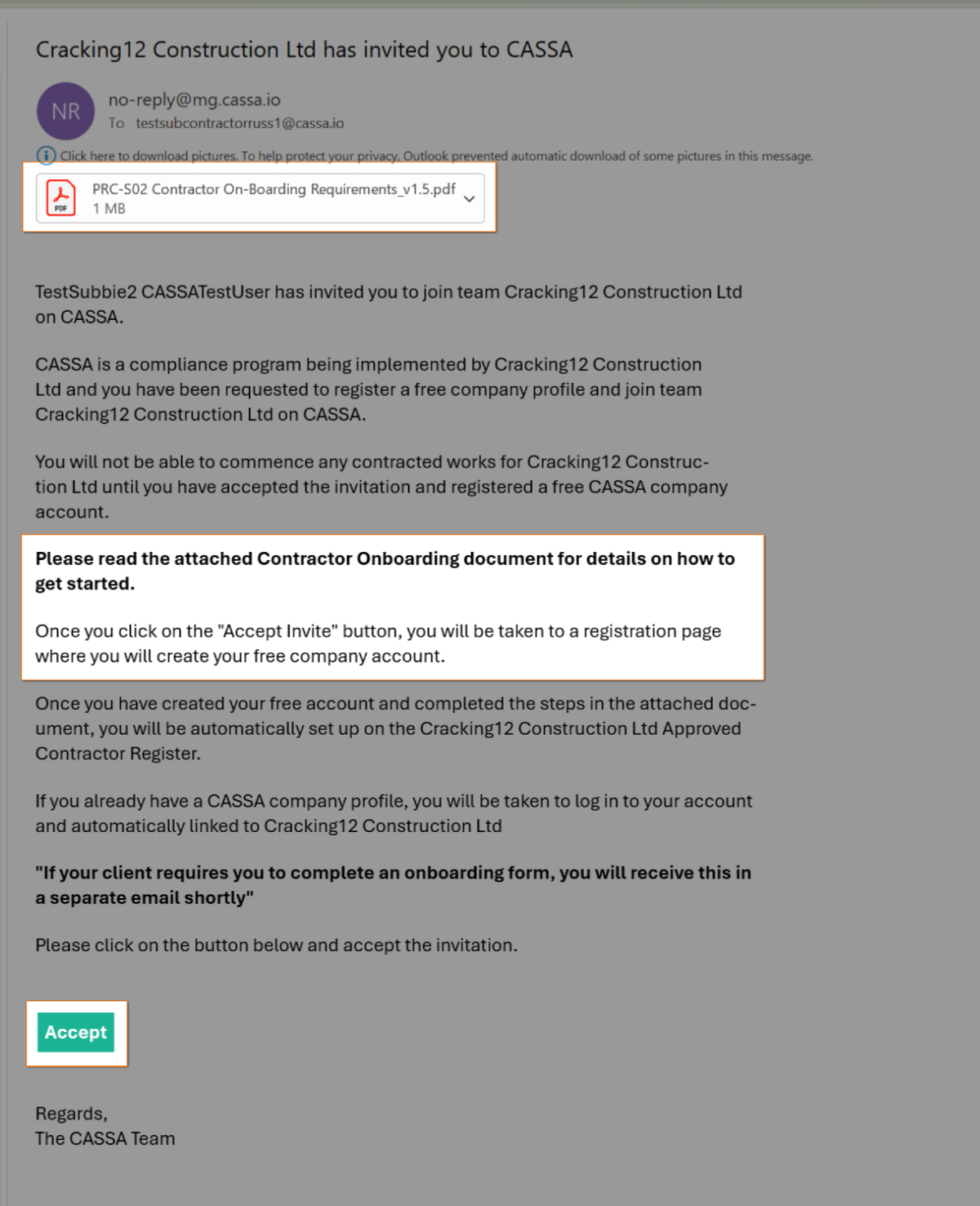
Sample contractor invitation email
Registering as an Employee
If you're an employee, you will receive an email invitation from the company itself with instructions on what to do next. Refer to this article on what to do next: Getting Started as an Employee.
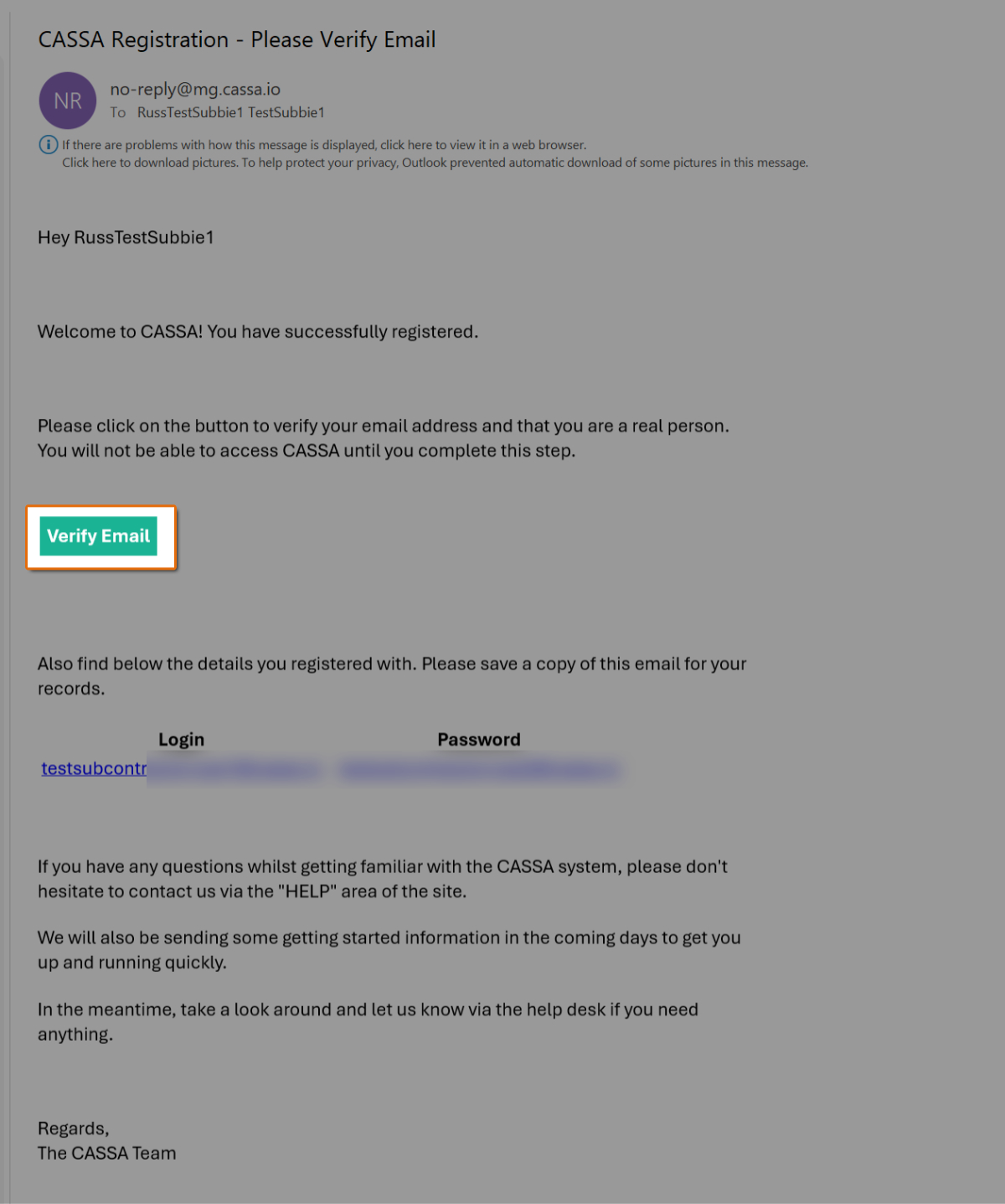
Sample employee invitation email
Next Step - Completing Your Personal Profile
The next step is to Complete Your Personal Profile (next article).