To register a company:
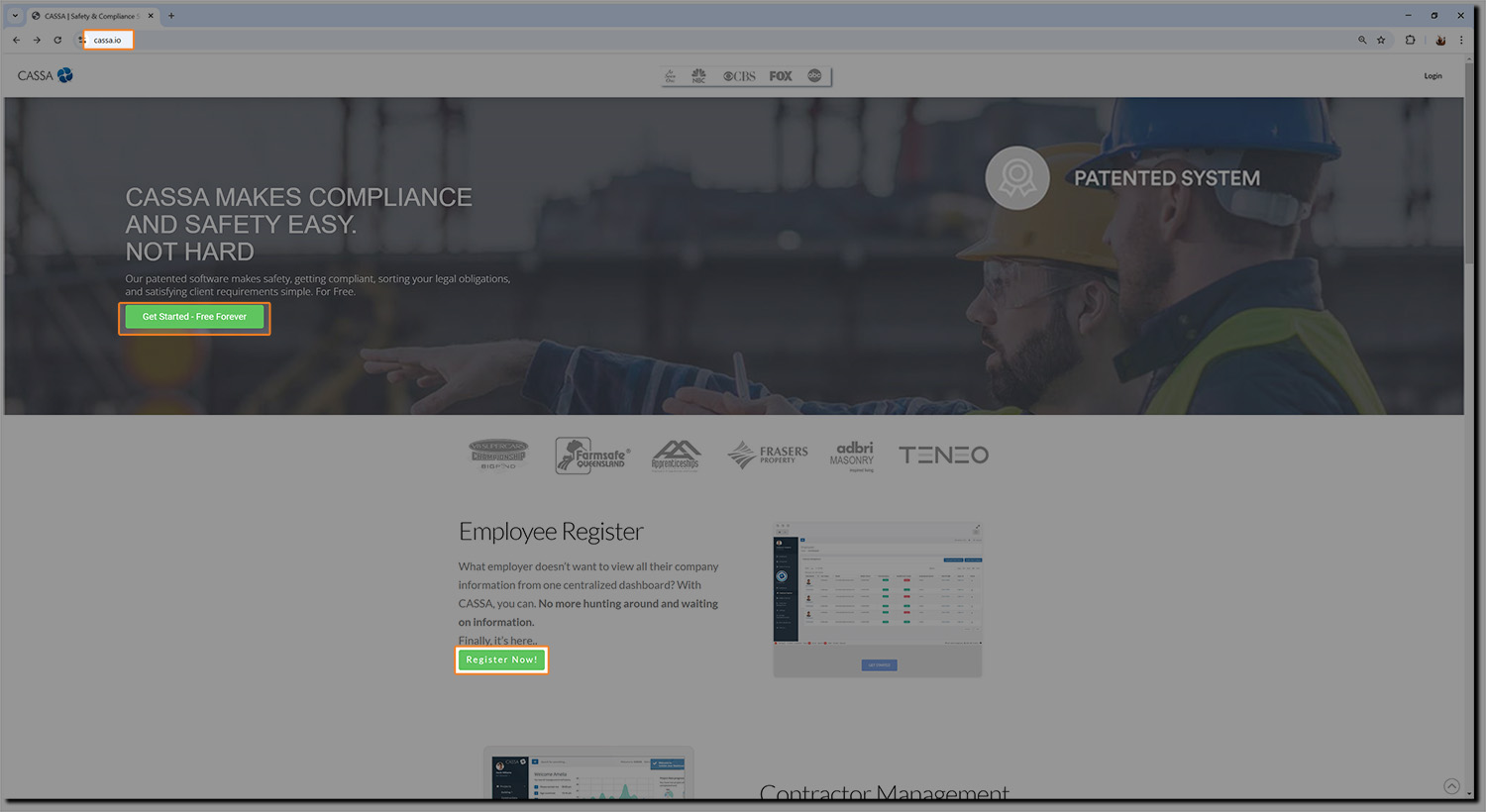
Go to www.cassa.io and click on the register button.
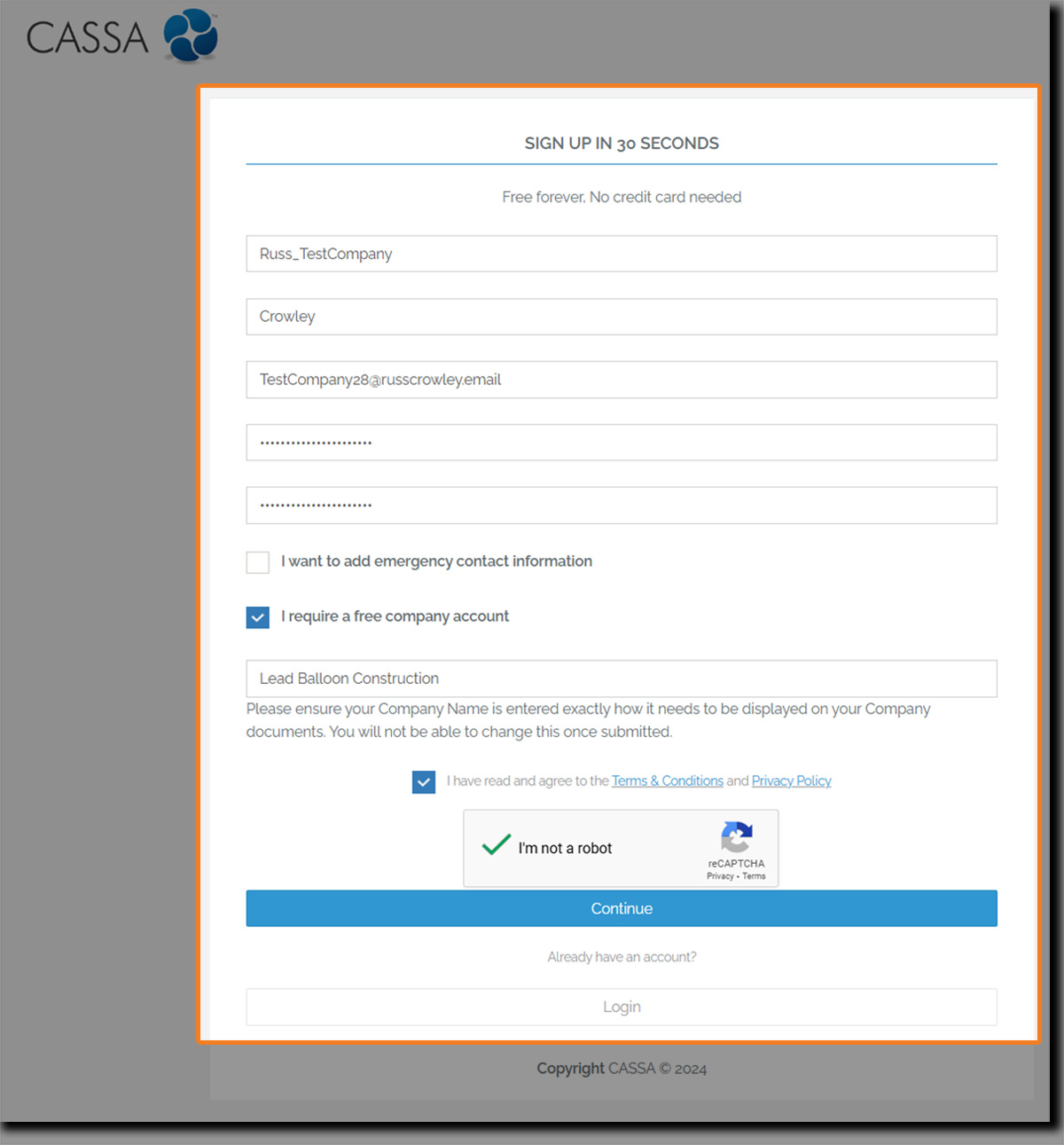
You'll be taken straight to the registration form where you enter your requisite information. (Please double-check everything before hitting the continue button):
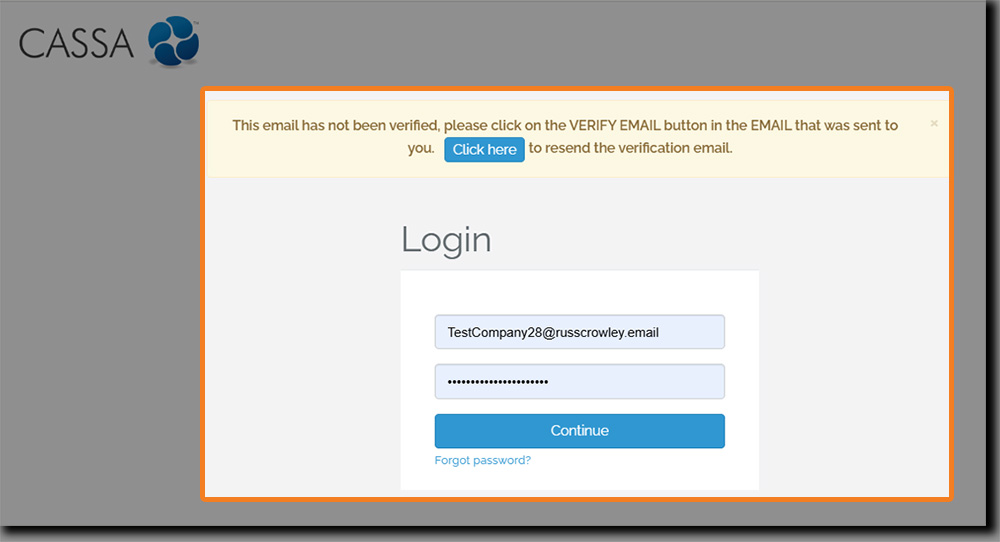
Once you've double-checked everything, clicking on the Continue button will take you straight to the login page. However, you must verify your email address before you login. if you don't, you'll see:
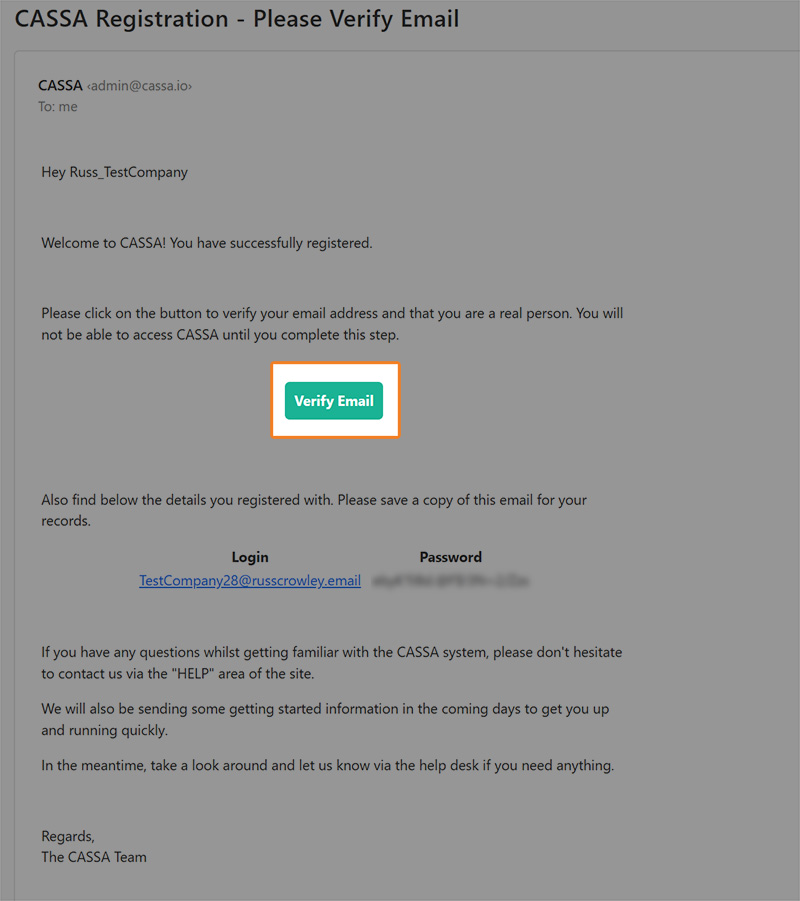
In your email software, look for the email with subject line CASSA Registration - Please Verify Email.
Open the email and then click on the Verify button:
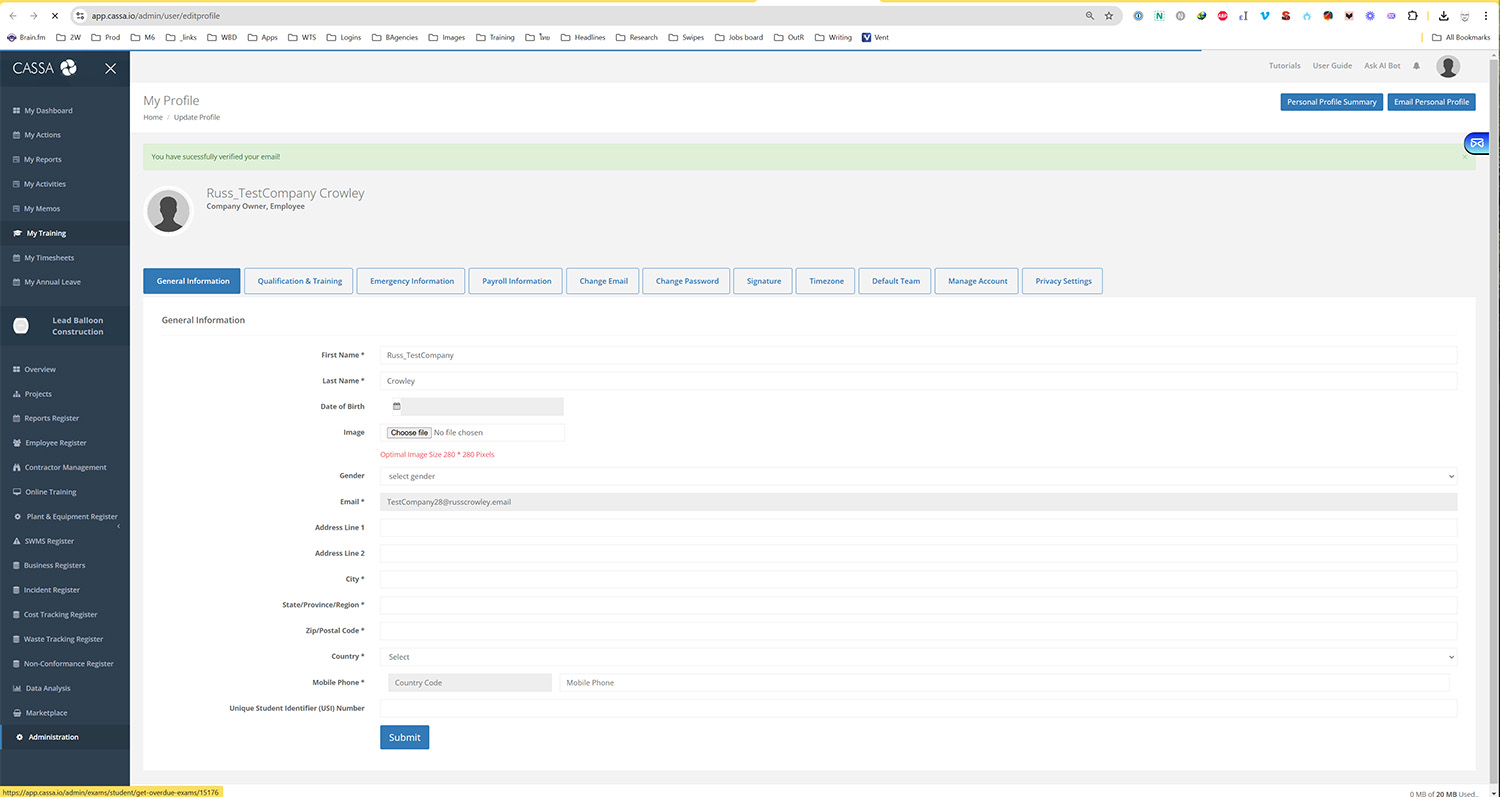
This will log you straight into the CASSA system where your next step will be to complete your profile: