


In CASSA, there are 3 main ways we can add a contractor (or contractors) to your company:
Option 1 - is where you add emails individually
Option 2 - allows you to create a CASSA profile on behalf of your contractor.
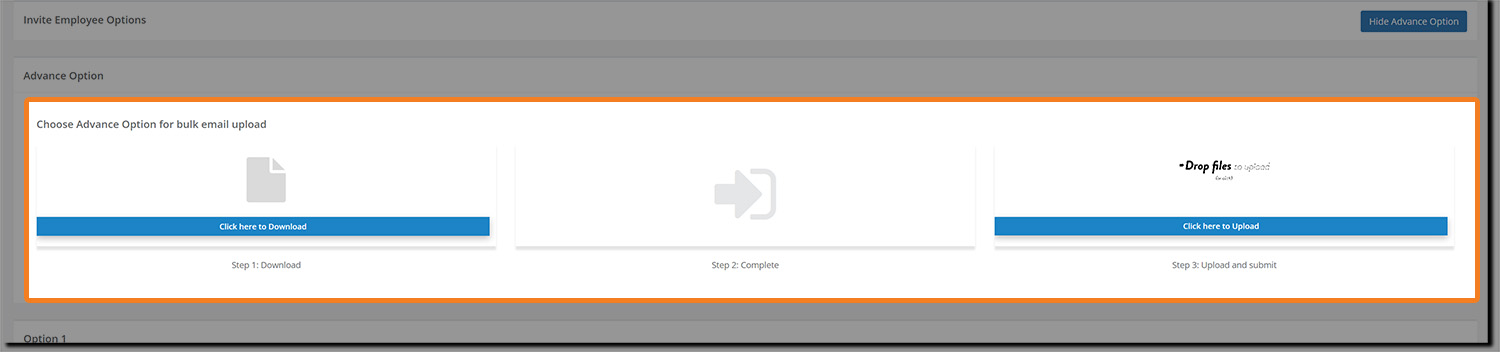
Option 3 - is currently termed 'Advanced Options' and is where you can bulk upload your contractors via spreadsheet using their email addresses.
All 3 options are available from within Contractor Management, accessed via the main navigation bar.
Click on Contractor Management and then on the Invite New Contractor button.
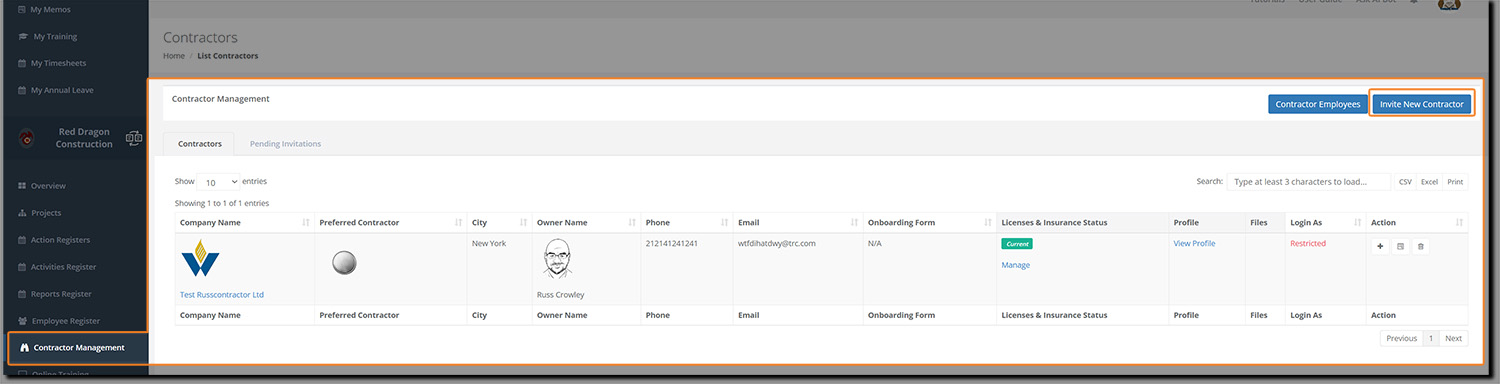
The screen will refresh and you'll be shown the 3 available options:
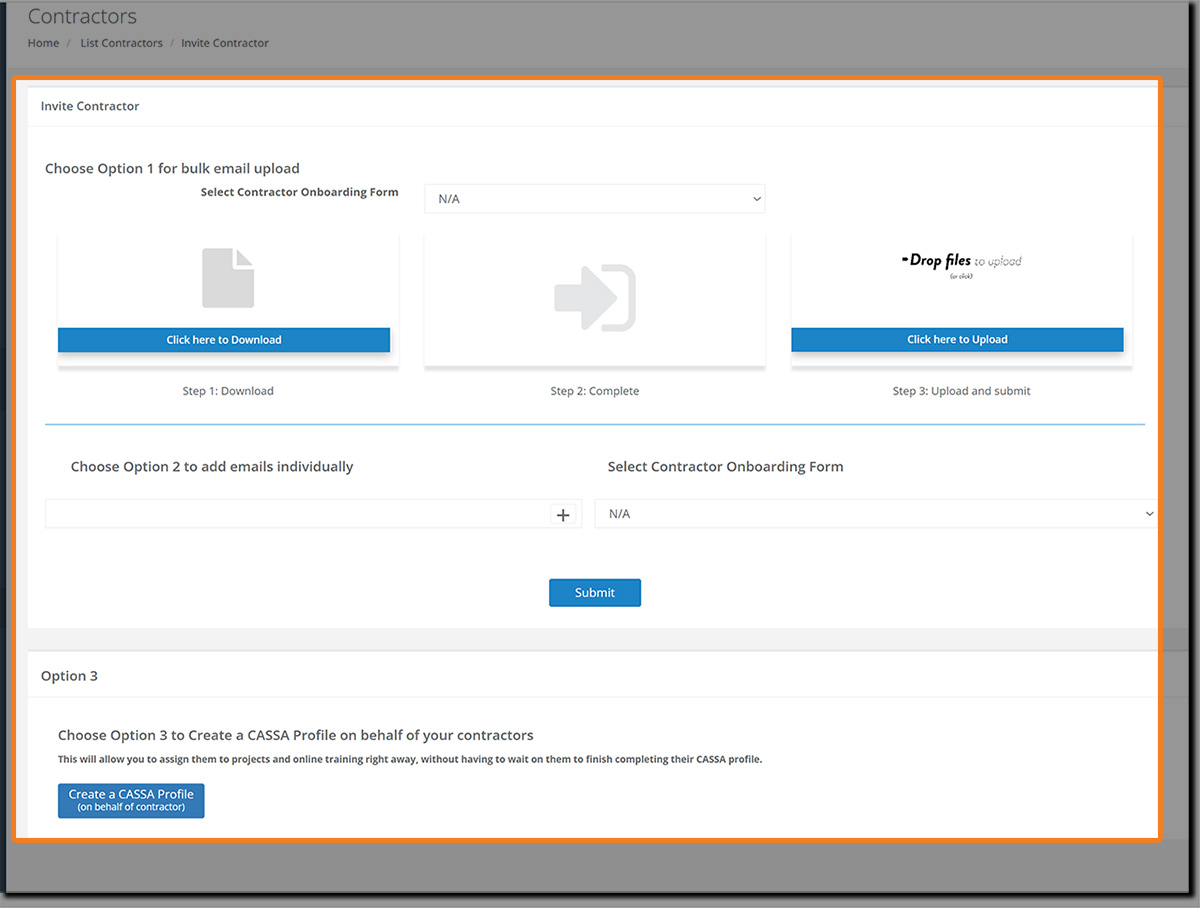
All 3 options are easy to do, so we'll go through them individually and in turn.
Option 1 - Bulk Email Upload
The Bulk Email upload option allows you to mass upload your contractor details using the provided spreadsheet (that you will download).
Click on the Click here to download button. A new tab will open and the email_invites.xsls file will download to your computer.
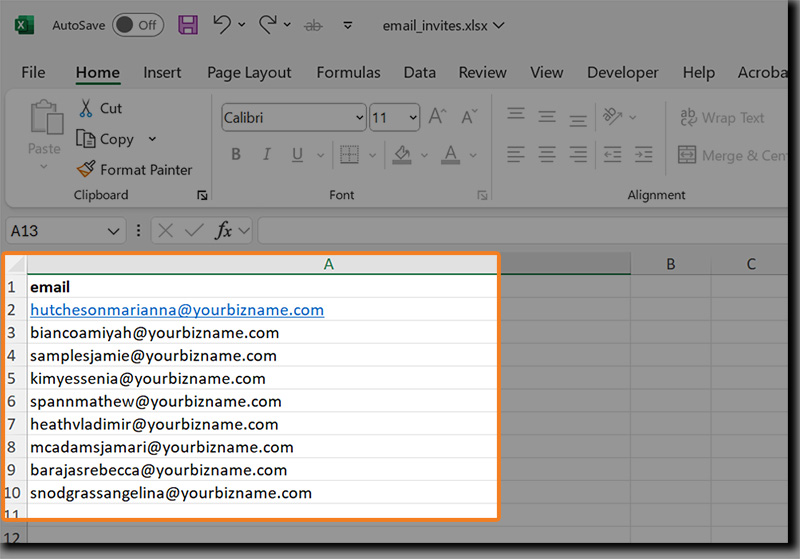
Open the Excel spreadsheet and you will see the column header ‘Email’ and a sample email address in row 2. This sample email address shows you what you need to add to the spreadsheet.
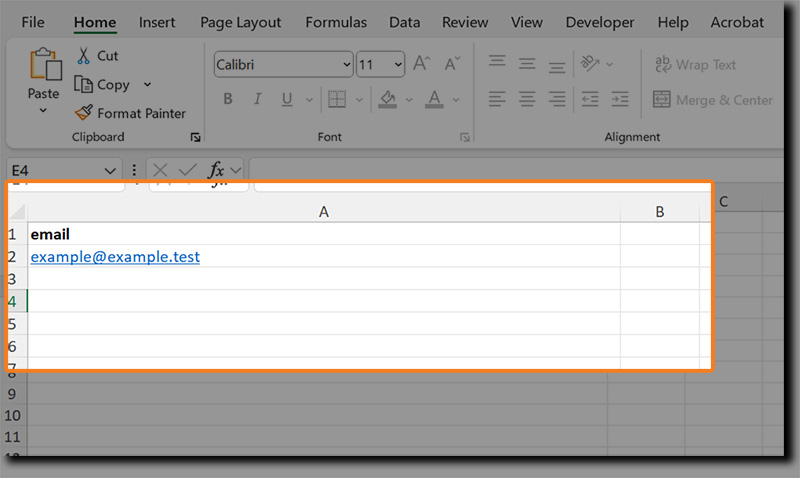
Add your team member’s’ email addresses to column A of the spreadsheet, 1 email address per row. You can delete the sample email address once you understand what is required. However, do not delete the header row ‘email’.
Your spreadsheet should look similar to this (with your team members’ email addresses, of course):
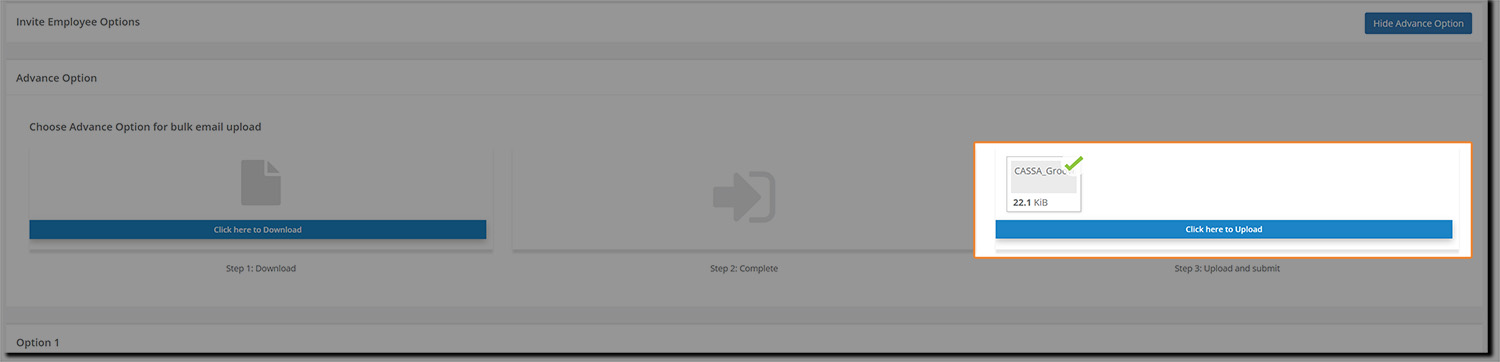
Save it to your computer and then upload it to CASSA by clicking on the Drop files button and navigating and selecting the file. The file will upload, the email addresses will be imported, and the invitations sent straightaway:
The email invites your contractors will receive will look similar to the following:
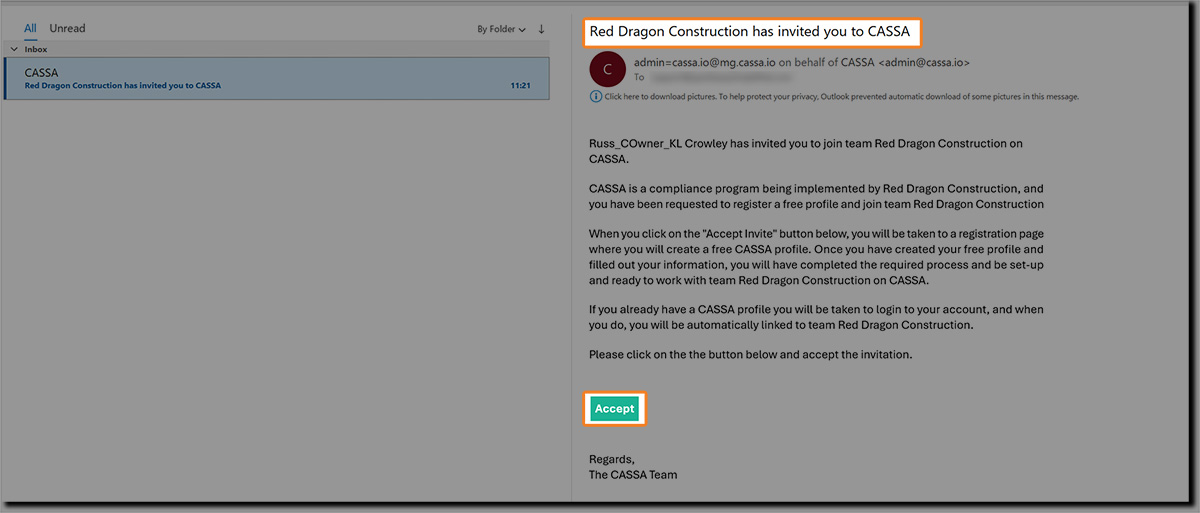
They will then need to click on the Accept button and follow the instructions.
Option 2 - Add emails individually
If you've only a few contractors to invite and/or you only have their email address, then we recommend this option.
Enter the email address into the field, as shown:
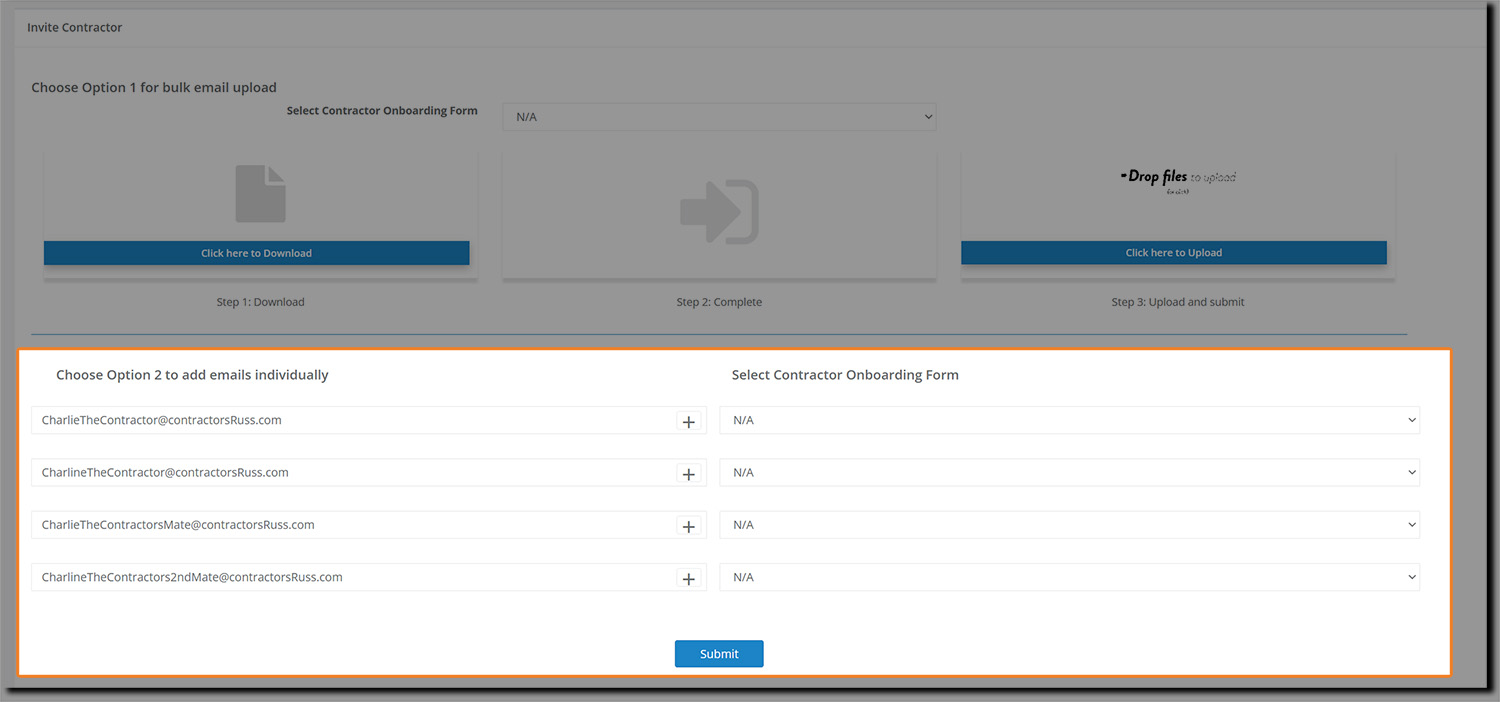
Click on the + button to add additional email addresses and, as appropriate, select the required Contractor Onboarding Form from the respective drop-down list.
When ready, click on the Submit button and the invites will be sent. You will then see an on-screen notification to confirm the invites have been sent.
The email your contractors will receive will have a subject line of <your company name> has invited you to CASSA and will look similar to this:
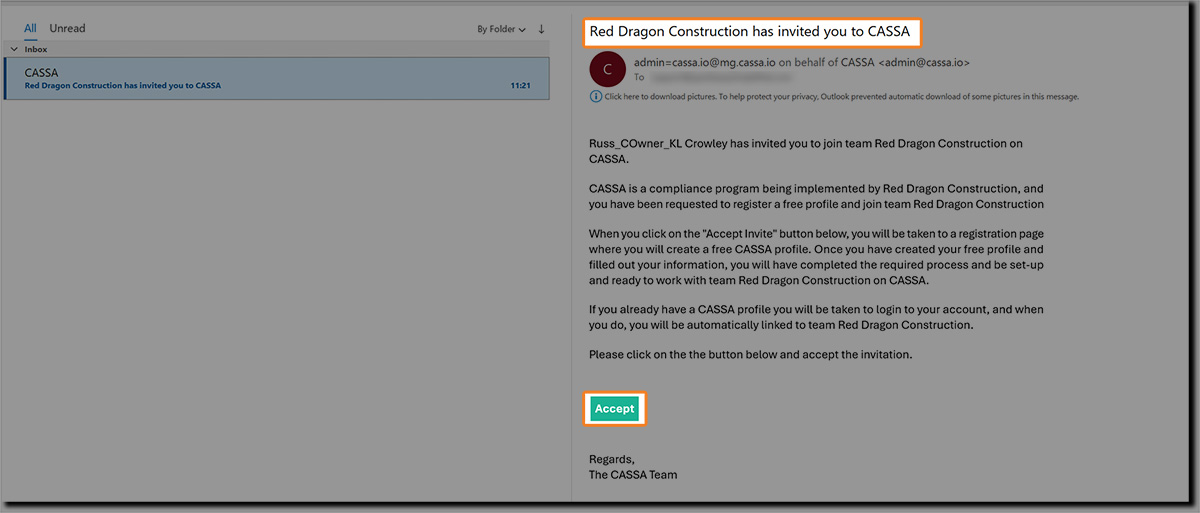
Again, your invited contractor will need to click on the Accept button and follow the subsequent steps to register.
Pending Invitations
Note: Once invites have been sent, all email addresses/recipients will be added to, and visible on, the Pending Invitations tab:

Here you have the options to Re-send or Cancel the invite.
Option 3 - Create a CASSA profile on behalf of your contractor
The second option is to create a CASSA profile on behalf of your employees.
This is useful for when you either don't want to wait for your employees to fill out their profiles or you just want to help them out (or somewhere in-between).
Click on the Create a CASSA Profile (on behalf of an employee) button and the following will display:

You need the following details:
Company Name
First name
Last name
Email address
Password (and password confirmation)
Select the Contractor Onboarding Form, as required.
Once complete, either click on:
Save & Close to save the new user and return to the Employee Register.
Save & Add More to save the new user and present a new, blank form.
Cancel to close the form without saving any changes.