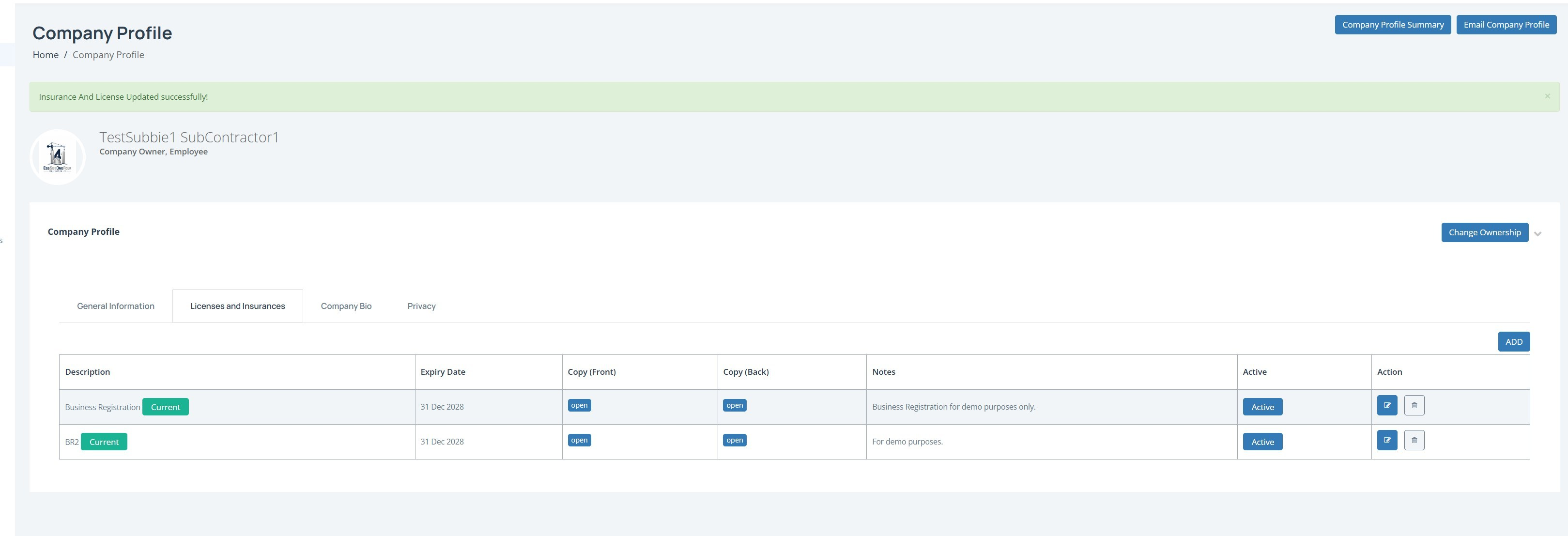
We recommend adding your licenses and insurance details soonest as these plug into the CASSA system and, once logged, will enable you to receive automatic notifications when actions are forthcoming/requiired.
Adding a license/insurance
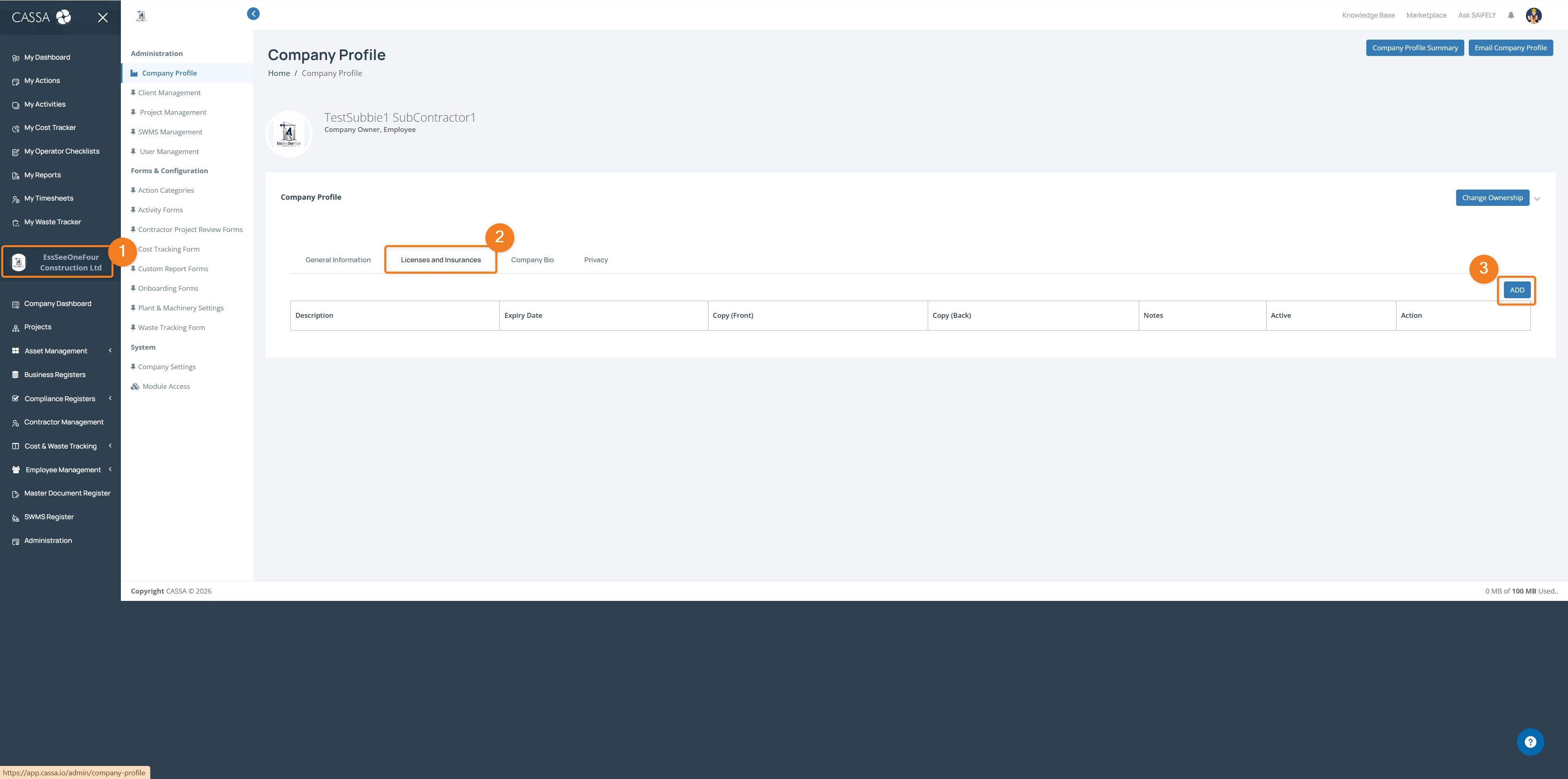
To add a license/insurance:
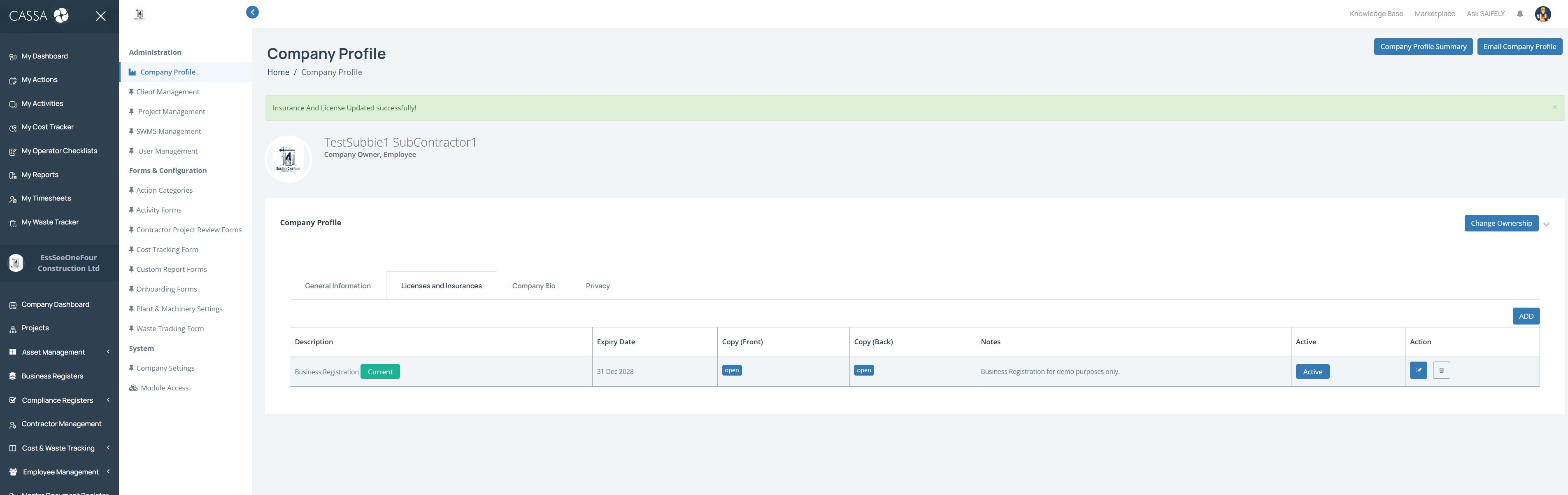
Click on your Company Name/Logo (1).
Click on the Licenses and Insurances tab (2).
Click on the Add button (3) and the Add Insurance and License popup will show:
You can either add a new item or choose from an already uploaded file.
Add new item
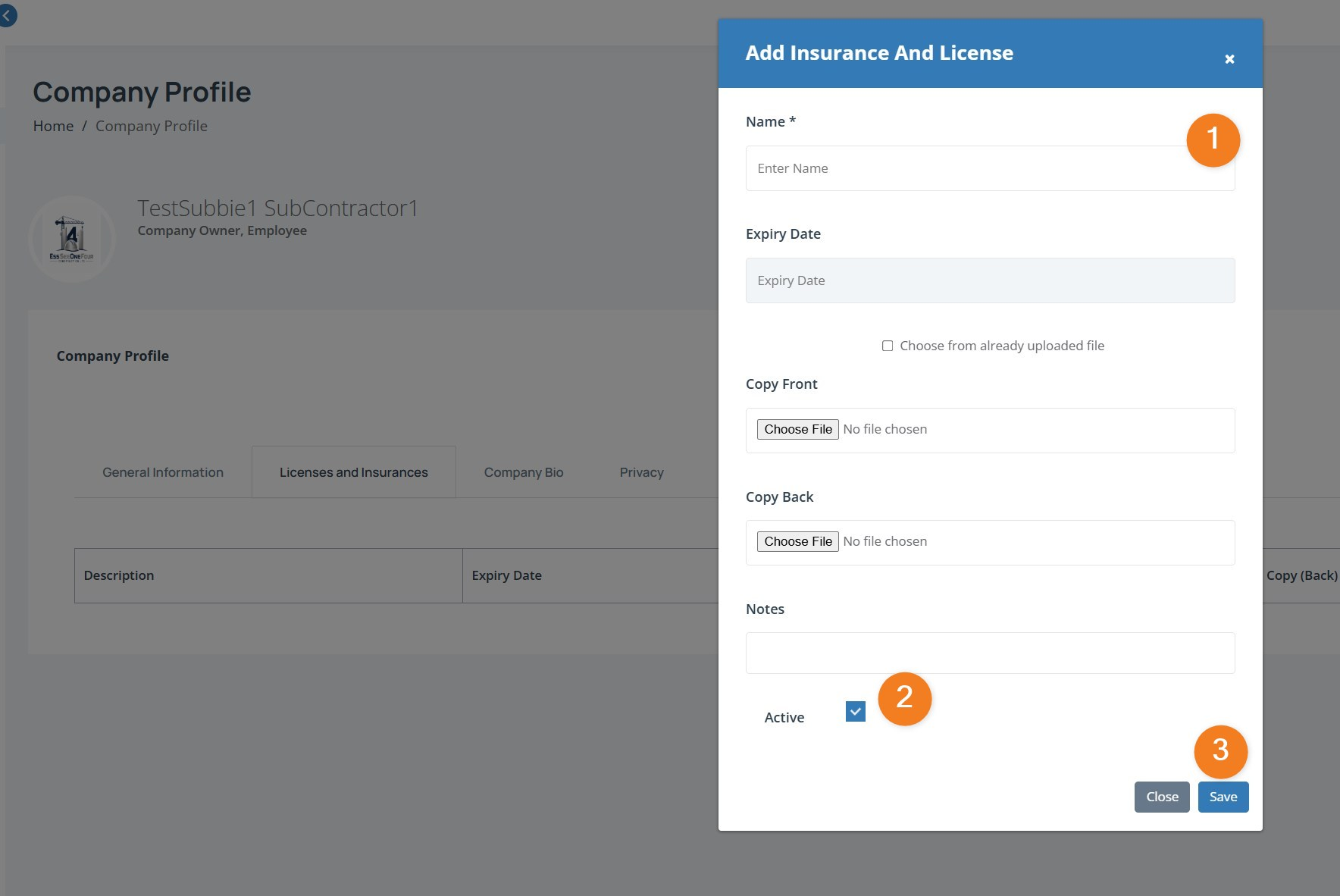
Add the license name, expiry date, and notes, and then upload a scan or a photograph of the front of the license and the back.
The Active checkbox is already selected. However, if this new item is not yet active, deselect this box. This item won't then show up for selection throughout CASSA and no notifications, etc., will be triggered.
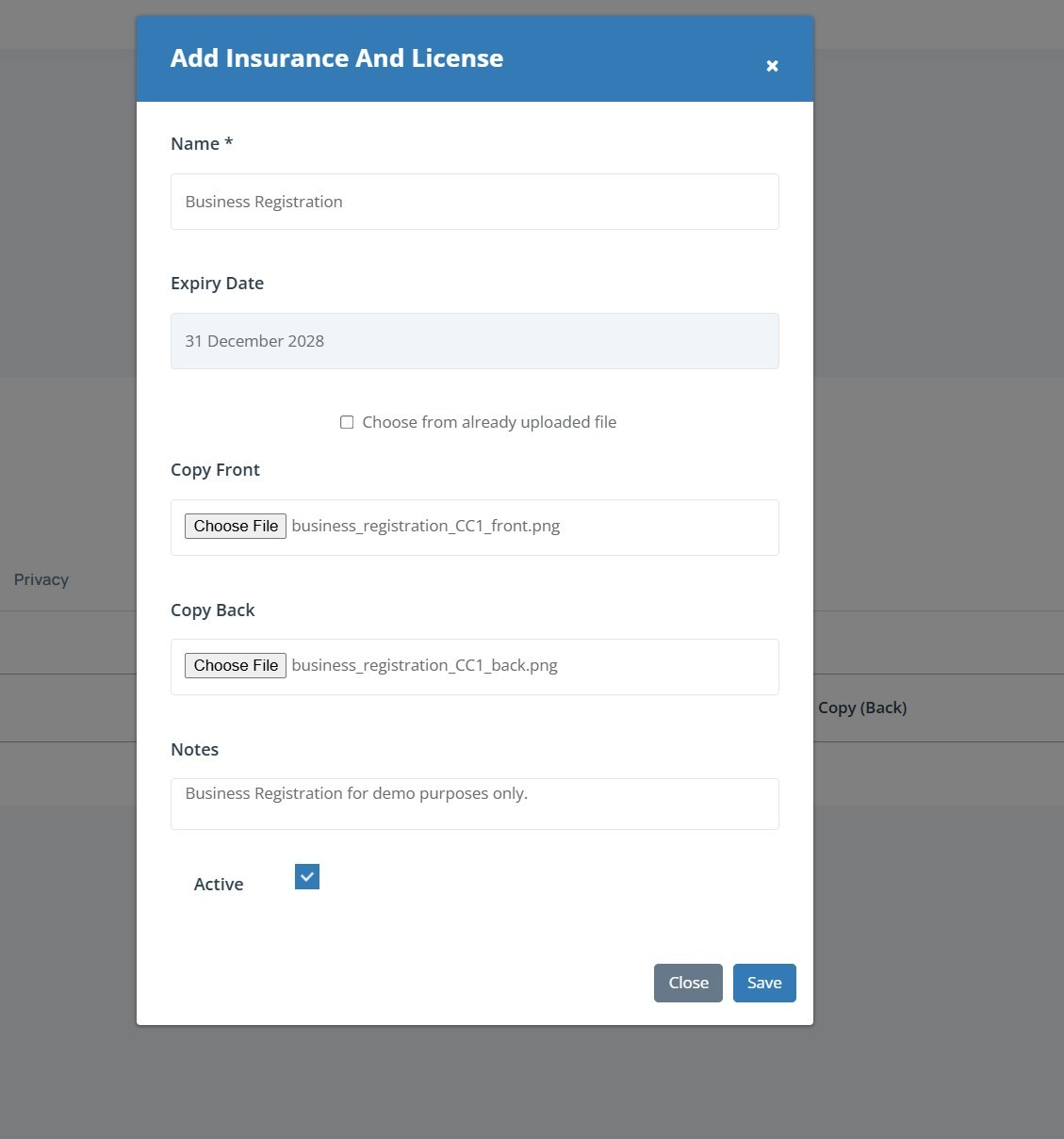
When complete, click on the Save button and the popup will close and your new item will be added to the grid.
Choose from already uploaded file
If you're already uploaded your license or qualification, then you can select the choose from already uploaded file option:
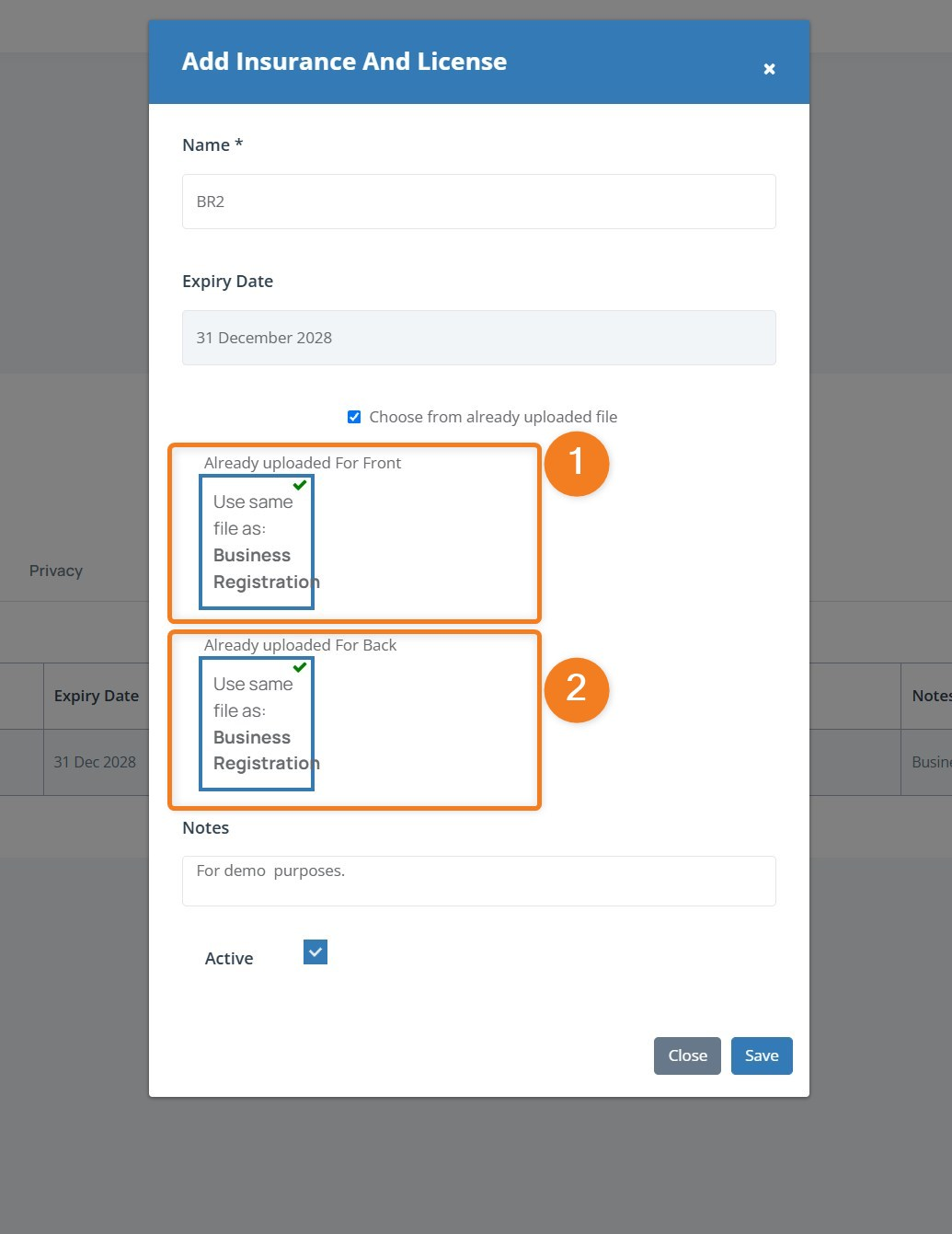
Select the front and back images (1, 2)
Complete the remainder, as before.
Click on the Save button when done, and the screen will refresh and your new license/insurance will be added to your company: