


To assign employees to your client project, you must first be logged in as a company owner. Assigning employees then depends on whether you're assigning them to a Company Project or to a Client Project (the functionality's slightly different).
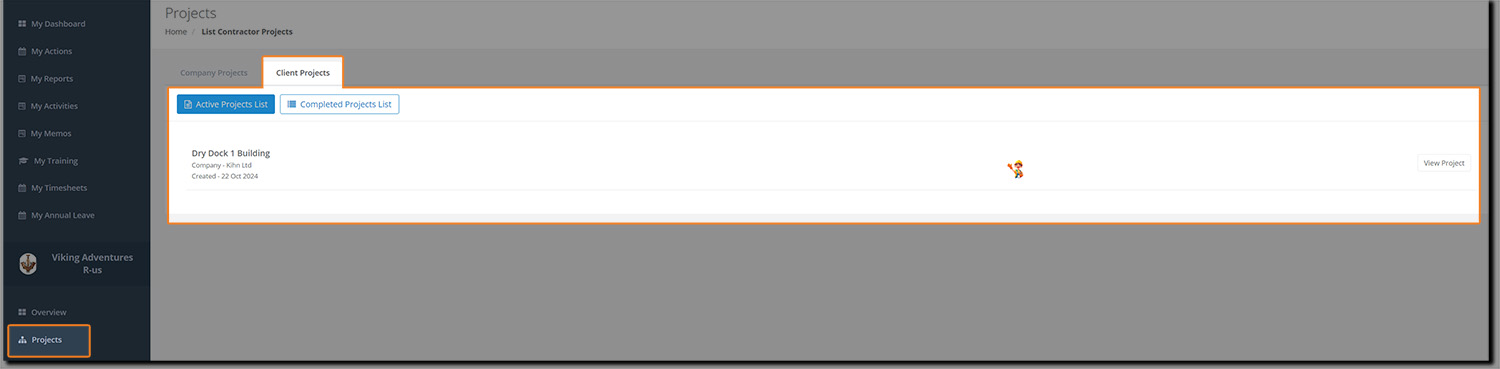
Click on Projects and then on the Client Projects tab to view your projects:
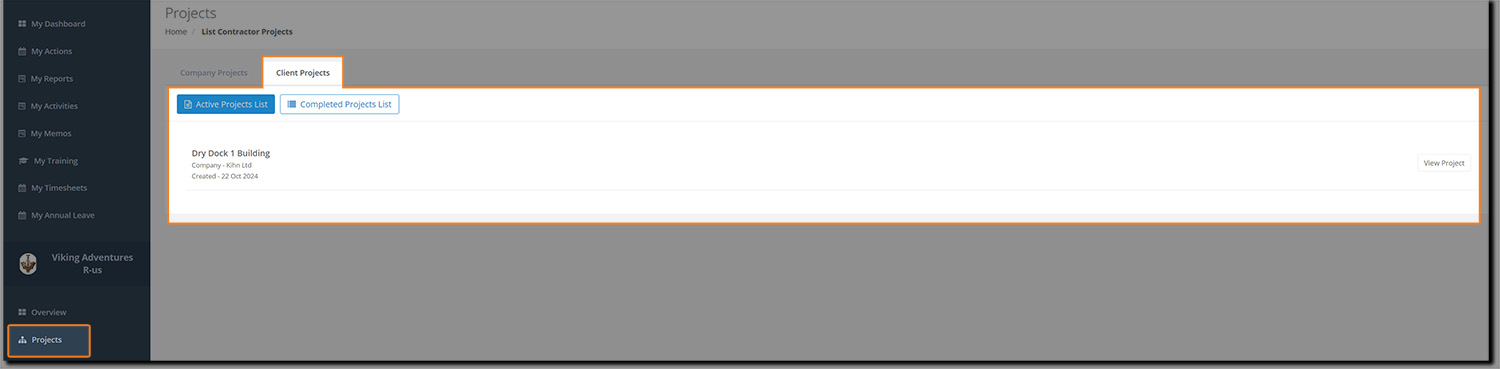
You'll notice that the white bar is blank. When employees are added to the project, a thumbnail of their profile image will appear.
Click on the project name or the View Project button and you'll be taken to the Project Management screen where you can click on Assign Employees.
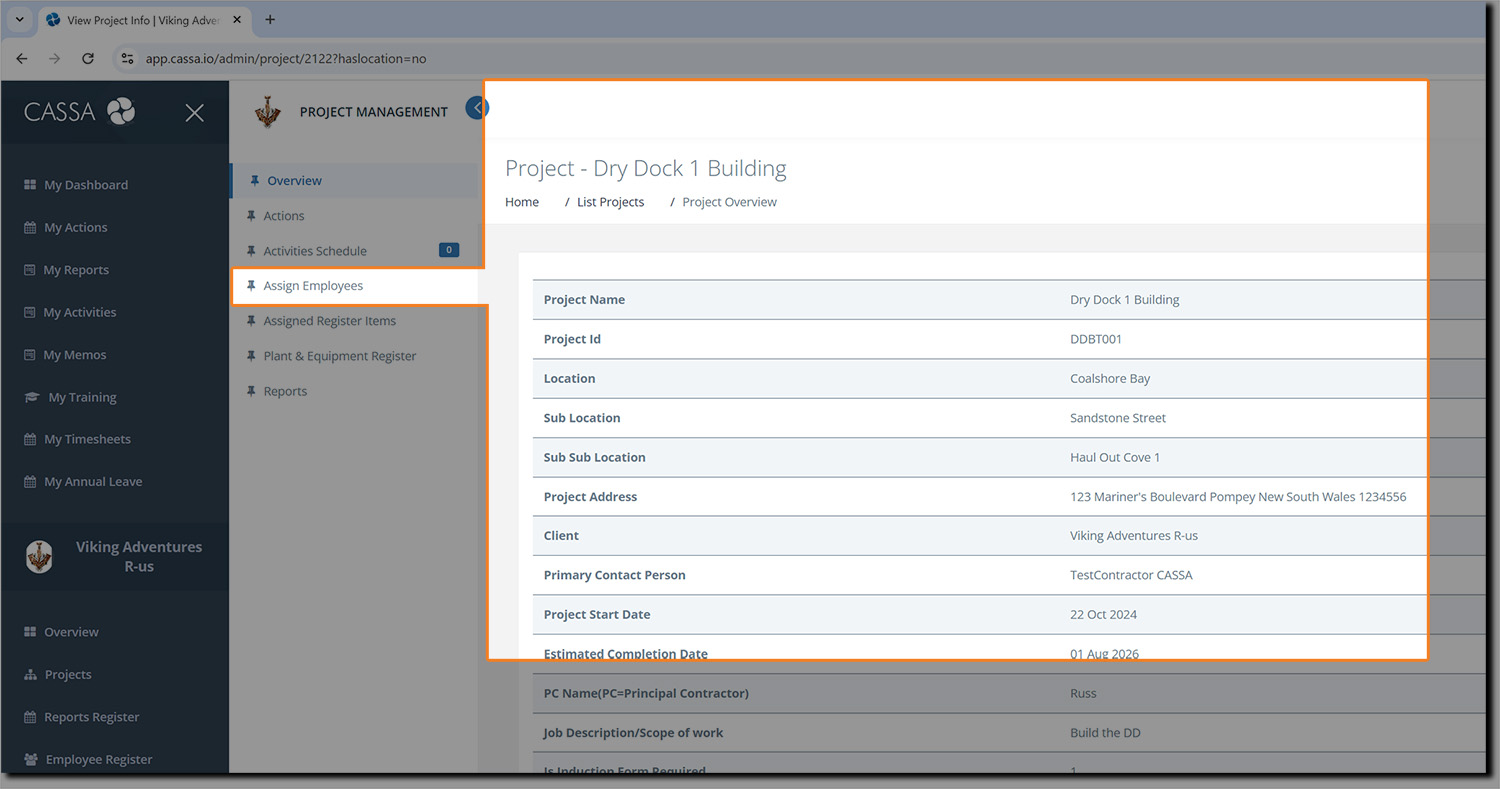
The screen will refresh and you can now assign employees to your project:
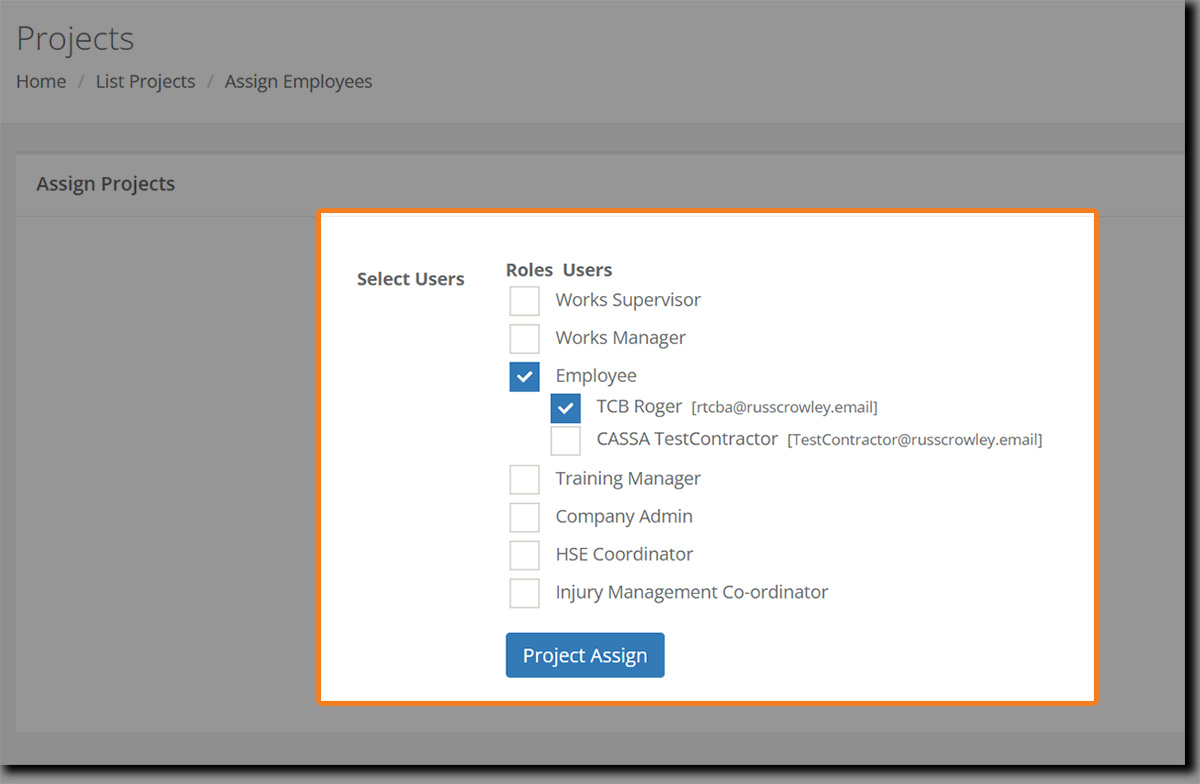
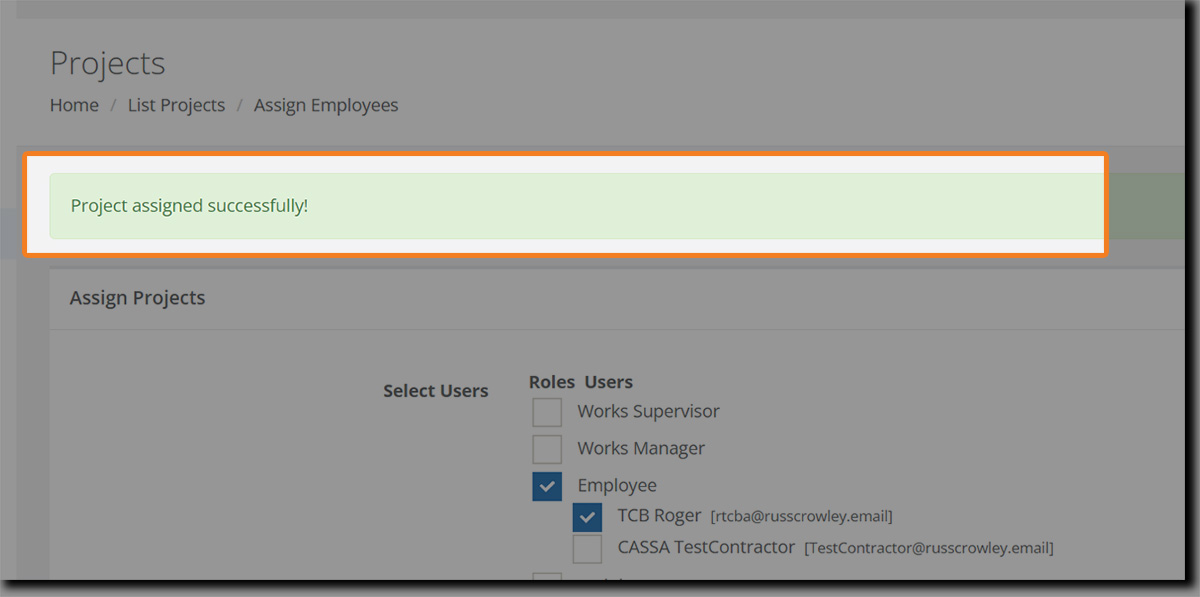
Select the assignments/roles and then click on Project Assign. The screen will refresh and a confirmation notice will appear telling you the roles were successfully assigned to the project:
Returning back to our project's page, we now see this employee has been assigned to the project:
Next Steps
At this stage, you should have completed the full onboarding list/steps:
Adding Your Employees and Contractors
Adding SDS or SWMS (or Getting Started with SWMS)
Complete Plant and Equipment
Download your Marketplace Business Registers, including the Safety Management Plan.
Refer to the Next Steps as a Contractor article.