To remove/unassign a SWMS from a project:
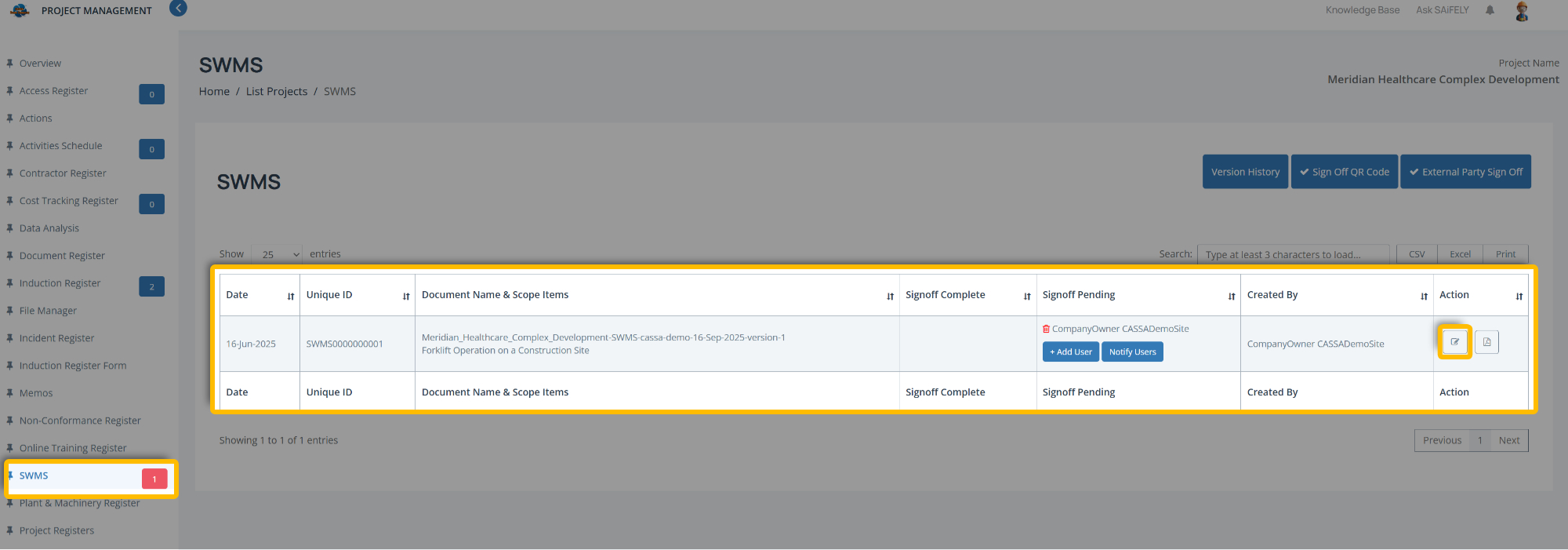
From the Administration > Project > SWMS Register, in the Action column, click on the Edit button to view the SWMS grid in Edit mode:
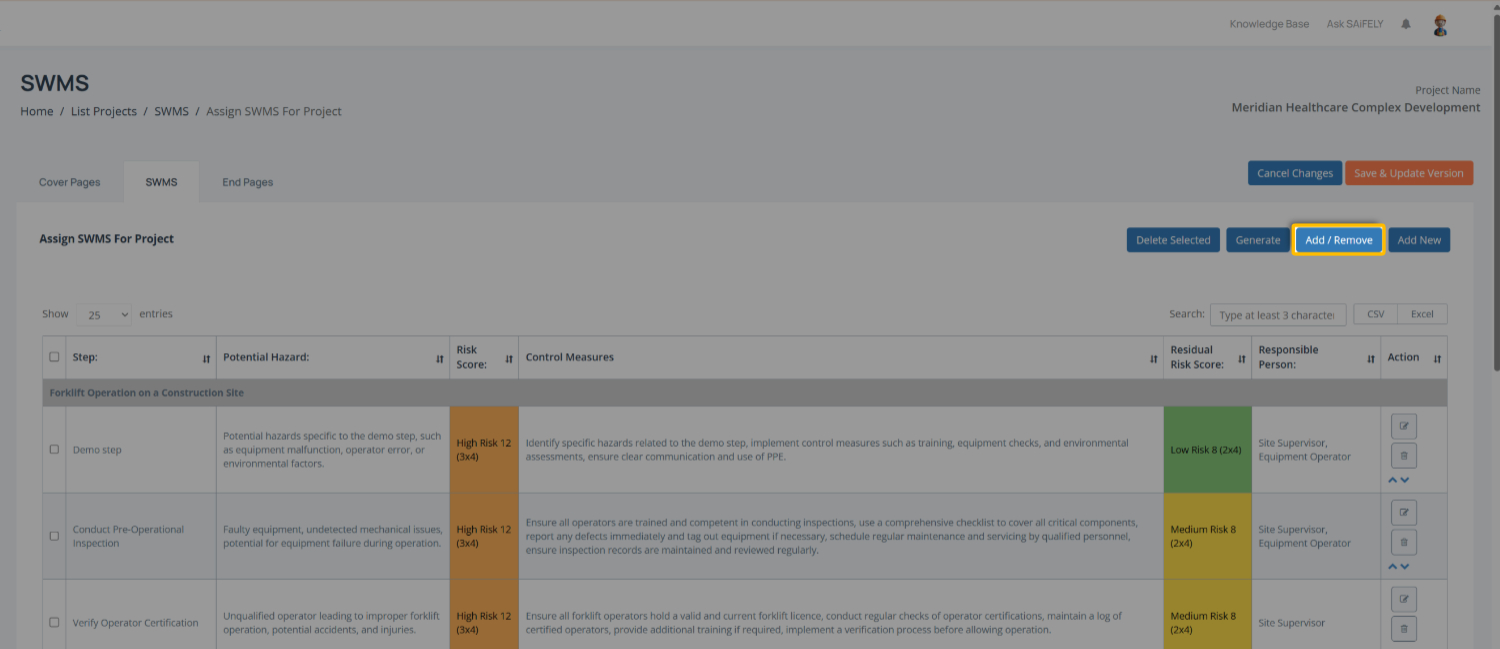
In the SWMS list, click on the Add/Remove button:
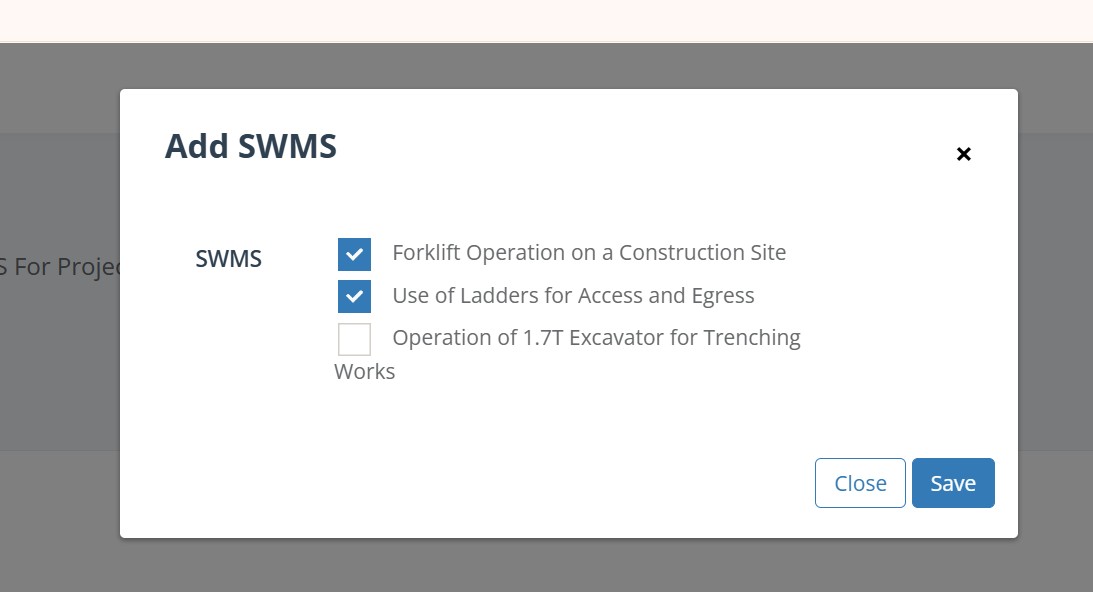
In the popup, deselect the SWMS(s) you wish to remove:
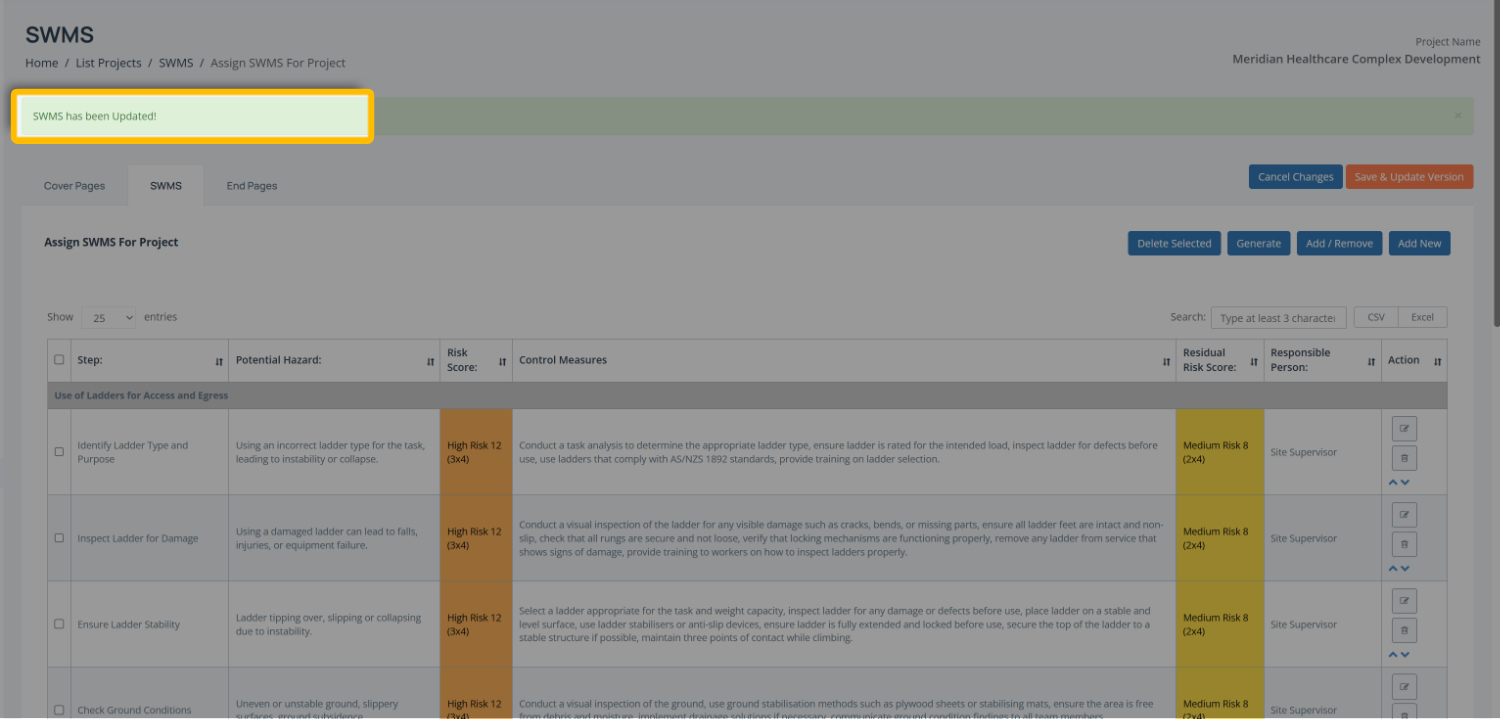
Click on Save and the popup will close, the SWMS will be removed from your project, you will be returned to the Edit mode grid, and the SWMS has been updated message will display: