


If you don't need to use all the CASSA modules, and would prefer to not have them in the main navigation, you disable them in the Administration are.
To enable/disable individual CASSA modules:
In the main navigation:
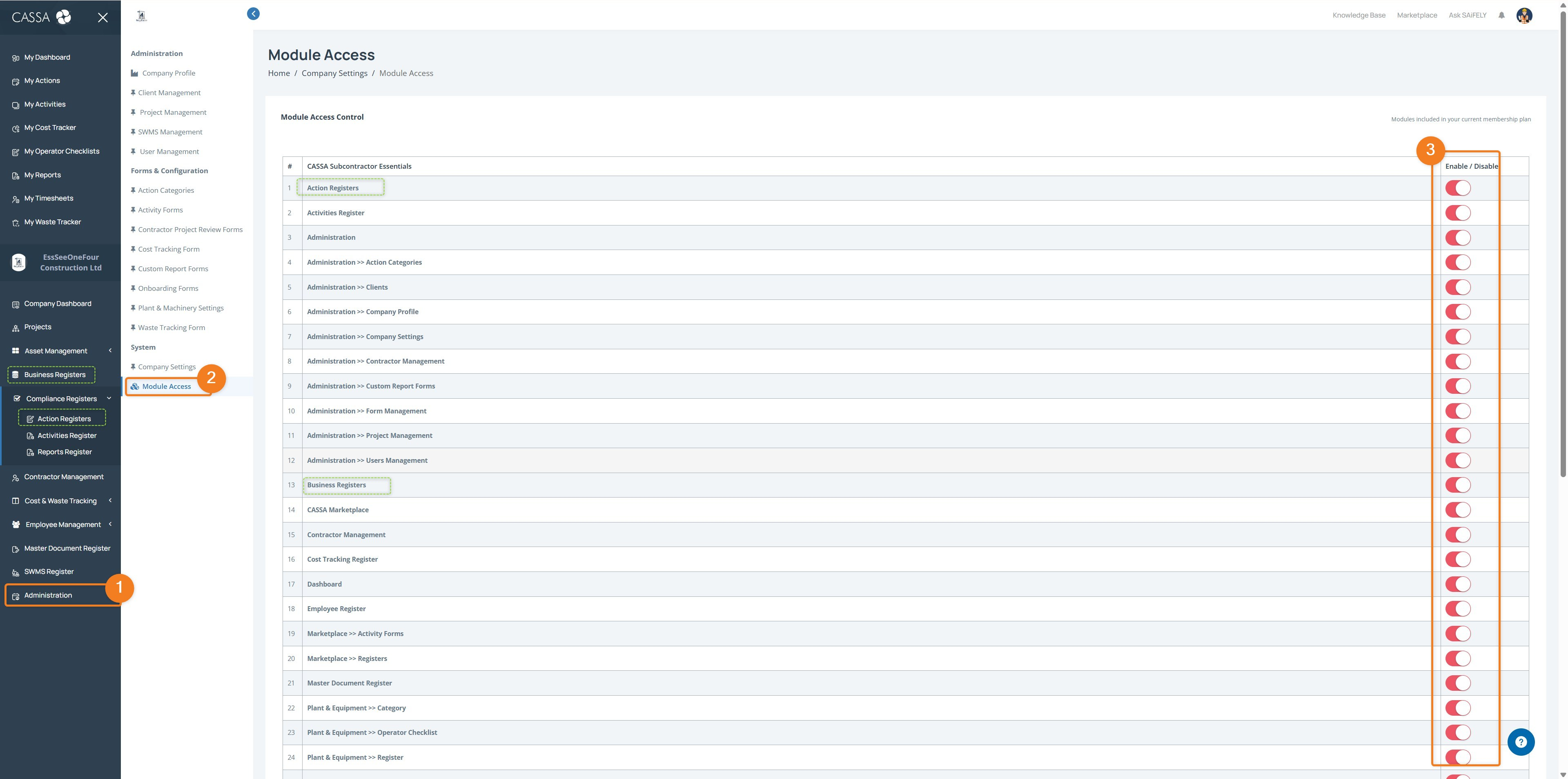
Click on Administration (1), then on CASSA Modules (2), and you can enable/disable the individual modules via the toggle button (3):
Once done, refresh your browser by clicking on the Refresh button (or pressing F5) and the navigation menu will update:
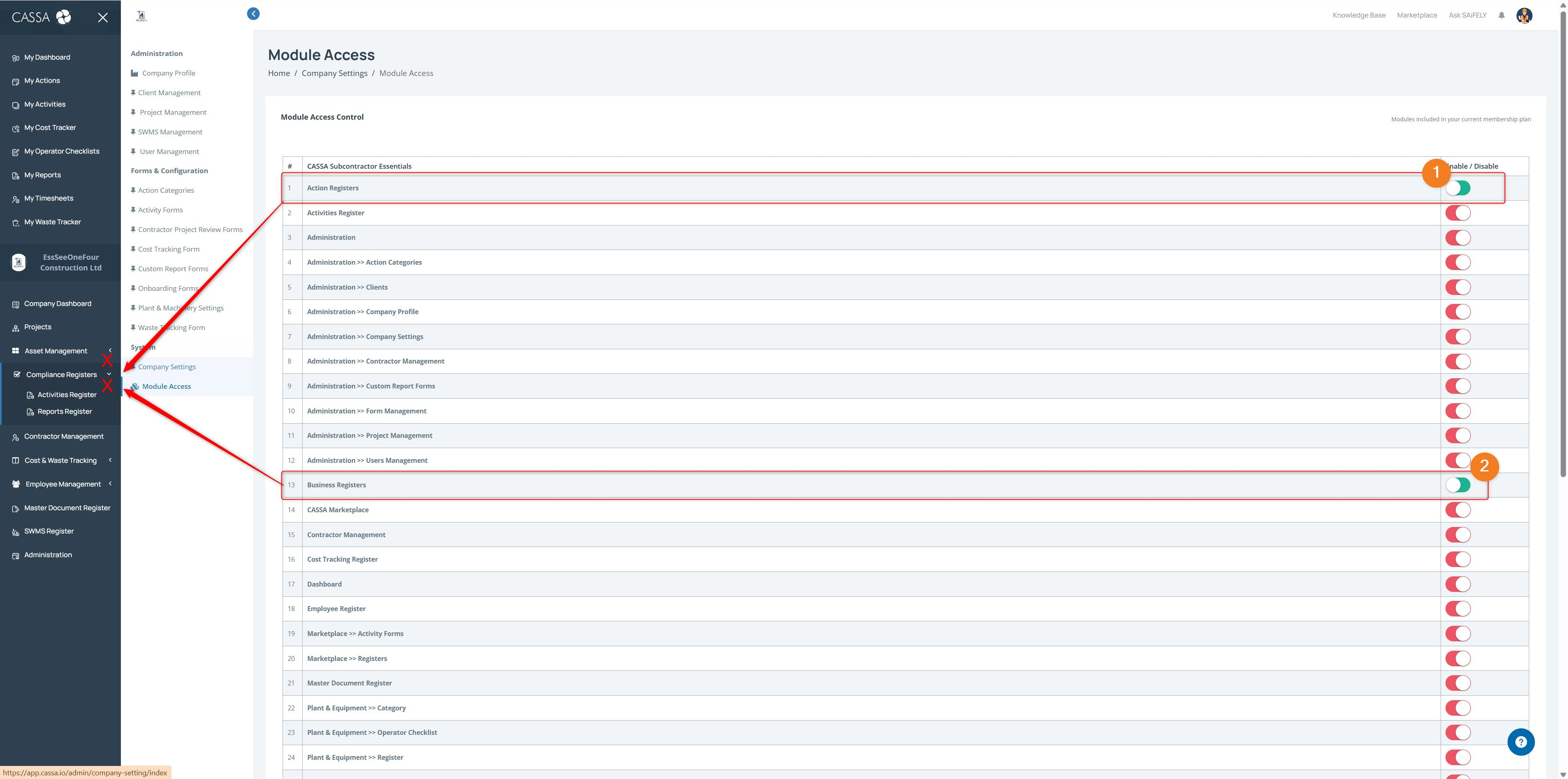
When you need these modules, come back to the Admin area and enable them.