


Assigning staff to roles has several benefits including helping to ensure business continuity and improve communication, and is something we would recommend you do from the outset.
Note: You will likely have assigned roles to employees when you initially invited them to your company, but if you need to change and employee's role(s), then here what you do.
To add users to roles:
Click on Administration > Users Management and you'll see your User Management grid dashboard:
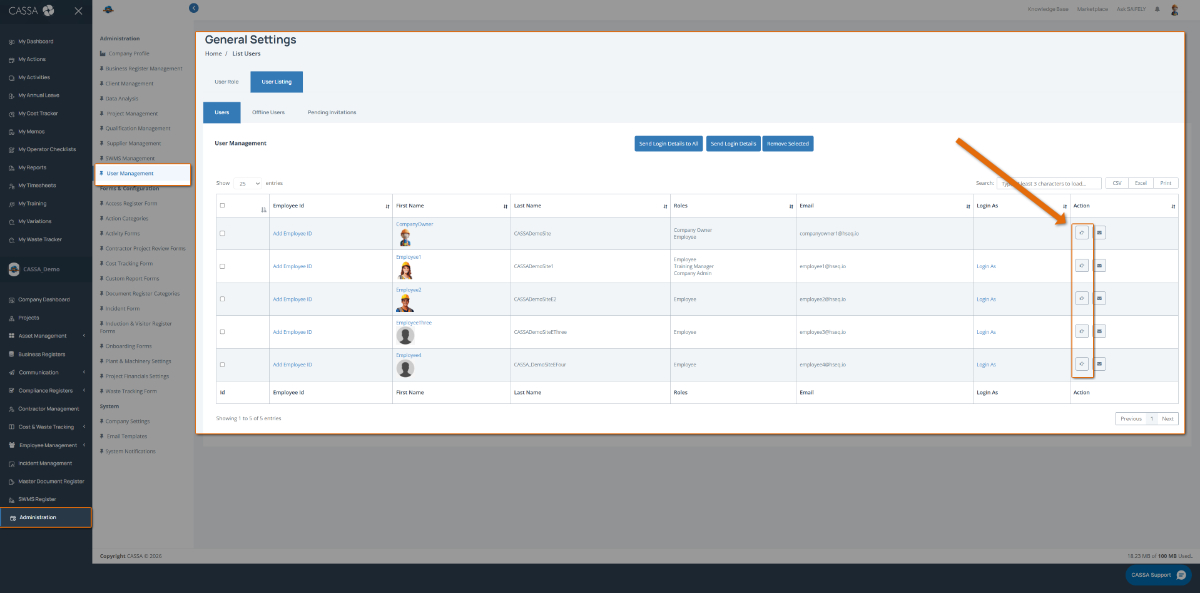
Identify the user to whom you wish to assign roles and, in the Action column, click on the Assign Roles button. The Assign Role to User dialog will display:
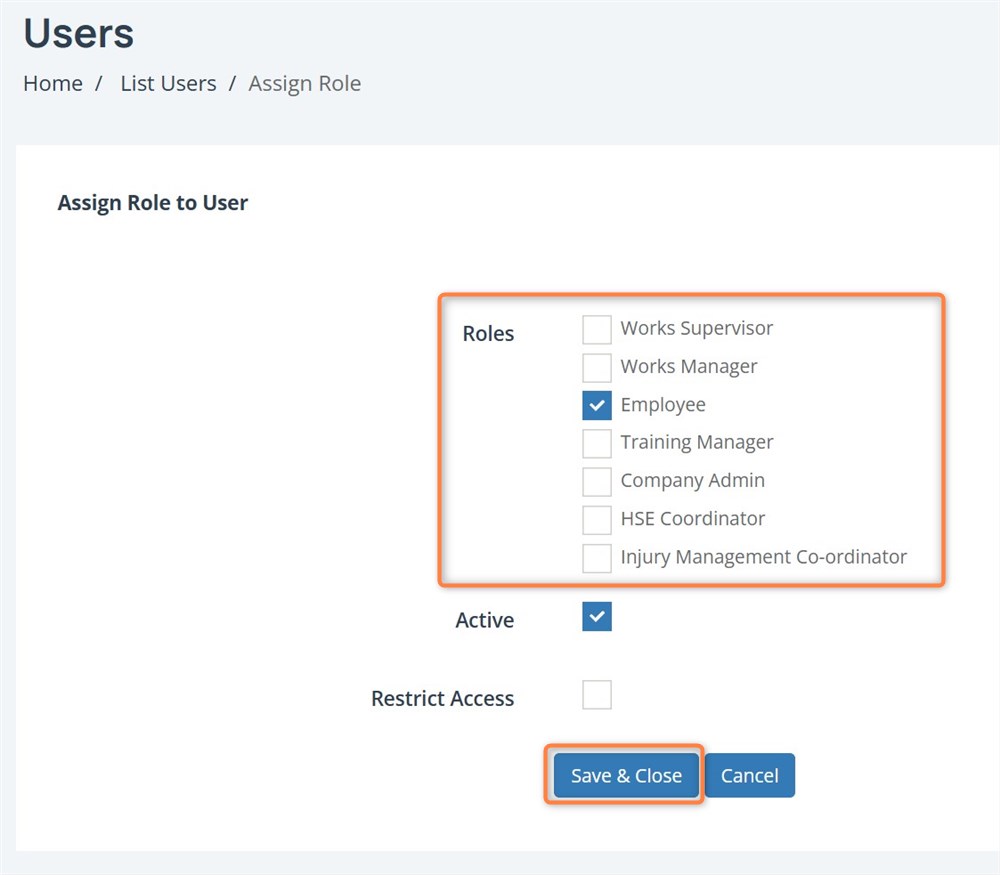
Note: You will likely add your assistant(s) to the Company Admin role.
If the user is inactive, deselect the Active checkbox.
To restrict the user's access at this time, then you can select the Restrict Access checkbox. This can be useful in multiple scenarios including new hires that have not completed on-boarding.
Once your selection is complete, click on the Save & Close button to assign the user to their new roles.