The Project Management dashboard is where administrators can manage company and client projects, assign employees and contractors, complete projects, and maintain project records. This page opens when selecting View Project from the Projects dashboard.
To manage projects:
1. Open Project Management by selecting Administration (1), then Project Management (2) from the left-hand menu.
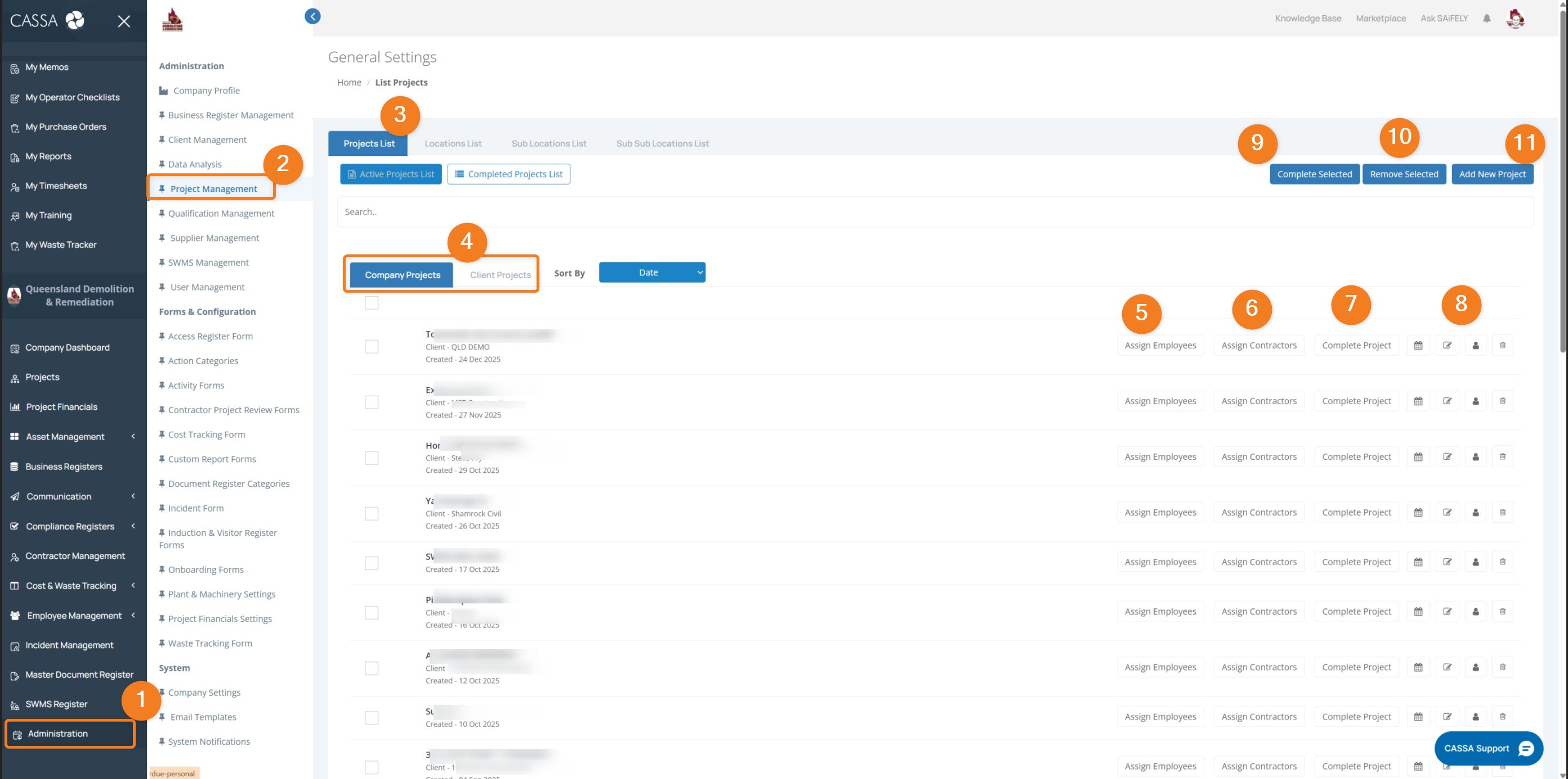
Choose the project management area using the tabs at the top of the page (3):
Projects List displays all projects.
Locations List manages project locations.
Sub Locations List manages work areas within locations.
Sub Sub Locations List manages additional nested location levels where used.
Switch between project types using the filters (4):
Company Projects displays internal company projects.
Client Projects displays client-related projects.
You can also sort projects using the Sort By dropdown and search for a specific project using the search field.
Assign employees to a project by selecting Assign Employees (5) beside the relevant project.
Assign contractors to a project by selecting Assign Contractors (6).
Complete a project by selecting Complete Project (7) once work has been finalised.
Note: Completed projects may move to the Completed Projects List and no longer appear in active project listings.
Manage individual project records using the action icons (8), where permitted. Available actions may include viewing, editing, managing assignments, or removing a project.
Complete multiple projects by selecting one or more projects and choosing Complete Selected (9).
Remove multiple projects by selecting one or more projects and choosing Remove Selected (10).
Add a new project by clicking on Add New Project (11).
You can also:
Switch between Active Projects List and Completed Projects List (3).
Use checkboxes to select multiple projects for bulk actions.
Filter between Company Projects and Client Projects depending on the type of work being managed.
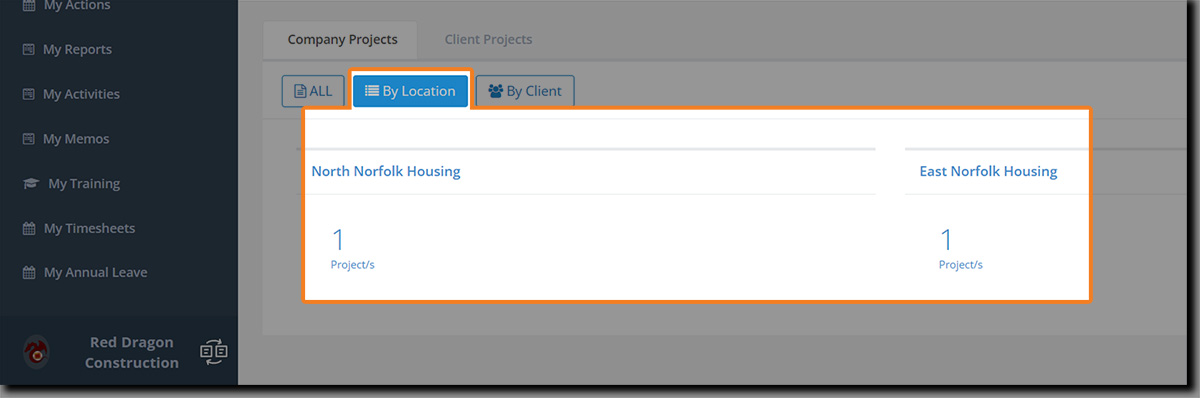
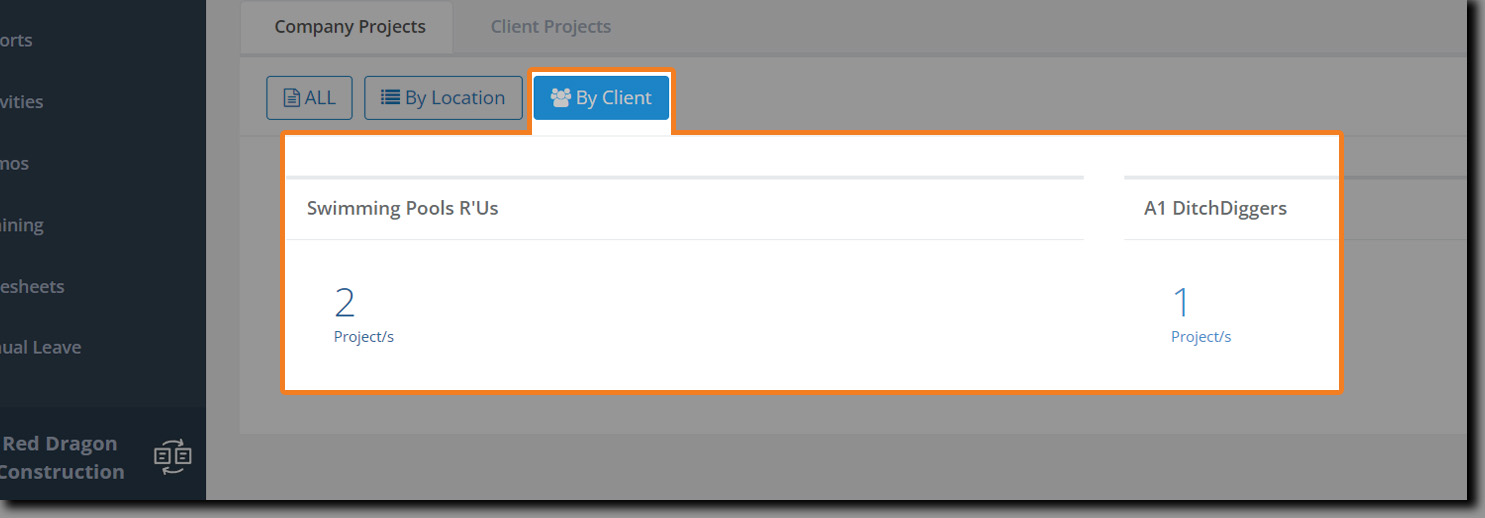
Filter By Location and Client
Click on By Location to filter your projects by location:
Click on By Client to filter your projects accordingly:
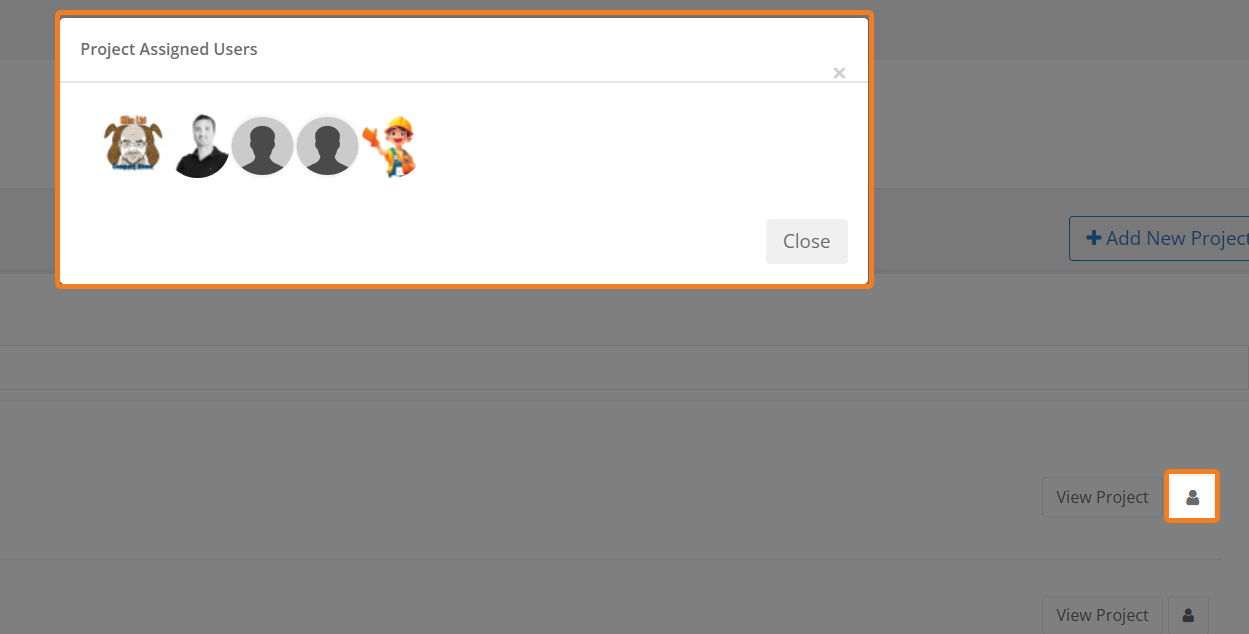
View Users Assigned to the Project
Click on the button for the project you wish to view: