


To assign employees to your project, you must first be logged in as a company owner. Assigning employees then depends on whether you're assigning them to a Company Project or to a Client Project (the functionality's slightly different).
Assigning an employee to a company project
Click on Administration, then on Project Management, and in the Project to which you will assign your employee(s), click on the Assign Employees button:

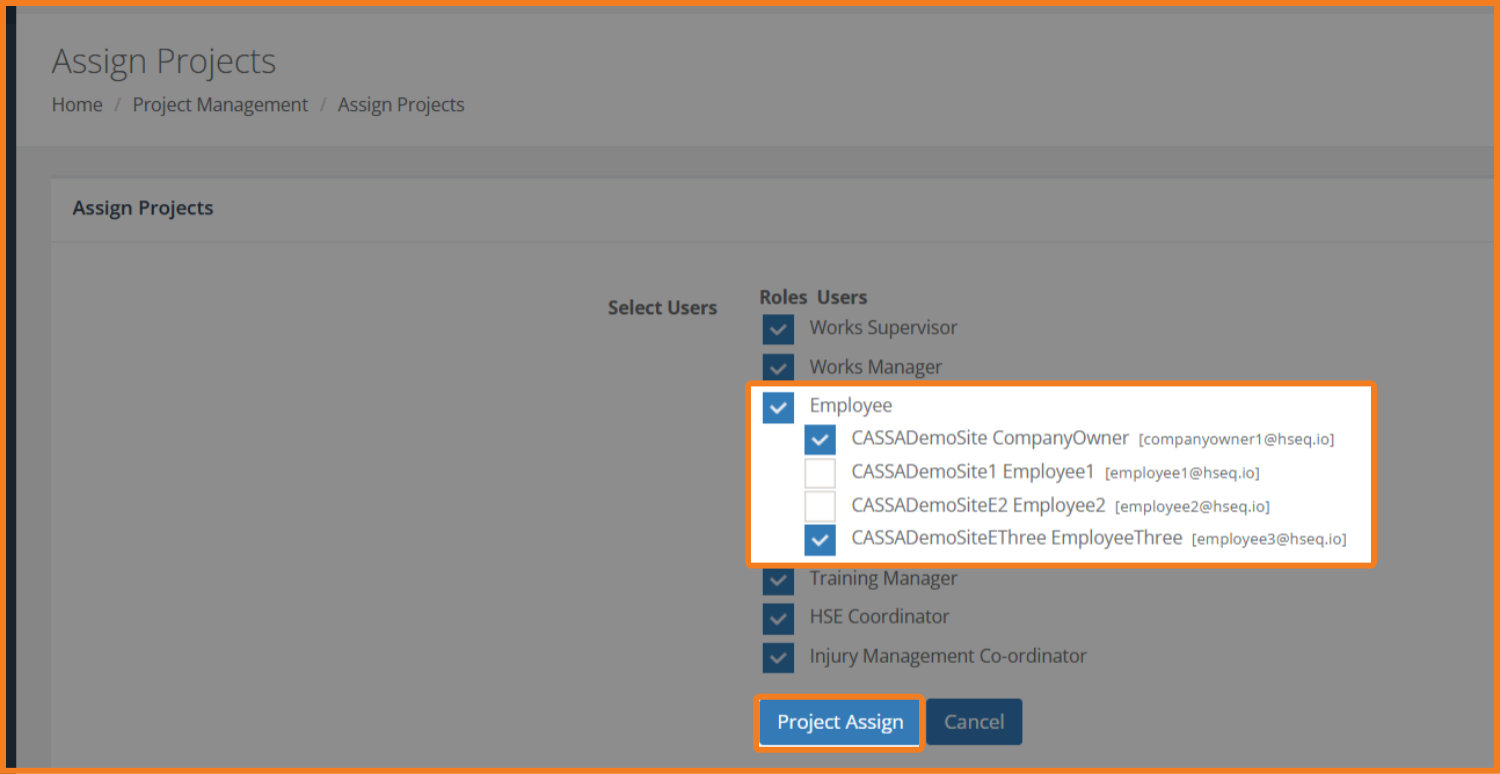
In the Assign Projects page, select/deselect your required employees, and then click on the Project Assign button:
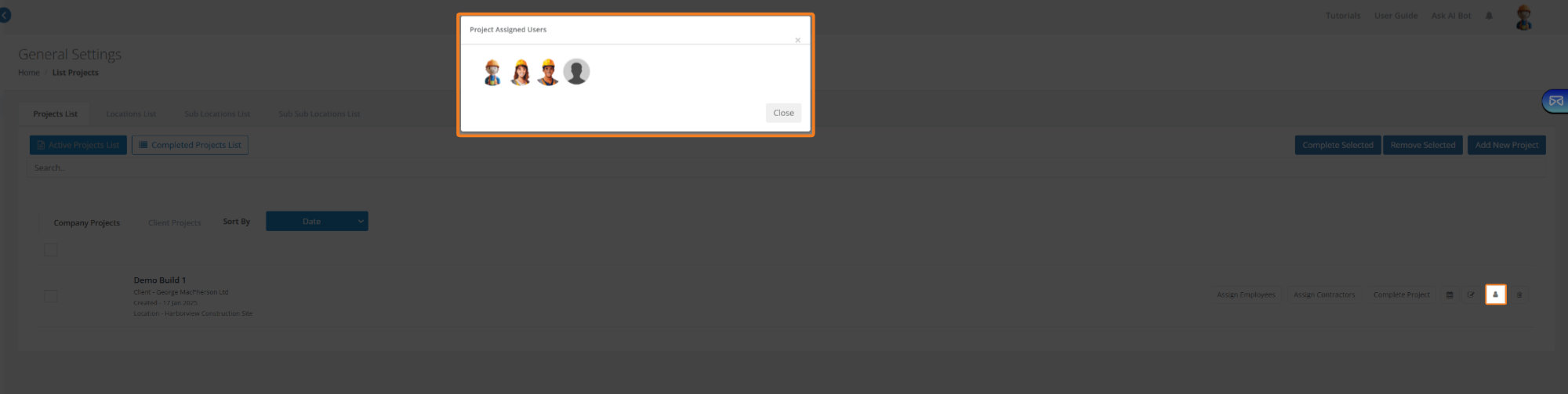
The screen will refresh and your employees will be assigned accordingly. Click on the Project Assigned Users button to see assigned users:
Employee Induction
Adding employees to the project also adds them to the Employee Induction list and ensures that they can be inducted before beginning work on site. Equally, if you don't assign employees to the project then they can't be inducted and must therefore leave the site.