


The My Actions page (1) displays corrective actions that have been assigned to your profile. You can review action details, monitor progress and close out completed items from this page.
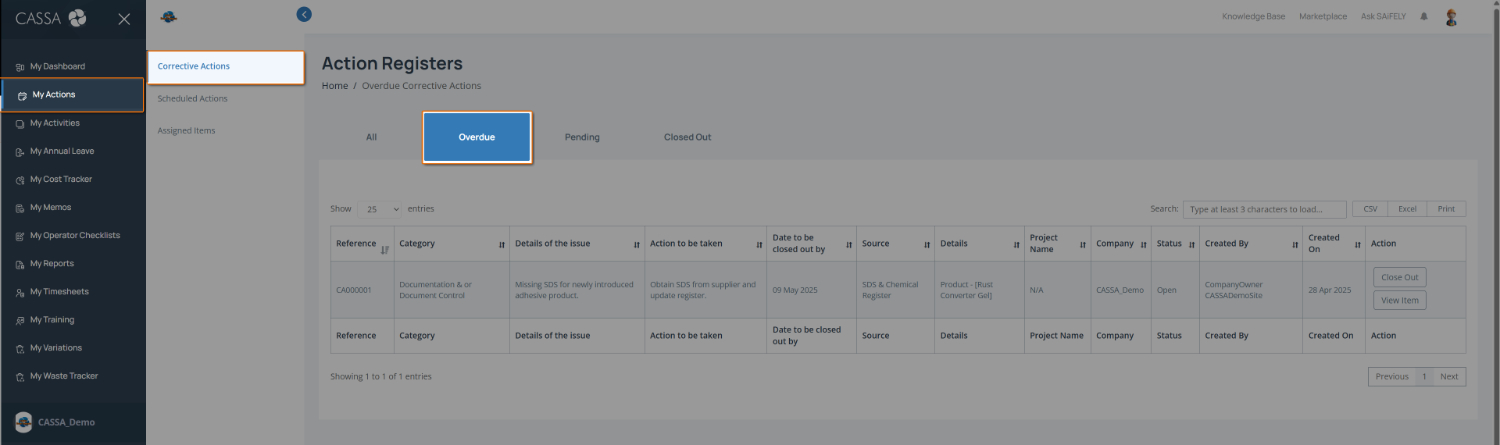
When you click on My Actions, your Overdue Corrective Actions are shown by default.
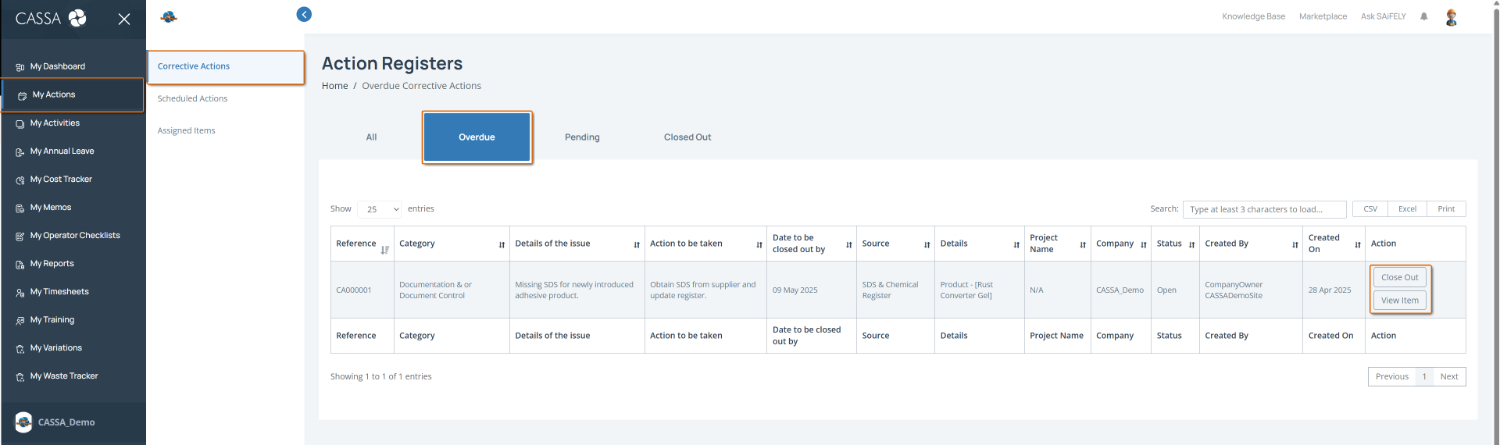
To complete this page:
View assigned actions by checking the action register table. Each record includes details such as the Reference, Category, Issue Details, Required Action, Close Out Date, Project Name, Status, and who created the action.
Filter actions by status using the tabs (2) to switch between:
All – view every assigned action
Overdue – view actions that have passed their required close out date
Pending – view actions still in progress
Closed Out – view completed actions
Review action details by clicking View Item in the Action column to open the full corrective action record.
Close an action by clicking Close Out once the required action has been completed and supporting evidence has been provided where required.
Note: Overdue actions may affect compliance requirements and should be addressed as soon as possible.
You can also:
Search for actions using the Search field
Export action records using CSV, Excel, or Print options