


The My Annual Leave page (1) allows you to manage your leave requests and monitor their approval status. You can review current and past leave applications, filter results, and submit a new annual leave request when needed.
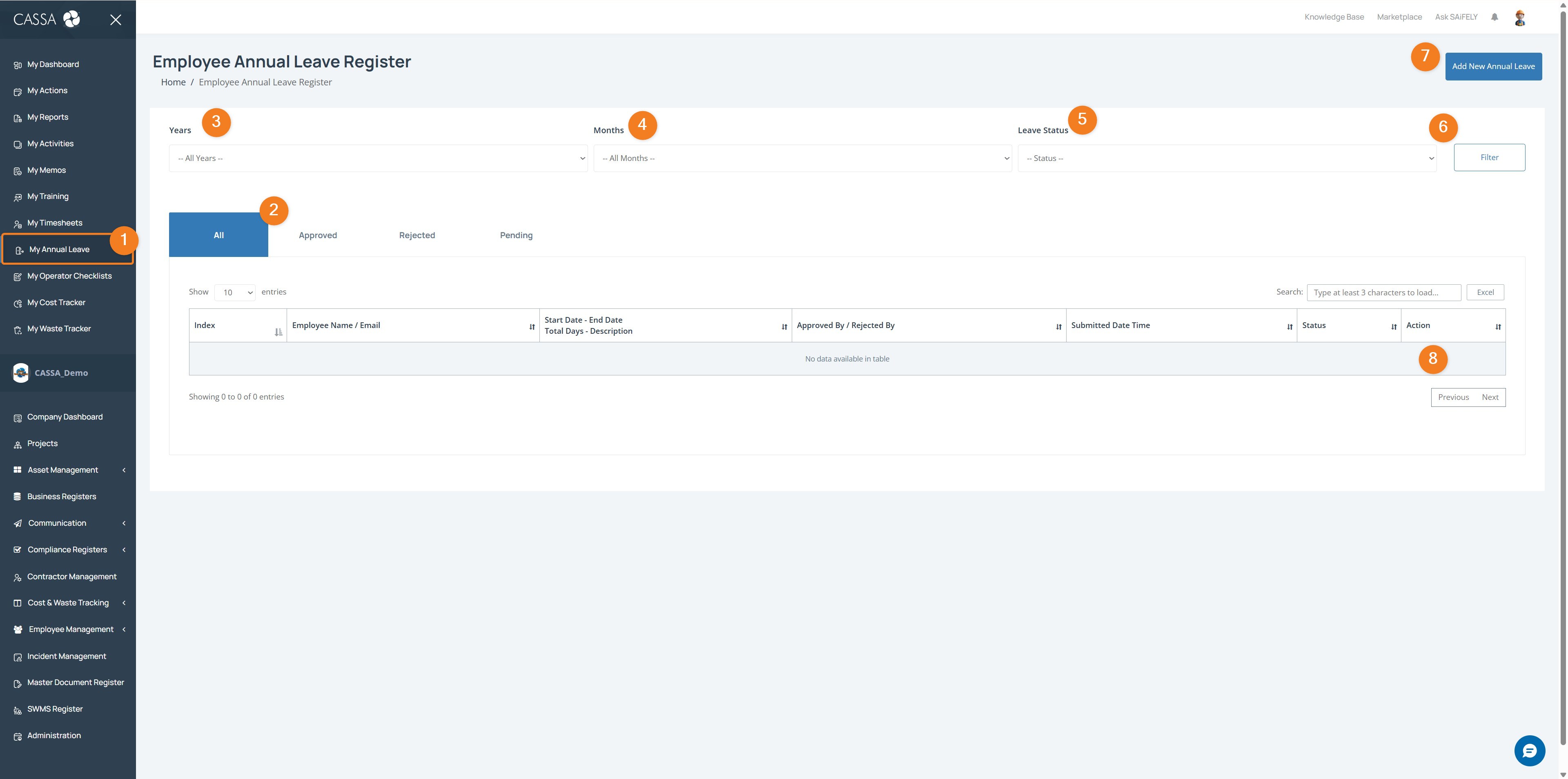
Open My Annual Leave by selecting My Annual Leave (1) from the left-hand menu.
View leave requests by status using the tabs (2) to filter between All, Approved, Rejected, and Pending leave requests.
Filter leave records by selecting a Year (3), Month (4), and Leave Status (5), then selecting Filter (6) to update the results.
Note: Filters can help you quickly locate leave requests from a specific period or approval stage.
Submit a new leave request by selecting Add New Annual Leave (7).
Review leave details in the register table (8), including employee details, leave dates, total leave days, approval status, and submission history.
You can also:
Search for a specific leave request using the search field
Export leave records to Excel where required.