


The My Memos page (1) is where you can access messages and notices shared through CASSA. Memos can be organised by source and read status, making it easier to track important updates and communications.
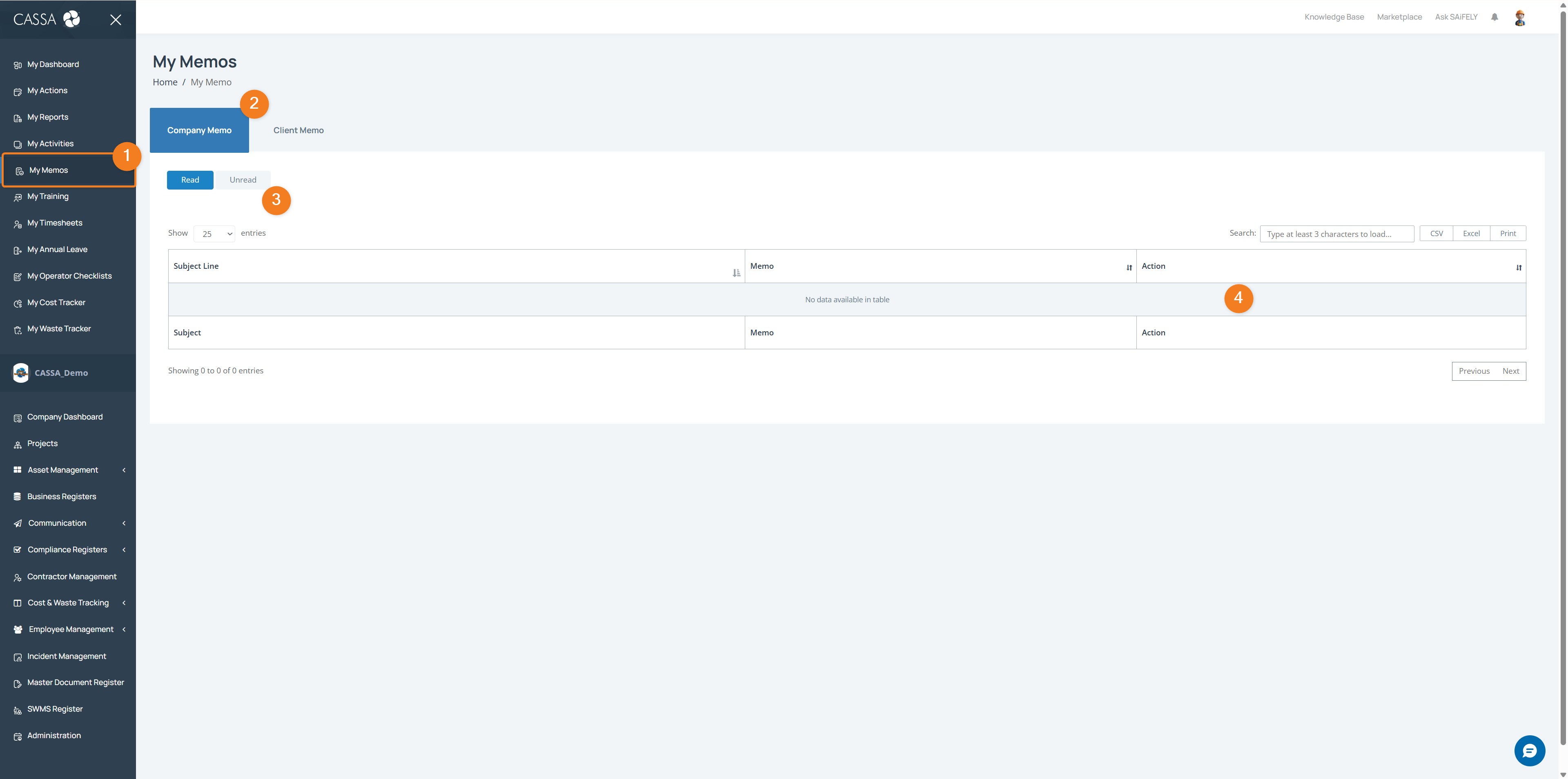
Open My Memos by selecting My Memos (1) from the left-hand menu.
Choose a memo type using the tabs (2) to switch between Company Memo and Client Memo. The Company Memo tab is selected by default.
Filter memos by read status using the Read and Unread options (3) to view messages based on whether they have been opened.
Note: The memos displayed will depend on your role, permissions, and any communications shared with you in CASSA.
Review memo details in the memo list (4), including the Subject Line, memo content, and available actions.
You can also:
Search for a specific memo using the search field
Export memo records using CSV, Excel, or Print options where required.