

The My Variations dashboard provides a central list of project variations. From this page, you can review existing variations, search for specific records, and create new variation requests.
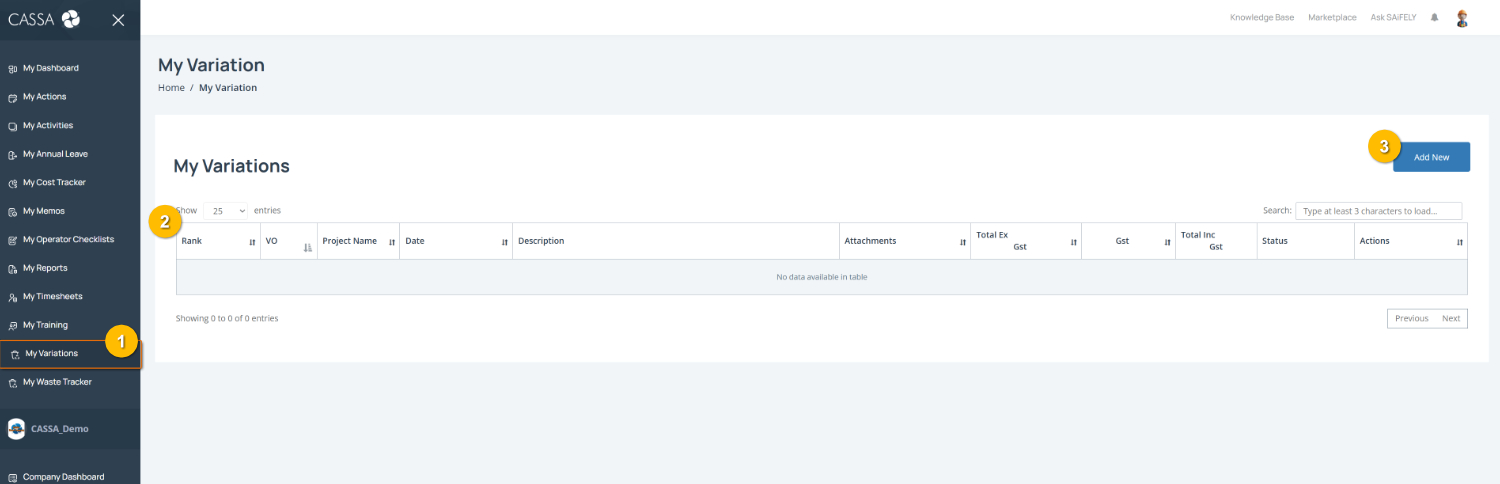
To manage your variations:
1. Review your variations using the table on the page (1). When variations are available, the list includes:
Rank
Variation ID
Project name
Date
Description
Attachments
Total Ex Cost
GST
Total Inc Cost
Status
Available actions
Find a variation by using the search field to locate a specific record.
Create a new variation by selecting Add New (2).
Note: The ability to create new variations depends on your permissions.
You can also:
Export the variation list using CSV, Excel, or Print where available.
Review the current status of each variation to track its progress.