


You can use the register to add SDS records, search existing records, generate QR codes, remove selected records, and export the register for use outside CASSA.
Open the SDS Register
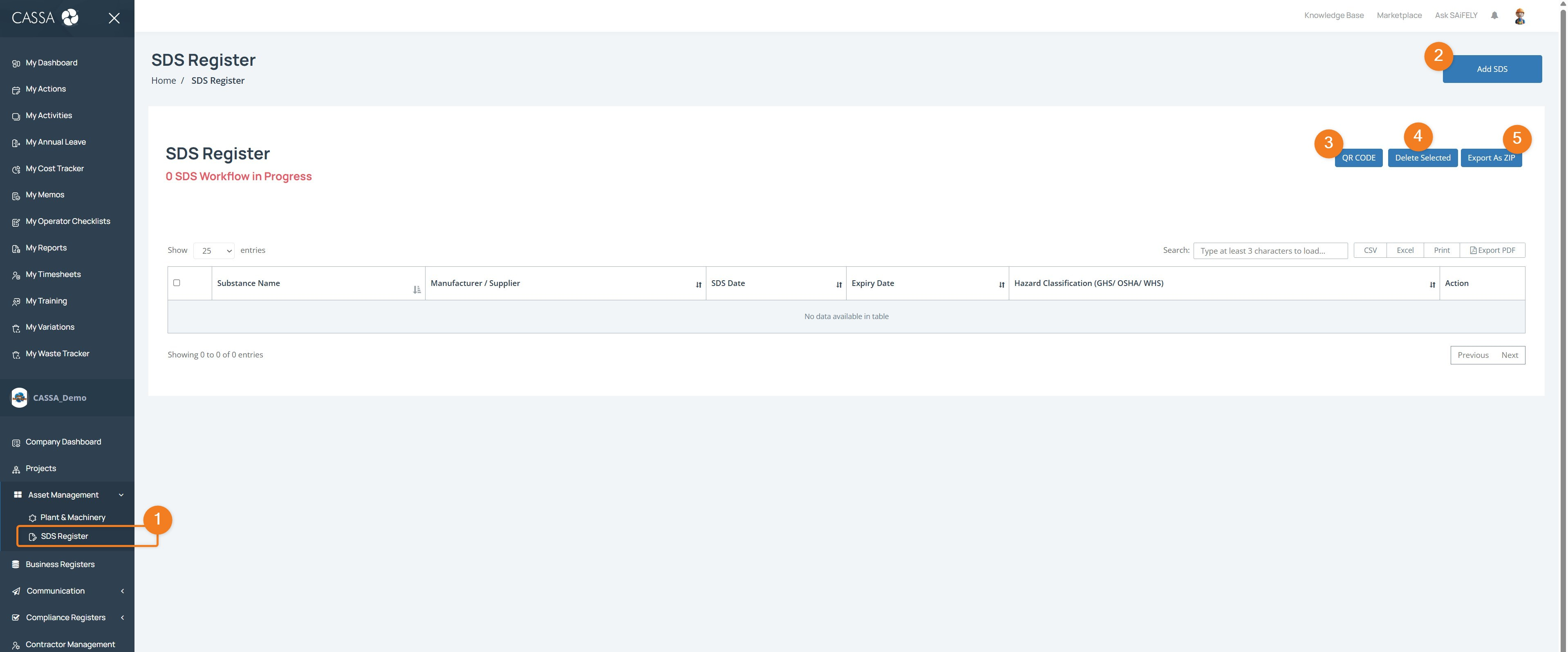
From the Company Workspace in the main menu, expand Asset Management.
Select SDS Register.
The SDS Register displays the substances currently recorded in CASSA.
Understanding the SDS Register
Each SDS record can include information such as:
Substance Name
Manufacturer / Supplier
SDS Date
Expiry Date
Hazard Classification (GHS / OSHA / WHS)
The register also displays the current number of SDS workflows in progress.
Add an SDS
To add a new Safety Data Sheet to the register:
Click Add SDS.
Enter the required SDS information by uploading the required pdf.
Click on Submit to process and save the record.
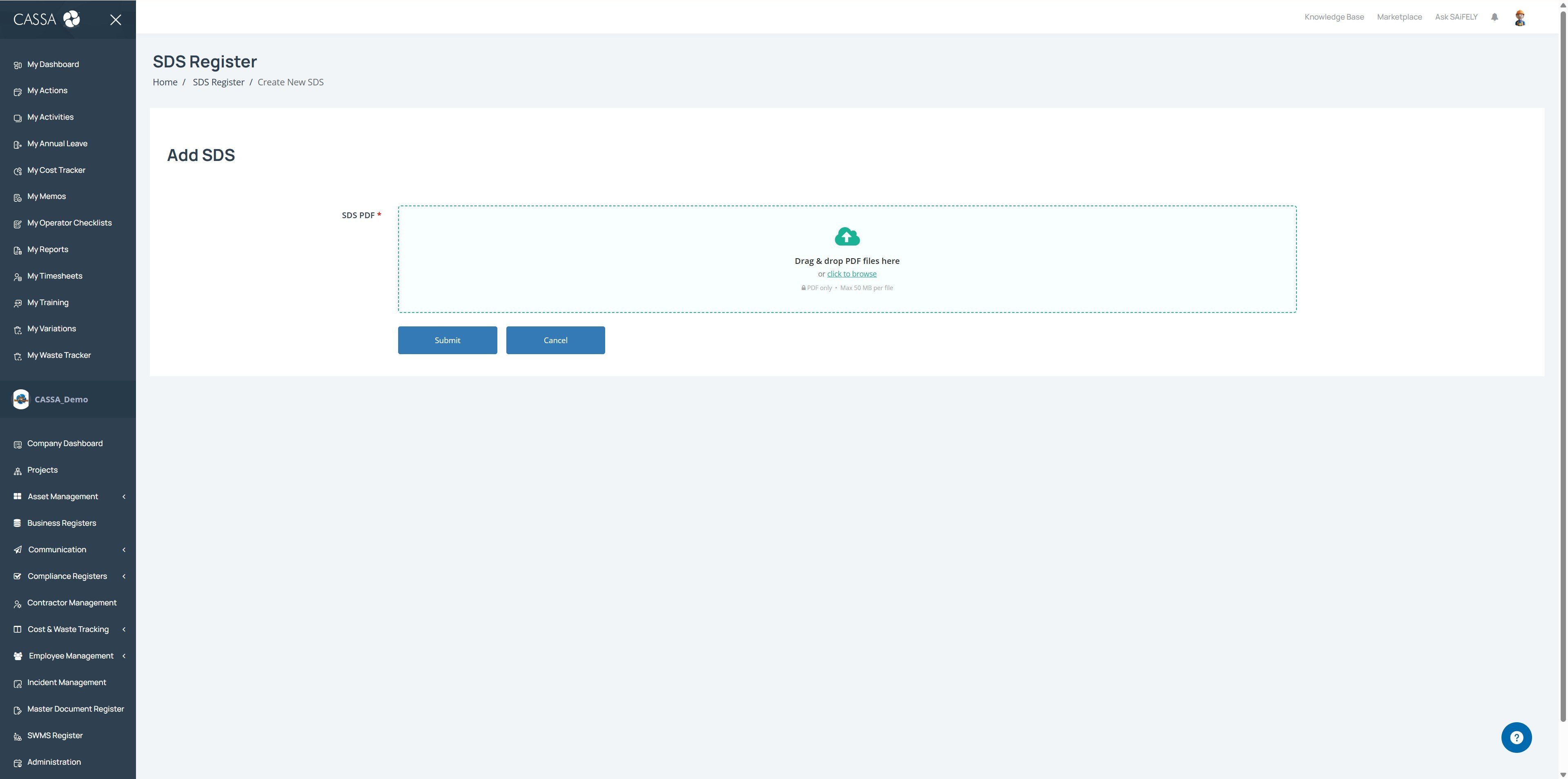
The new SDS will then appear in the register.
Note: refer to Add SDS for a more detailed walkthrough.
Search the SDS Register
Use the Search field above the register to find a specific SDS record.
Enter at least three characters to begin the search.
You can also sort the register by clicking the sorting controls in the column headings.
Generate a QR Code
The QR CODE option allows you to generate a QR code for SDS information.
This can provide a convenient way of accessing SDS information where a QR code has been made available.
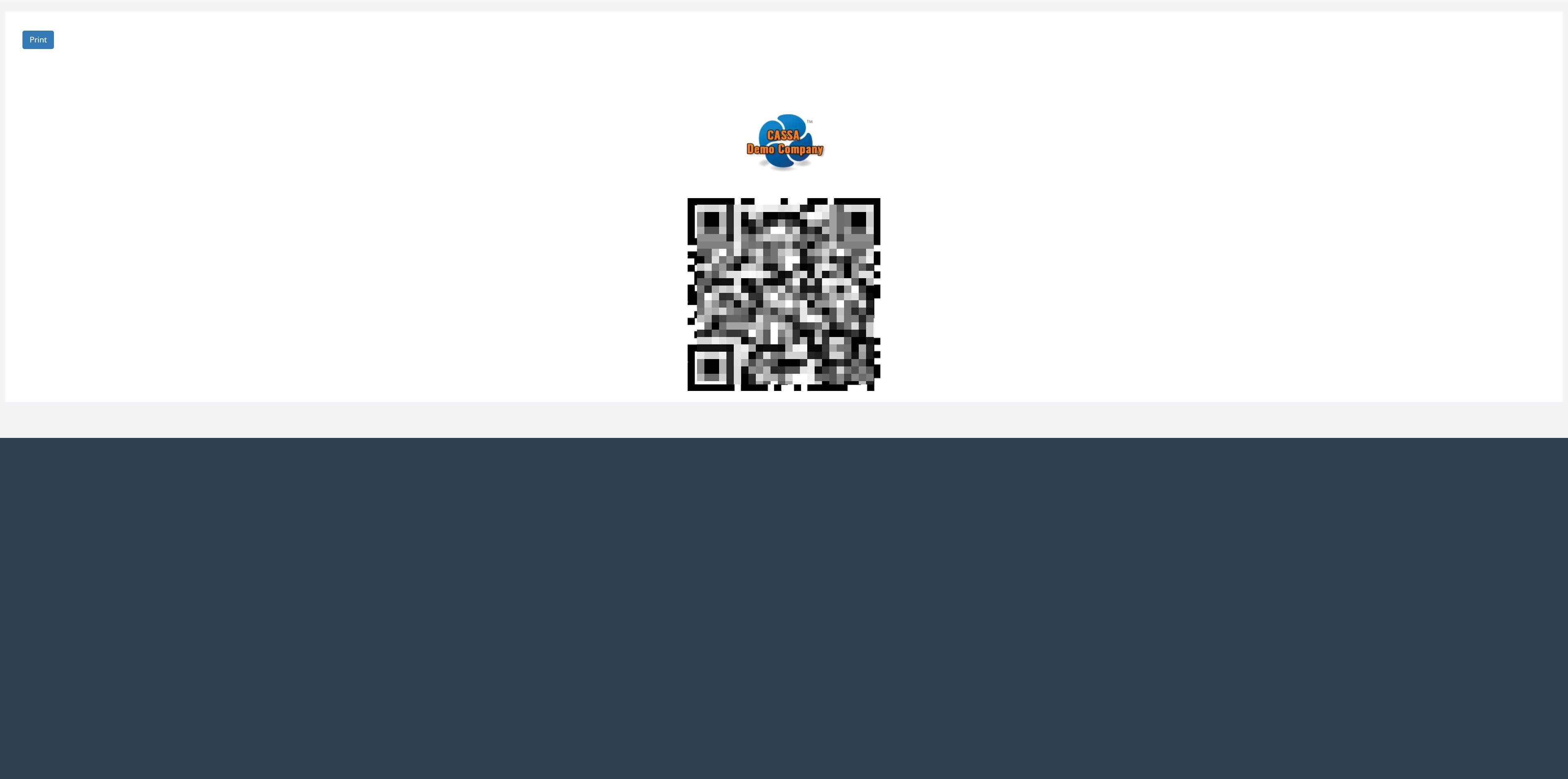
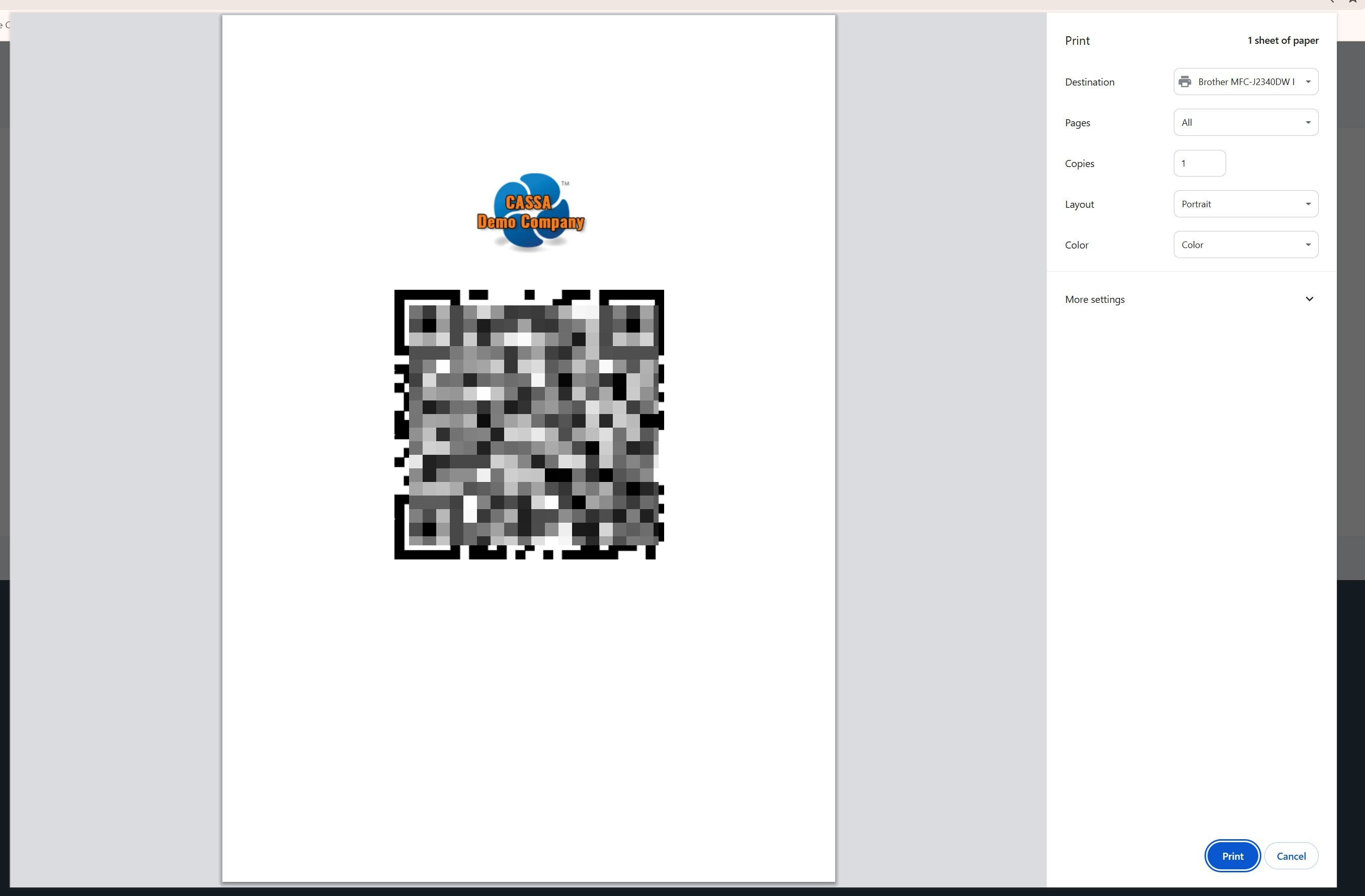
Note: You can also print the QR code:
Delete SDS Records
You can remove one or more SDS records from the register.
Select the records using the checkboxes on the left of the register.
Click Delete Selected.
Confirm the deletion when prompted.
Important: Deleting an SDS removes the selected record from the register. Make sure you have selected the correct records before confirming.
Export the SDS Register
CASSA provides several options for exporting or printing the information in the SDS Register.
Export as ZIP
Click Export As ZIP to export the SDS information as a ZIP file.
Export the Register
The table also provides options to export or print the register in different formats, including:
CSV
Excel
Print
PDF
These options are available above the register on the right-hand sid
From here, you can add an SDS, manage existing, etc.