


CASSA can generate a Risk Assessment for an SDS record. The Risk Assessment uses information from the SDS to provide a documented assessment of the hazardous substance.
Open the Risk Assessment
From the SDS Register, open the SDS record you want to review.
On the SDS Details page, find the RA PDF field.
Click View RA.
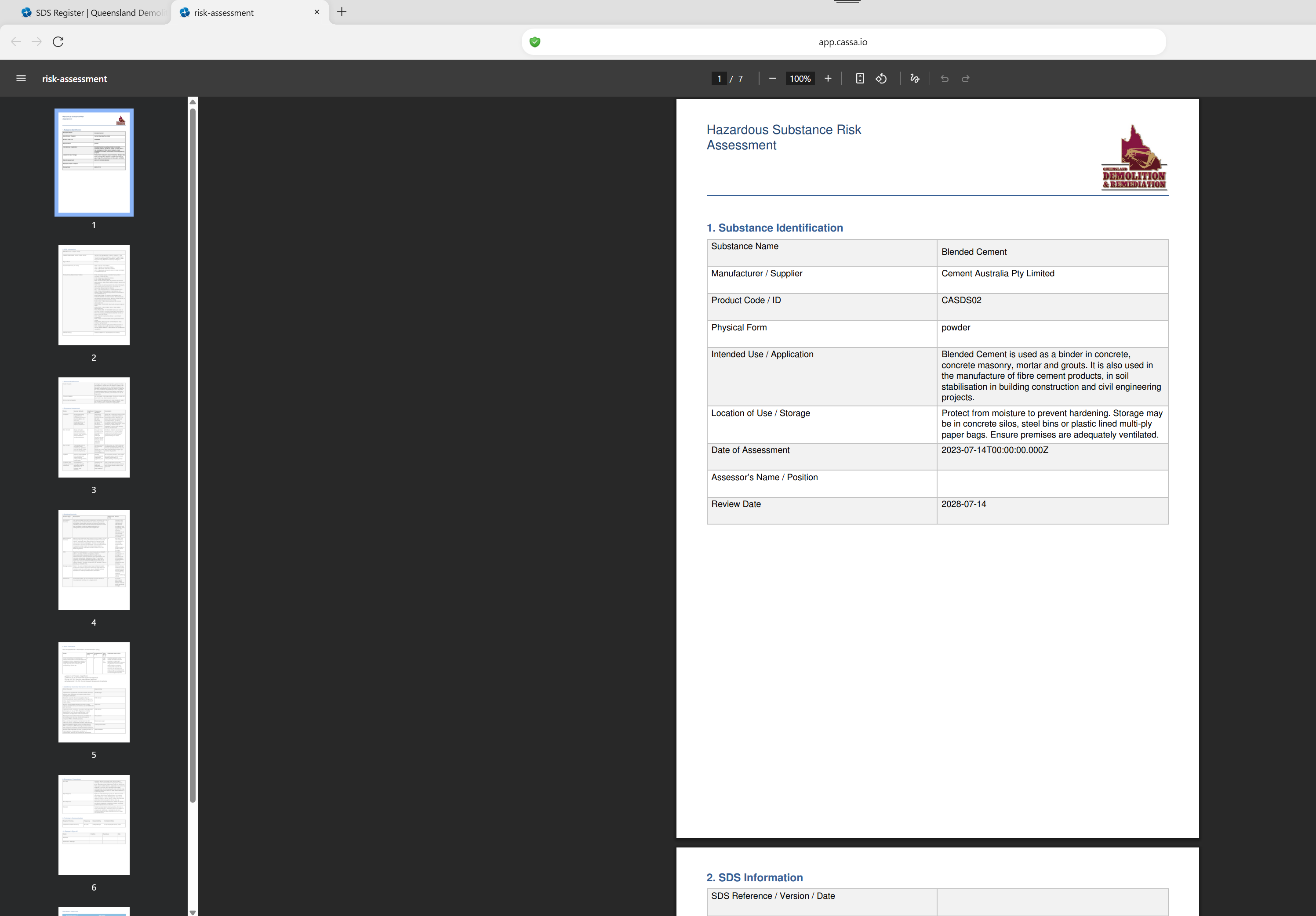
The Risk Assessment opens as a PDF in your browser:
Review the Risk Assessment
The Risk Assessment contains information about the substance and its associated hazards.
The first page includes the Substance Identification section, which can include:
Substance Name
Manufacturer / Supplier
Product Code / ID
Physical Form
Intended Use / Application
Location of Use / Storage
Date of Assessment
Assessor's Name / Position
Review Date
The assessment then continues with sections covering the SDS information and the risks associated with the substance.
Use the PDF Viewer
The Risk Assessment opens in your browser's PDF viewer. You can use the PDF viewer controls to:
Move between pages.
Select a page from the thumbnail panel.
Zoom in or out.
Search the document, where supported by your browser.
Print or save the PDF using the browser's PDF controls.
The Risk Assessment provides a separate documented assessment that can be reviewed alongside the original SDS.
Download the Risk Assessment
Once the Risk Assessment opens in your browser's PDF viewer, click the Download icon to save a copy of the PDF to your device.