

The Online Training Course page is where you complete assigned training questions and activities. Depending on the course, this may include videos, multiple-choice questions or confirmation steps that must be completed before moving on.
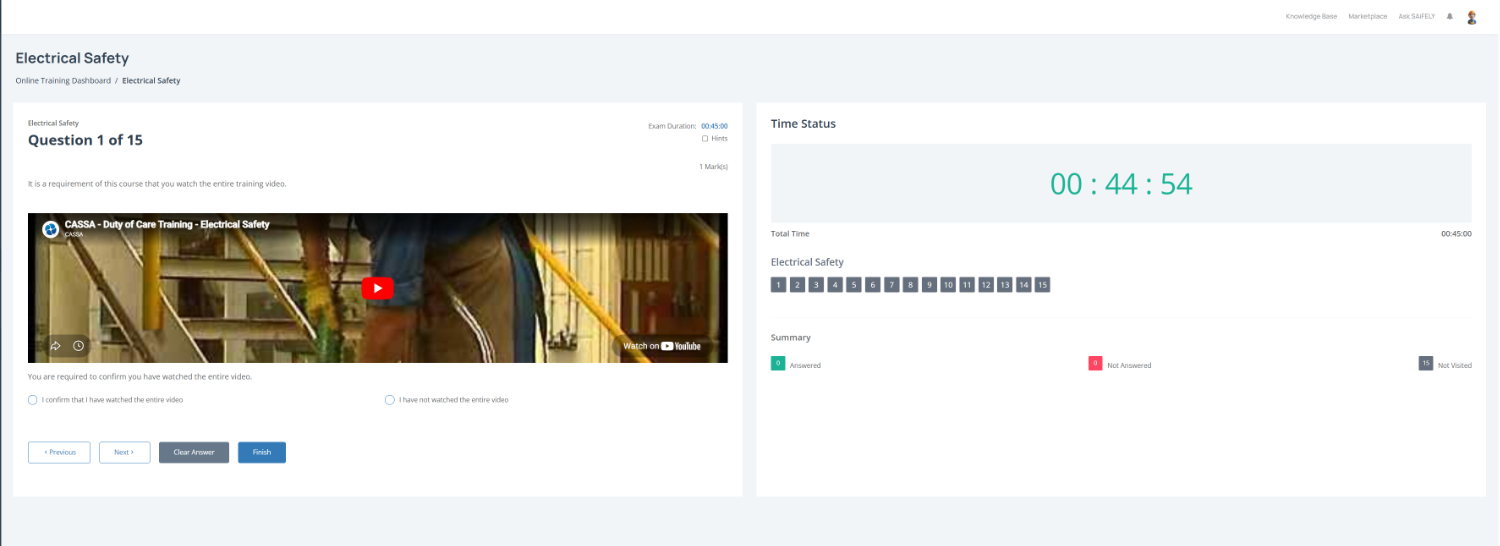
To complete this page:
Complete each training question by reading the instructions and responding to the question shown on screen. Some questions may require you to watch a training video before continuing.
Navigate through the course by using Previous and Next to move between questions. Your current progress is shown in the question counter (for example, Question 1 of 15).
Clicking on the Finish button ends the test.
Monitor your remaining time by checking the Time Status panel. This displays the exam duration and countdown timer for the course.
Track your progress by reviewing the question status panel:
Green indicates answered questions
Red indicates unanswered questions
Grey indicates questions not yet visited
Update your answers by selecting Clear Answer if you need to remove a response and choose a different option.
Submit the course by clicking Finish once all questions have been completed.
Note: Some training courses require you to watch the full video or achieve a minimum pass mark before the course can be completed.
Review Your Training Results and Certificate.
After submission you will review your training results.
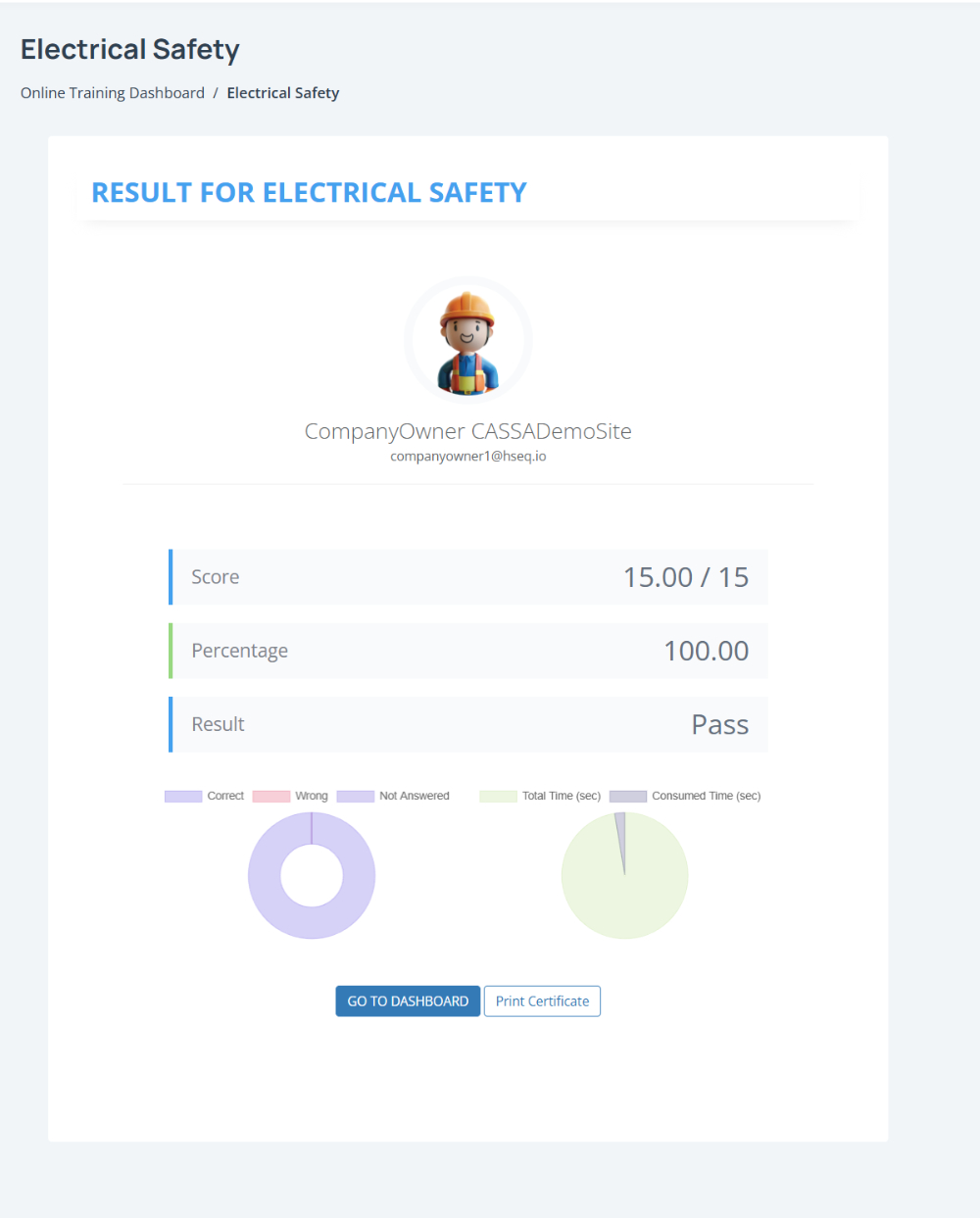
The results page displays your Score, Percentage, and overall Result (Pass or Fail), along with a summary of your course performance.
Print your certificate by clicking Print Certificate once the course has been successfully completed:

You can also:
Select Go to Dashboard to return to the training dashboard and view other assigned courses.