

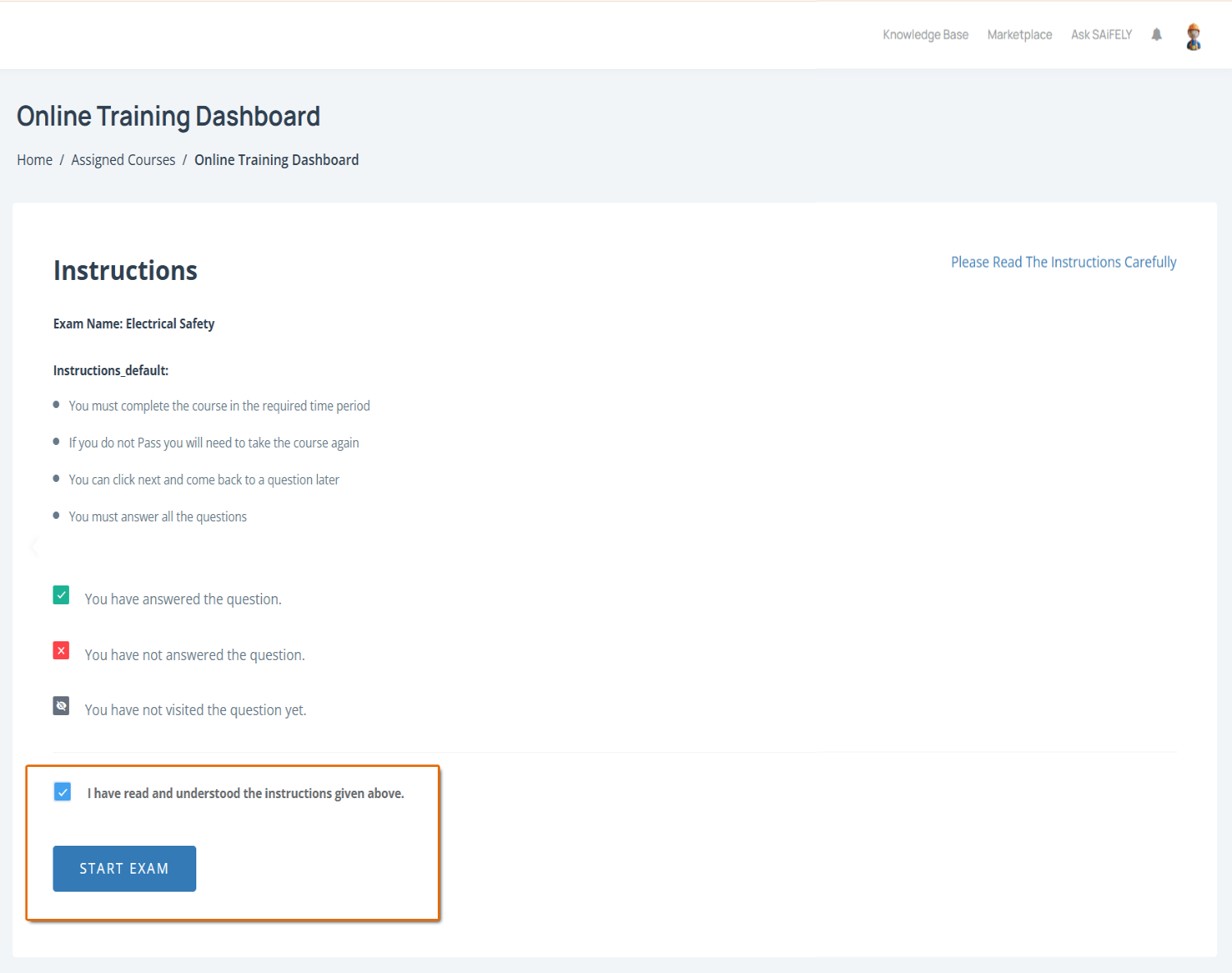
The Online Training Dashboard page appears after clicking Take Course and provides important instructions for completing your assigned training. Before starting, review the course requirements and confirm that you understand the instructions.
To complete this page:
Review the course instructions by reading the training information provided on the page. This includes important requirements such as completing the course within the required timeframe, answering all questions and pass requirements.
Check question status indicators by reviewing the symbols shown on the page:
A green tick indicates a question has been answered
A red cross indicates a question has not been answered
A grey icon indicates a question has not been visited yet
Confirm you understand the instructions by ticking I have read and understood the instructions given above before beginning the course.
When you tick the box, the Start Exam button will appear.
Click on the button to begin the course.
Note: Some courses may require a minimum pass mark. If you do not pass, you may need to retake the course.