

The Update My VOC page allows you to edit an existing Verification of Competency (VoC) or Proficiency Assessment, including dates, uploaded documents and notes.

To complete this process:
1. Open the competency record for editing by clicking the Edit icon next to the VoC or assessment you want to update from the Verification of Competency / Proficiency Assessment page.
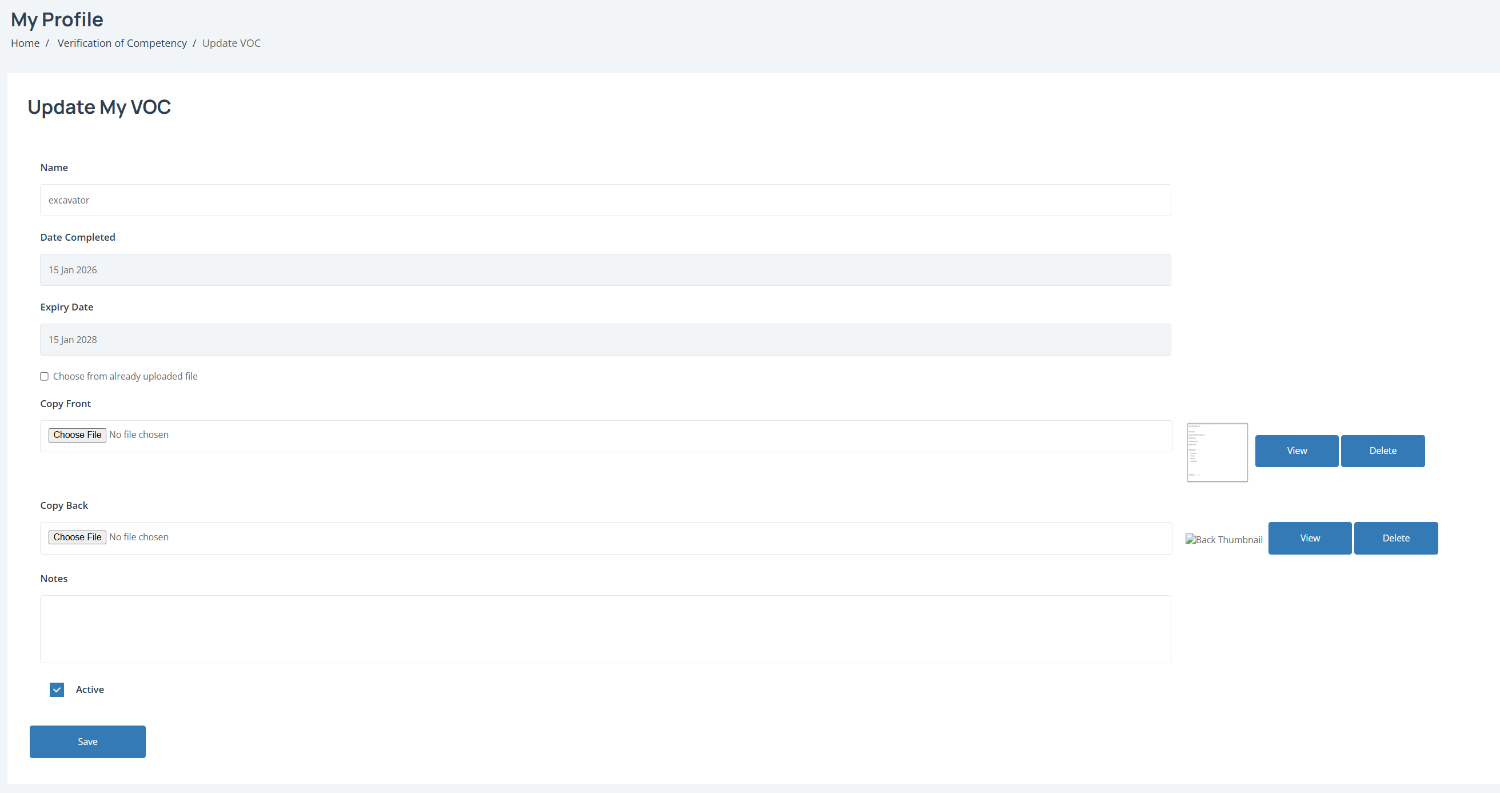
Update the competency details by reviewing and editing any relevant information, including:
Name – Update the competency or assessment name if required
Date Completed – Change the completion date if needed
Expiry Date – Update the expiry date
Copy Front / Copy Back – Upload updated supporting documents
Notes – Add or update any relevant information
Note: Tick Choose from already uploaded file if the document has already been added to CASSA.
View or delete uploaded documents by using the View or Delete buttons beside the uploaded files.
Update the assessment status by leaving Active ticked if the competency is still current.
Save your changes by clicking Save to update the competency record.