

The Delete Qualification option allows you to permanently remove a qualification, licence or ticket from your profile if it is no longer needed or was added by mistake.
To complete this process:
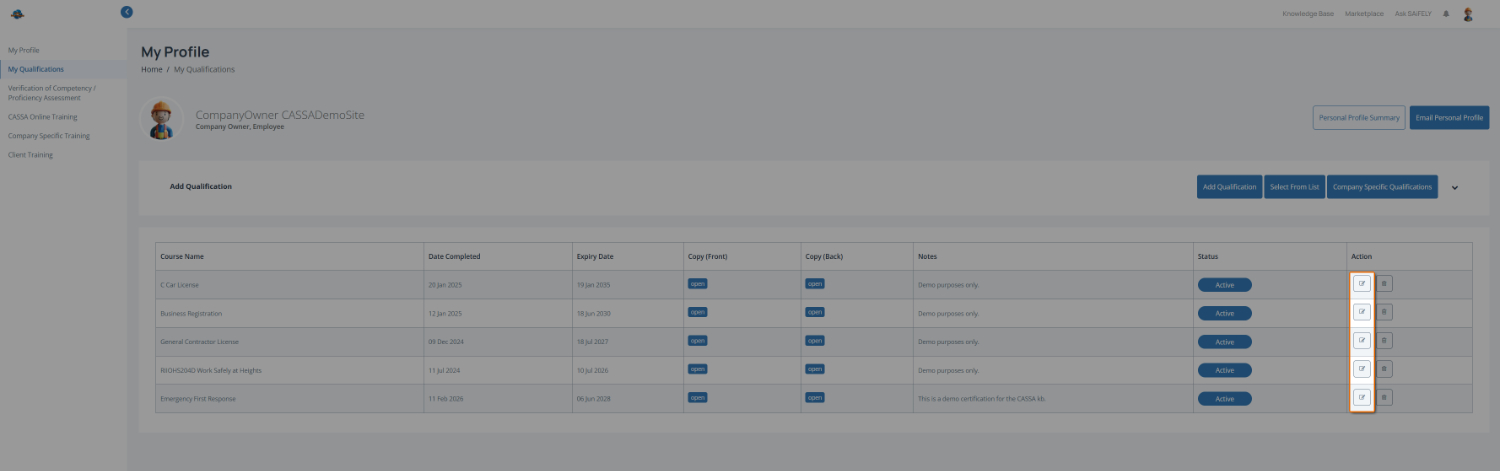
Select the qualification to delete by clicking the Delete icon next to the qualification you want to remove from the My Qualifications page.
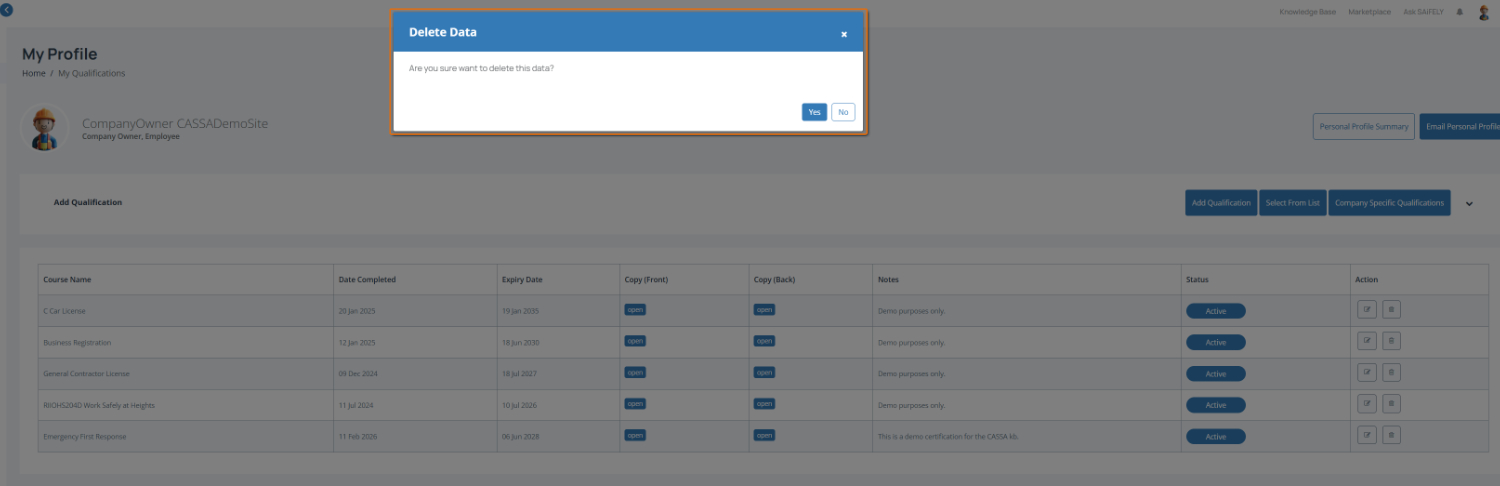
Confirm the deletion by clicking Yes in the confirmation window to permanently remove the qualification.
Note: Once deleted, the qualification and any uploaded documents may no longer be available in your profile. Make sure you no longer need the record before deleting it.