

The Select From List option lets you quickly add common qualifications, licences and tickets without needing to search for them manually.
To complete this process:
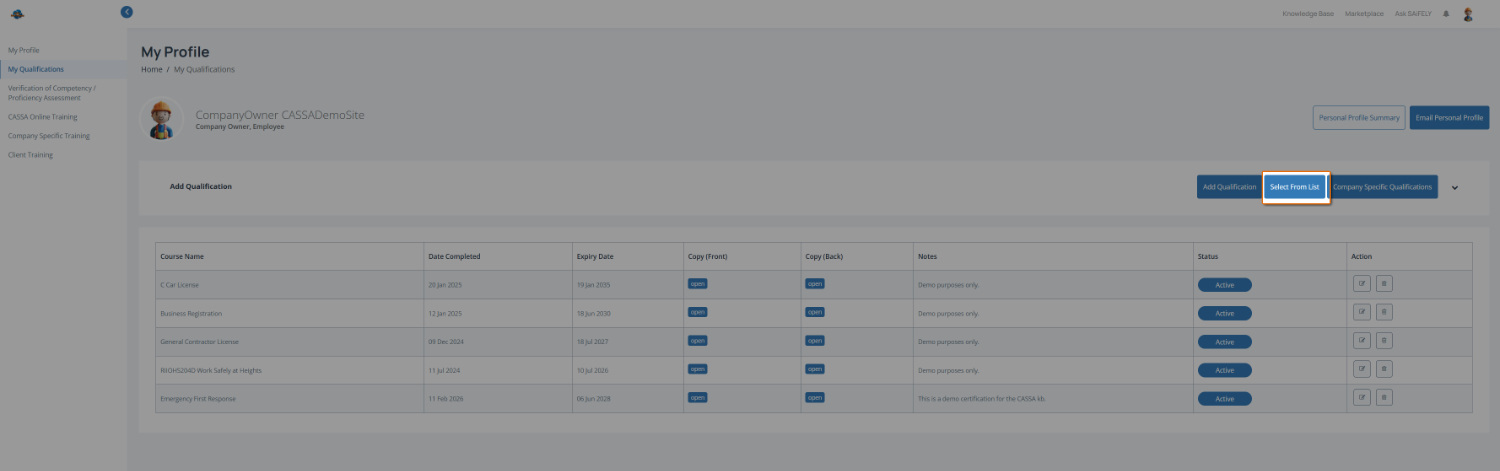
On the My Qualifications page, open the qualification list by clicking on the Select From List button.
Browse or locate your qualification by scrolling through the qualification categories and selecting the relevant qualification using the radio button next to its name.
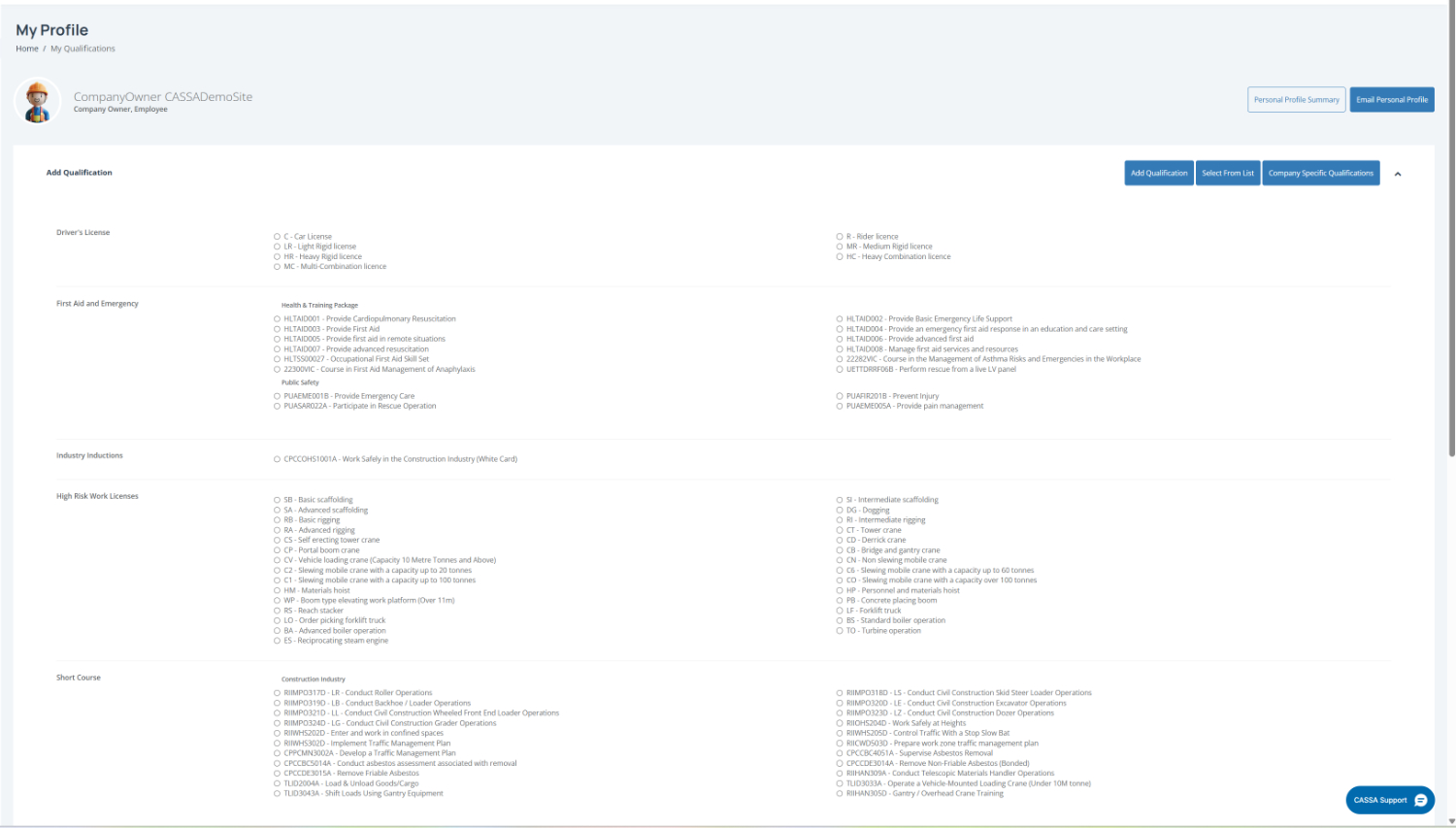
Note: Qualifications are grouped into categories such as Driver’s Licence, First Aid and Emergency, High Risk Work Licences and Short Course to make them easier to find.
When you select an item, the Add Qualification dialog will display:
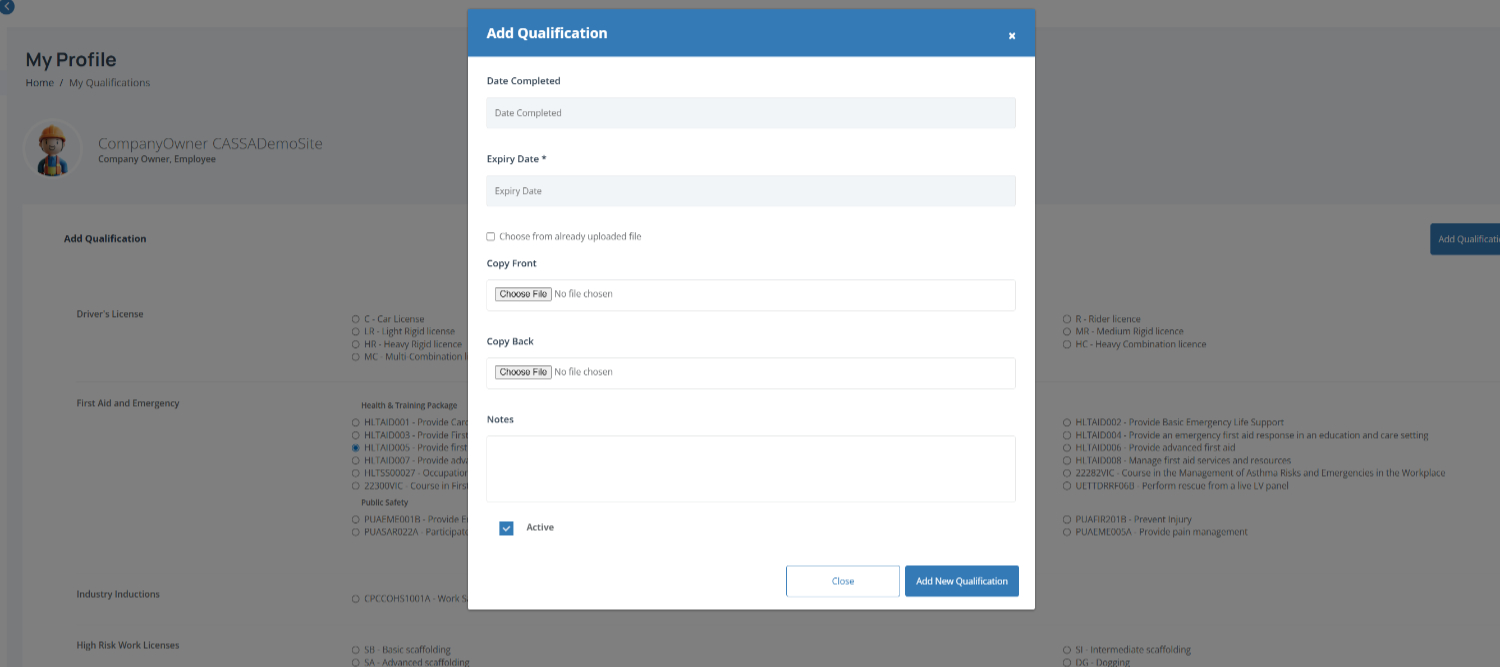
Complete this by entering the Date Completed and the Expiry Date.
Upload supporting documents by clicking Choose File to add the front and back of your licence, card or certificate (if required).
Add any notes in the Notes field if you want to include extra information about the qualification.
Save your qualification by clicking Add New Qualification to add it to your profile.