

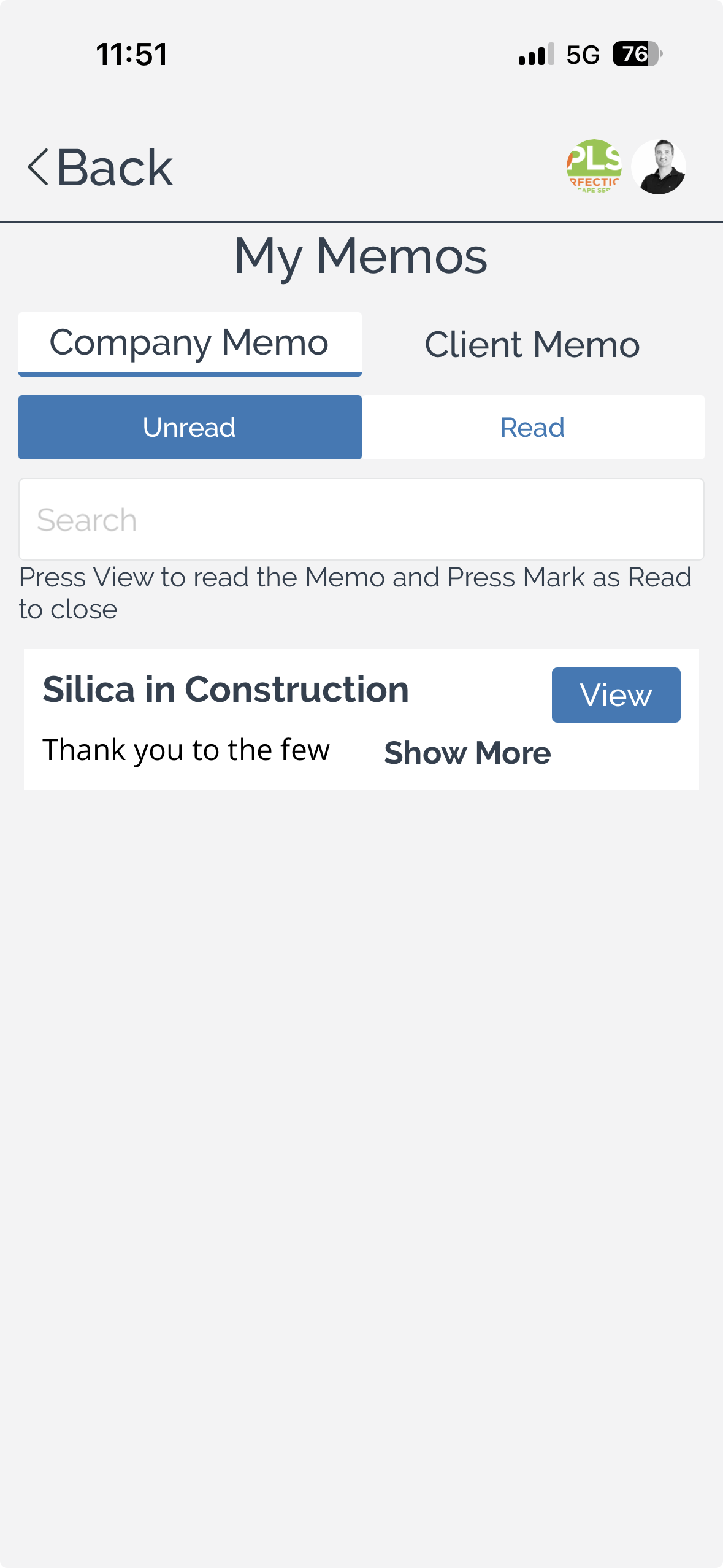
The My Memos page provides access to memos published by your company or a client. You can switch between memo types, filter by read status, search for specific memos, and open a memo to read its contents.
To review your memos:
Select the memo type using the tabs at the top of the page:
Company Memo – Displays memos issued by your organisation.
Client Memo – Displays memos issued by a client.
Filter memos by status using the available tabs:
Unread – Displays memos that have not yet been read.
Read – Displays memos that have already been opened.
Search for a memo using the search field to quickly locate a specific memo.
Review the memo summary displayed in the list. Each entry includes the memo title and a preview of its contents.
To read a memo:
Select View to open the memo.
Read the memo and review any important information it contains.
Mark the memo as read when prompted to acknowledge that you have read it.
Note: Reading and marking a memo as read helps keep your unread memo list up to date.
You can also:
Switch between Company Memo and Client Memo to view communications from different source.
Filter between Unread and Read to manage your outstanding communications.
Use Show More to preview additional memo content from the list before opening it.