


The Waste Tracking Form is used to log waste generated on a project. You can record waste type, measurements, costs, GST details, and upload supporting documents such as receipts.
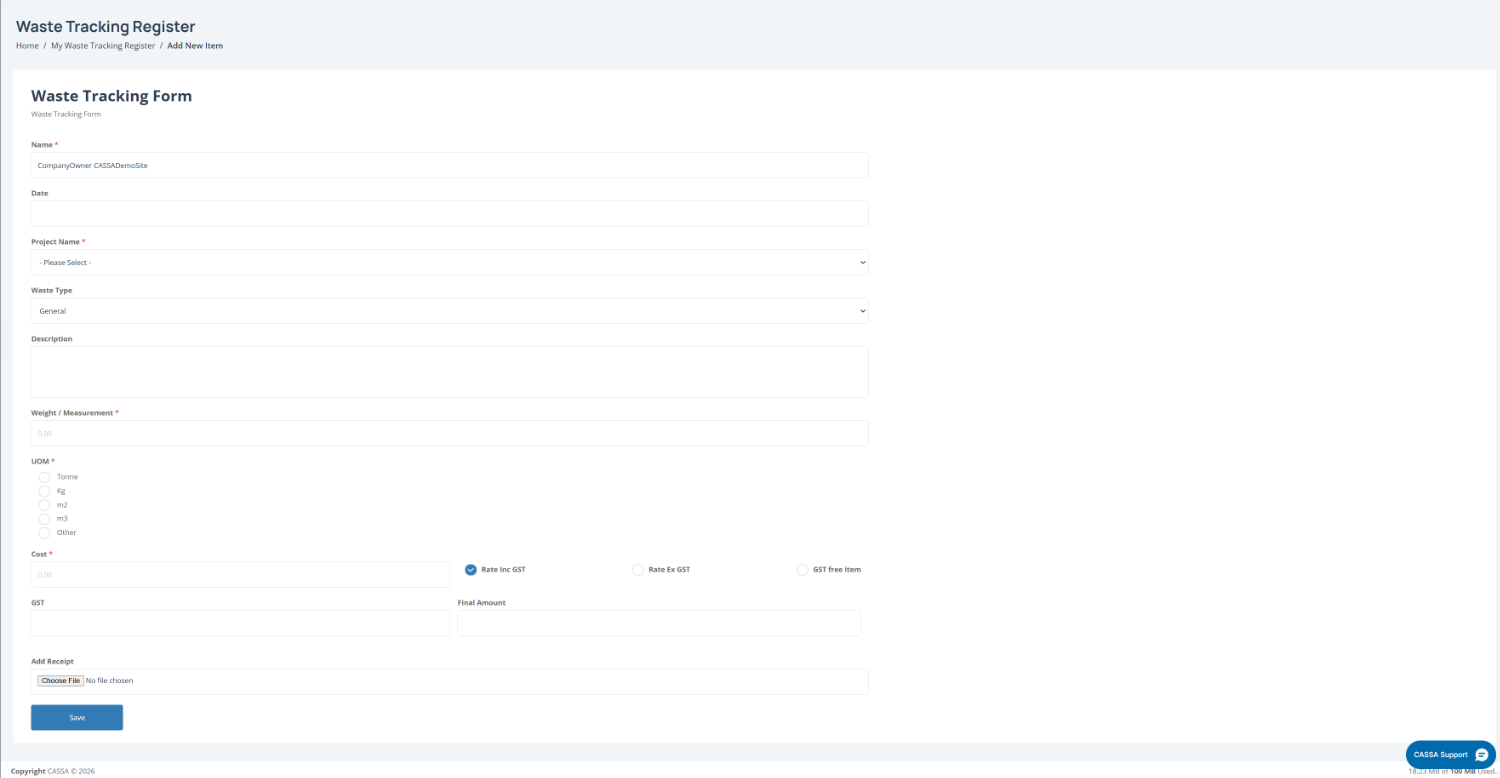
To add a new waste item:
Open the Waste Tracking Form by selecting Add New from the My Waste Tracker dashboard.
Confirm your details by reviewing the pre-filled Name field and entering the Date for the waste entry.
Select the project and waste type by choosing a Project Name and Waste Type from the dropdown lists.
Add waste details by entering a Description and recording the Weight / Measurement of the waste item.
Select the unit of measurement (UOM) by choosing the appropriate option, such as Tonne, Kg, m2, m3, or Other.
Note: Choose the unit that best matches how the waste has been measured or recorded on site.
Enter cost and GST details by adding the Cost, selecting the GST option (Rate Inc GST, Rate Ex GST, or GST Free Item), and reviewing the calculated GST and Final Amount fields.
Upload supporting documents by selecting Choose File under Add Receipt and attaching any relevant receipts or evidence.
Save the waste entry by selecting Save to submit the record to the waste register.