

View your Personal Profile Summary
To view your personal summary:
Click on the Personal Profile Summary button and it'll open in a new tab:
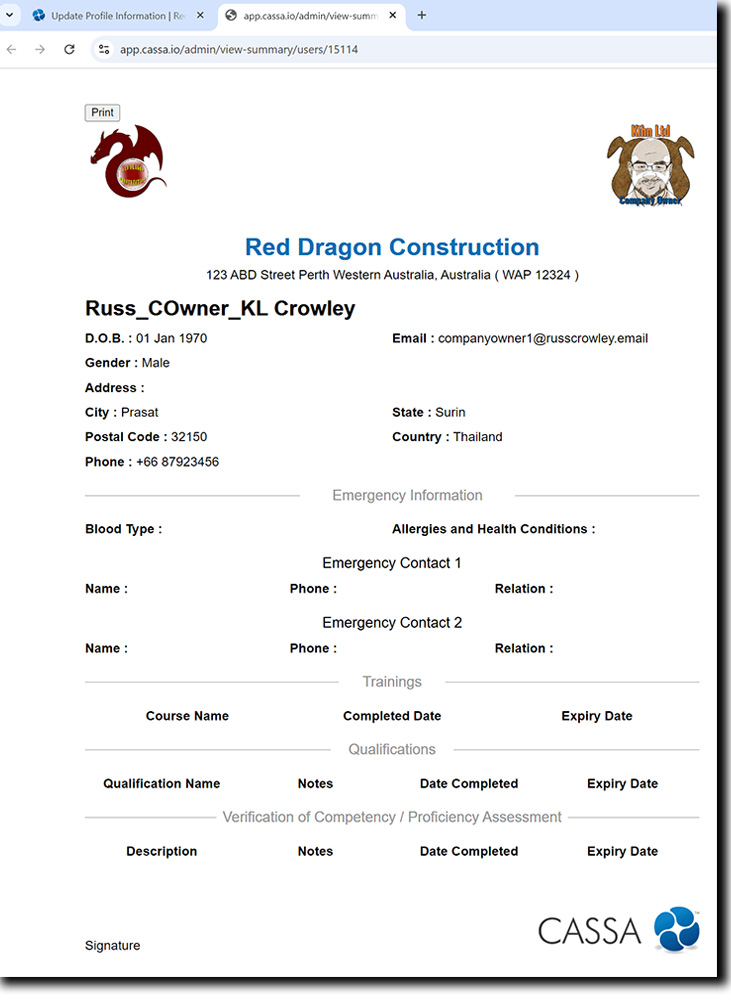
As you can see, this is a summary of your profile information.
If you need to change any of the information, then locate the required area in your profile and modify it. This summary is what is sent when you email your personal profile, below.
You can print this page by clicking on the Print button in the top left. This will open your print dialog where you can manage the print output of your document.
Close the tab once done.
Print Your Personal Summary
To print your personal profile, click on the Print button.