
Select the relevant report from the Submitted tab.
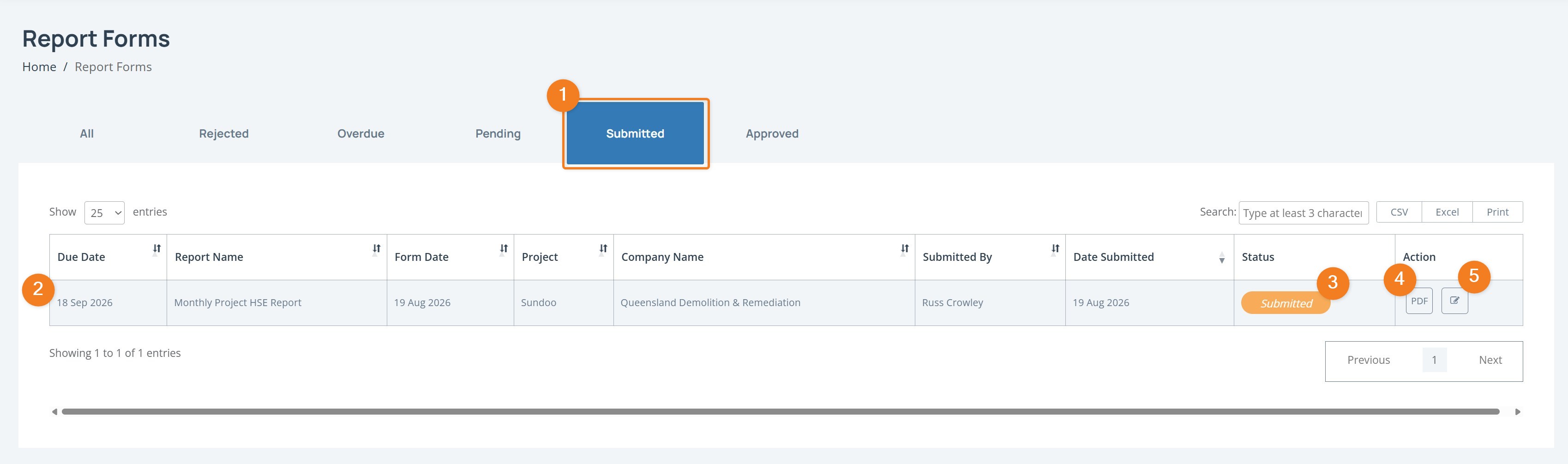
Click the Edit icon in the Action column.
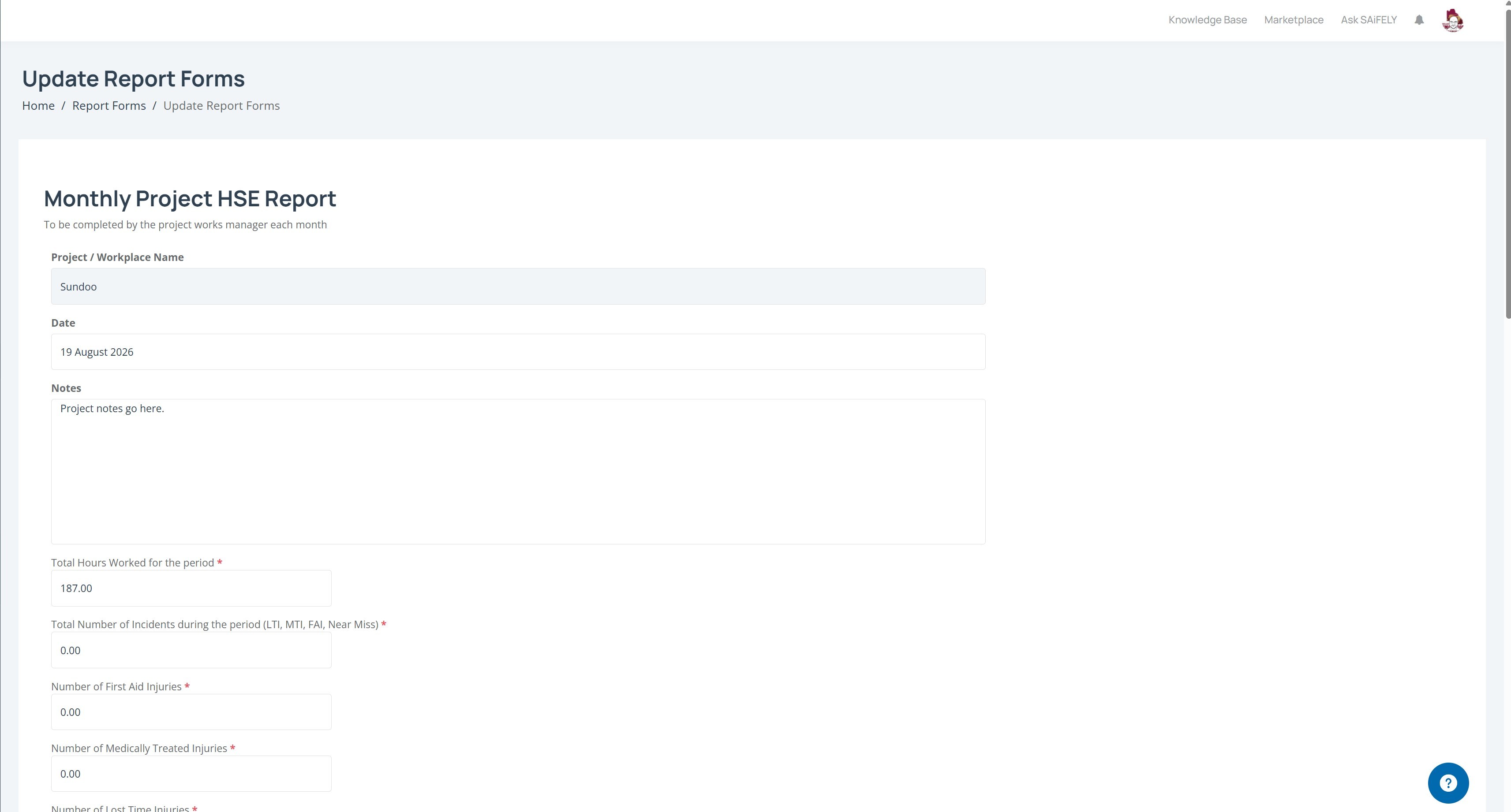
Update the required fields on the report form.
Scroll to the bottom of the form and click Submit to save your changes.

CASSA Knowledge Base

My Reports
Edit a submitted report form to update information before it is reviewed or approved.
Last updated on 19 Aug, 2026
Select the relevant report from the Submitted tab.
Click the Edit icon in the Action column.
Update the required fields on the report form.
Scroll to the bottom of the form and click Submit to save your changes.