


How to submit a report form
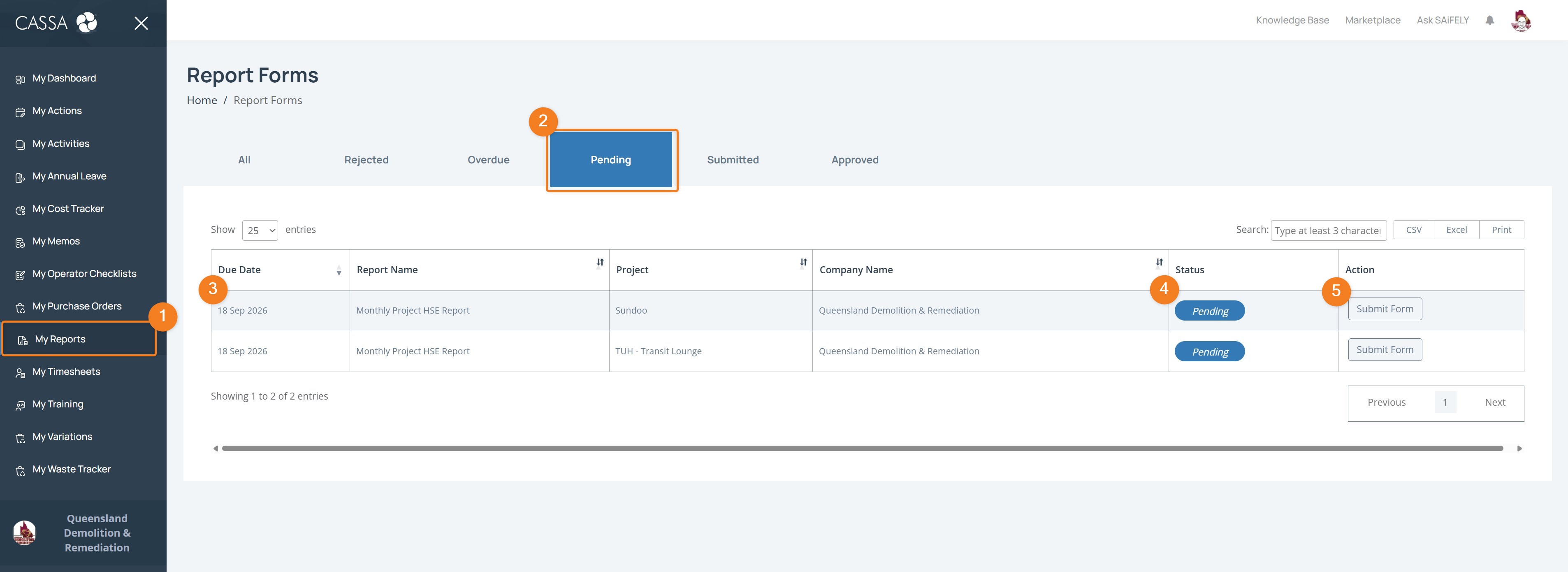
Identify the report you wish to submit and click on Submit Form
Enter the required information in the form.
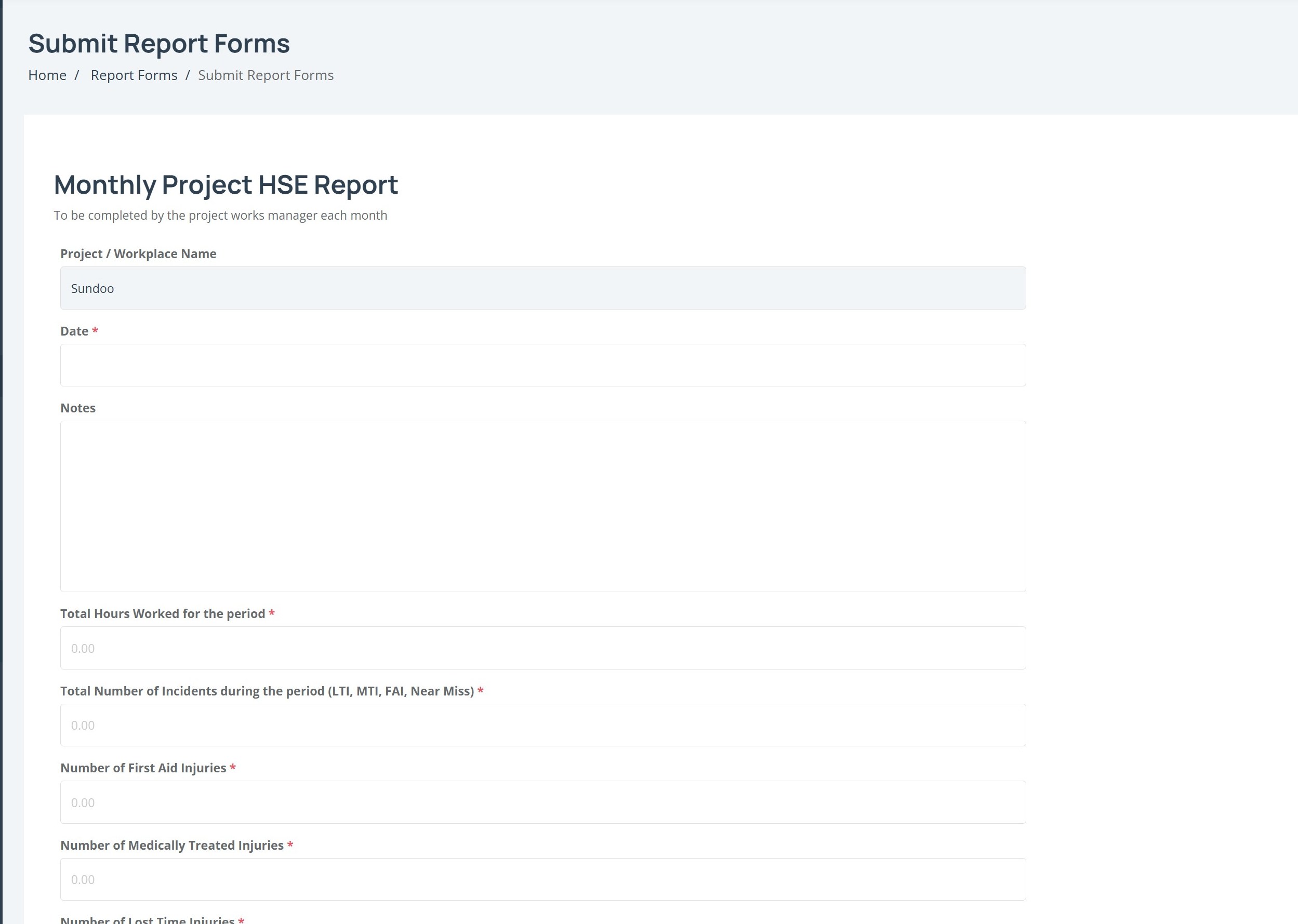
Complete any additional questions or declarations.
Add your Sign Off where required.
Select Submit.
Note: Required fields are marked with an asterisk (*). You must complete these fields before you can submit the report.
After submitting a report
Once you submit a report, it appears under the Submitted tab in My Reports.
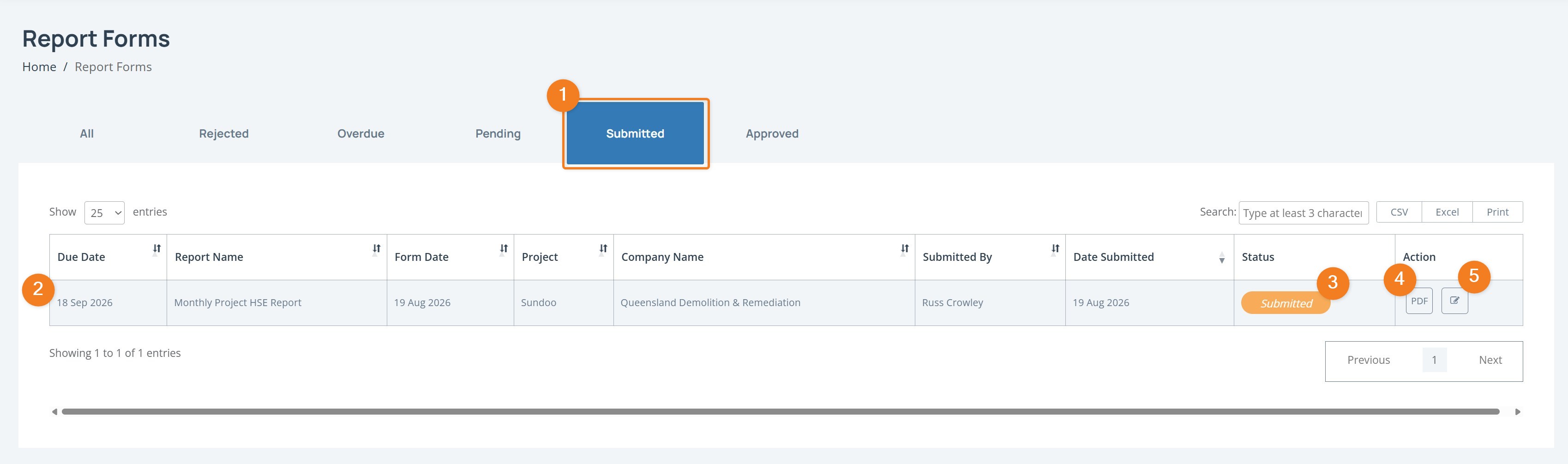
The submitted report shows:
Due Date
Report Name
Form Date
Project
Company Name
Submitted By
Date Submitted
Status
You can also use the PDF button to view the submitted report as a PDF, or select the edit icon where available.