

The Change Password tab (1) is where you can update your account password. As part of good housekeeping, you should change your password regularly to help keep your account secure.
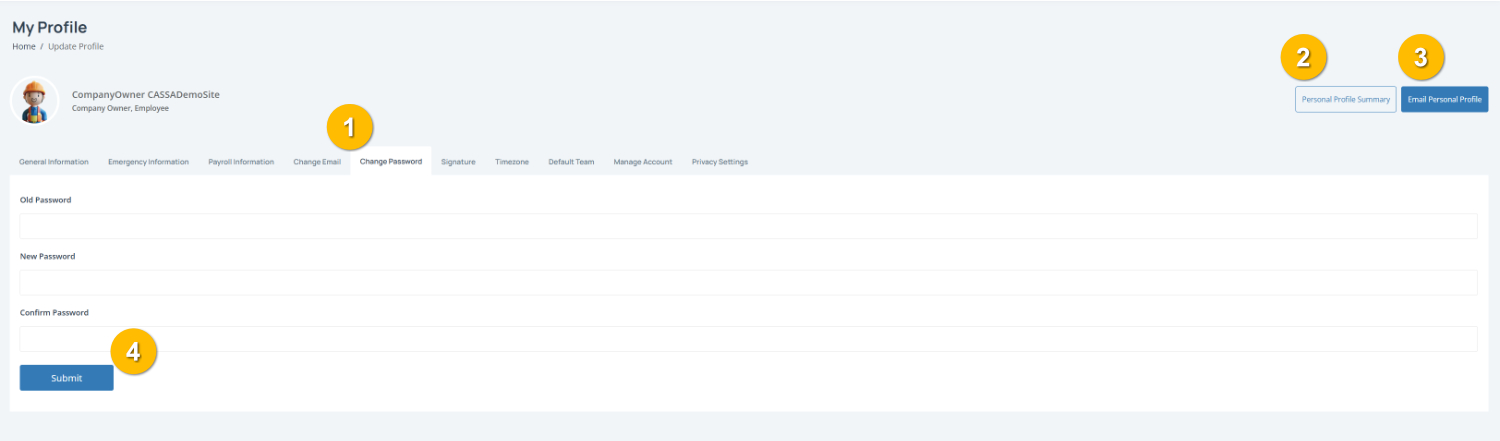
To complete this page:
1. Enter your current password
Type your existing password into the Old Password field.
2. Create a new password
Enter your new password in the New Password field.
3. Confirm your new password
Re-enter your new password in the Confirm Password field to make sure it matches.
Note: Your new password must match in both password fields before it can be saved.
4. Save your changes
Click the Submit button (4) to update your password.
You can also:
View your Personal Profile Summary (2)
Email Personal Profile (3) to send a copy of your profile details by email.