

The Personal Profile Summary provides a consolidated view of the information recorded in your CASSA profile. It brings together your contact details, emergency information, completed training, qualifications, and Verification of Competency (VOC) or Proficiency Assessment records in a format suitable for review or printing.
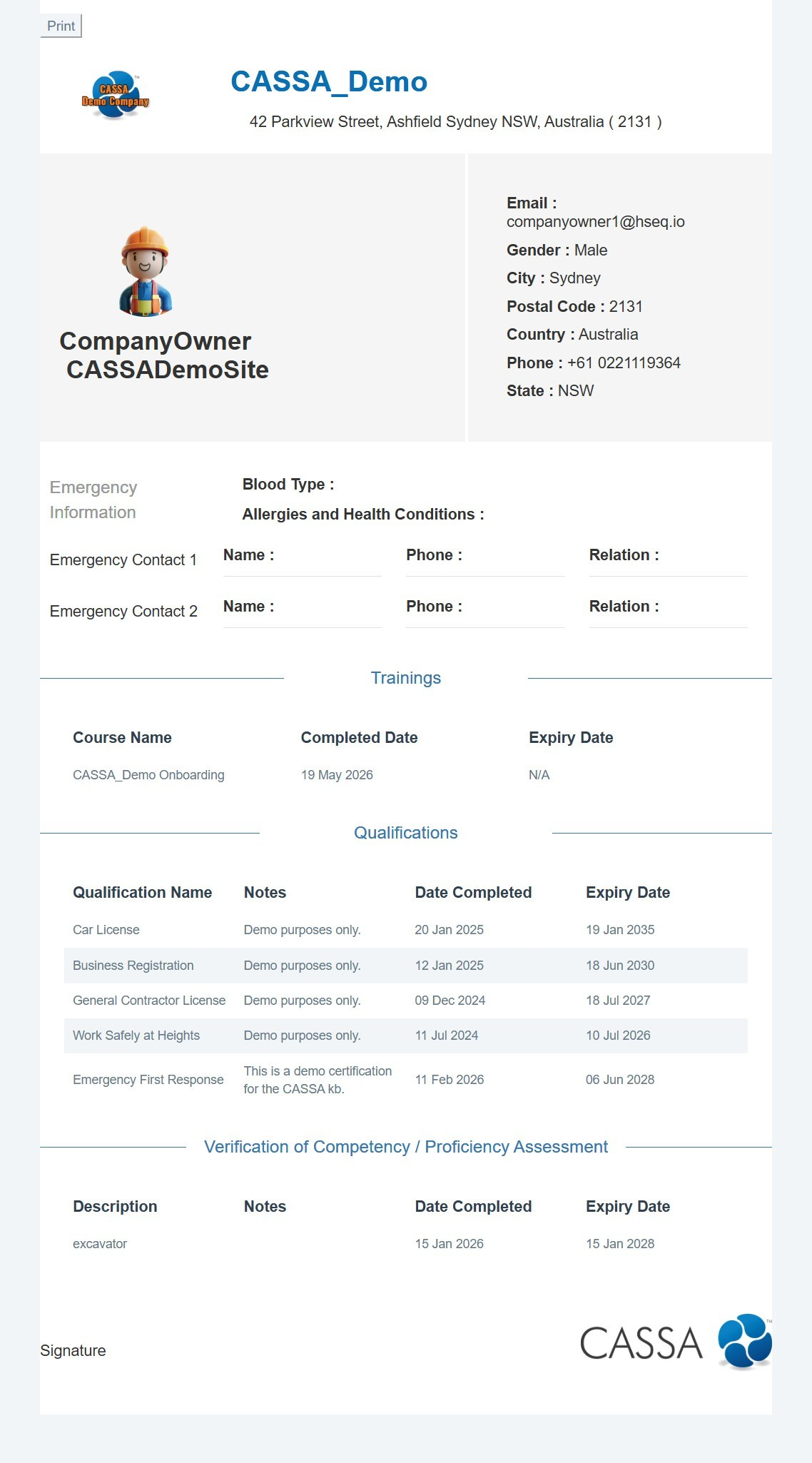
To review your personal profile summary:
Review your personal information at the top of the summary, including your name, company, contact details, location, and other profile information.
Review your emergency information, including any recorded emergency contacts and relevant emergency information.
Review your training records in the Trainings section. Each record shows the course name, completion date, and expiry date where applicable.
Review your qualifications in the Qualifications section. Records include the qualification name, notes, completion date, and expiry date.
Review your competency records in the Verification of Competency / Proficiency Assessment section. These records show the competency description, notes, completion date, and expiry date.
Print the profile summary by selecting Print at the top of the page.
Note: The information displayed in the summary is taken from your CASSA profile. Keep your profile information, qualifications, training, and competency records up to date so the summary reflects your current details.