

The Payroll Information tab (1) is where you add the information needed for payroll and payment processing. Make sure your details are correct to help avoid payment delays.
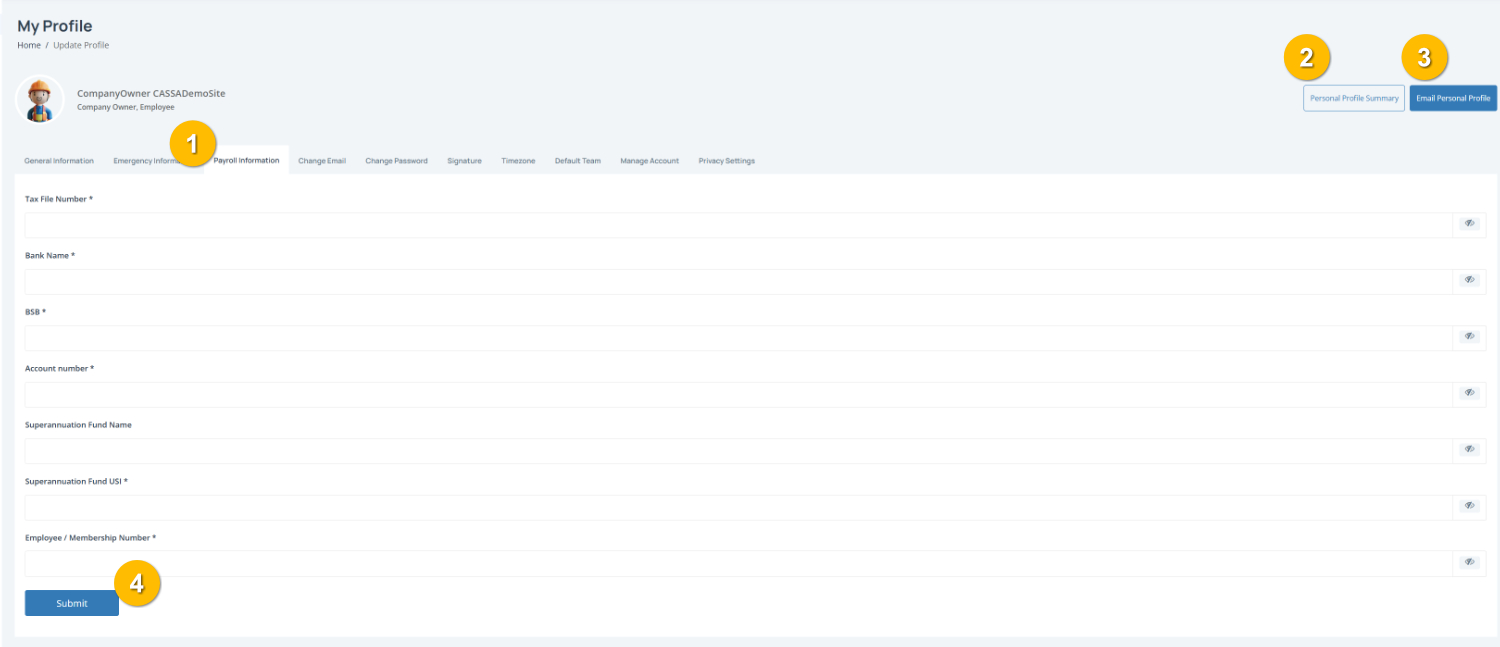
To complete this page:
1. Enter your tax and bank details
Complete the required fields, including:
2. Add your superannuation details:
Enter your:
Superannuation Fund Name
Superannuation Fund USI
Employee / Membership Number
Note: Fields marked with an * are required.
3. Review your information - Double-check your banking and superannuation details before saving to make sure everything is accurate.
4. Save your changes - Click the Submit button (4) to save your information.
You can also:
View your Personal Profile Summary (2)
Email Personal Profile (3) to send a copy of your profile details.