

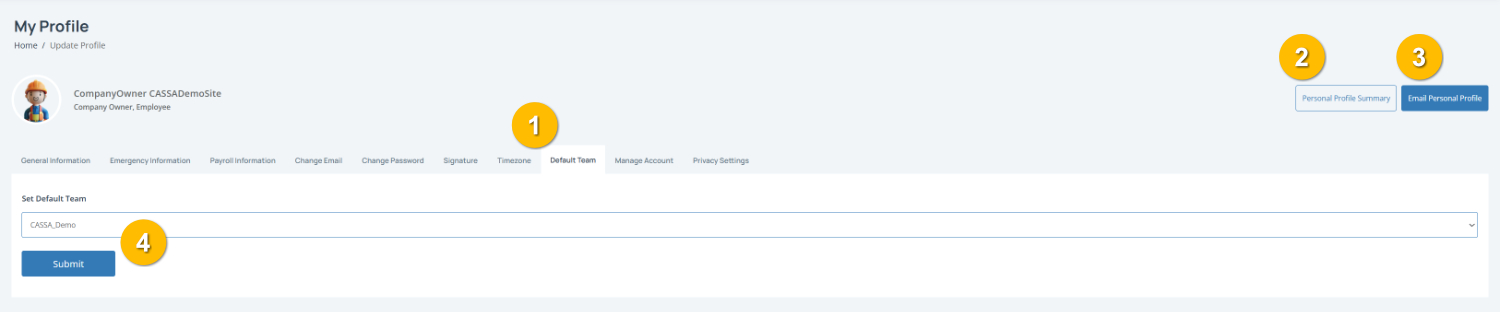
If you have multiple companies registered, the Default Team tab (1) is where you choose the team that will automatically be selected when you login to CASSA. This can save time if you regularly work with the same team.
To complete this page:
1. Select your default team by clicking on the dropdown menu and choosing the team you want to use by default.
Note: If you belong to multiple teams, selecting a default team can make navigation quicker.
2. Save your changes by clicking on the Submit button (4) to update your default team.
You can also:
View your Personal Profile Summary (2)
Email Personal Profile (3) to send a copy of your profile details by email.