

Use this tab to keep your personal details up to date. The information you enter here is linked to your CASSA profile and may be used across training, qualifications and company records.
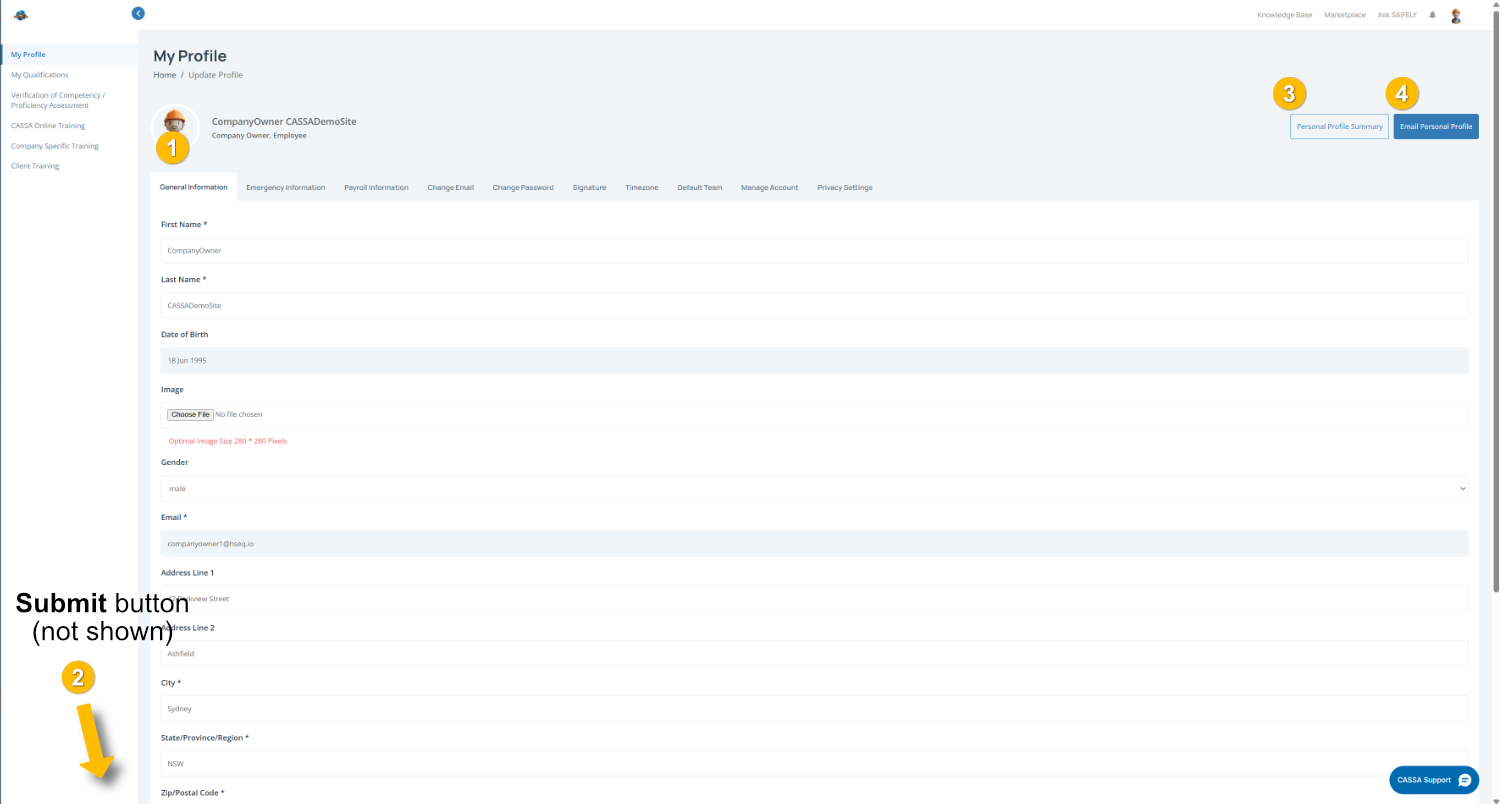
To complete this page:
Add or update your profile photo - Your profile photo appears at the top of the page (1) so click Choose File to upload a photo (we recommend a clear profile photo).
2. Complete your details by filling in the fields shown, including:
Name
Date of Birth
Gender
Email Address
Address Details
Note: Fields marked with an * are required.
3. Check your information by clicking on the Personal Profile Summary button and, should you ever need to, you can email your personal profile by clicking on the Email Personal Profile button.
4. Save your changes
Scroll to the bottom of the page and click on the Submit button (2) to save your information.