

The emailed profile contains your personal profile information and associated records, allowing the recipient to download and review the information without needing to access your CASSA account.
To email your personal profile:
From My Profile, click Email Personal Profile.
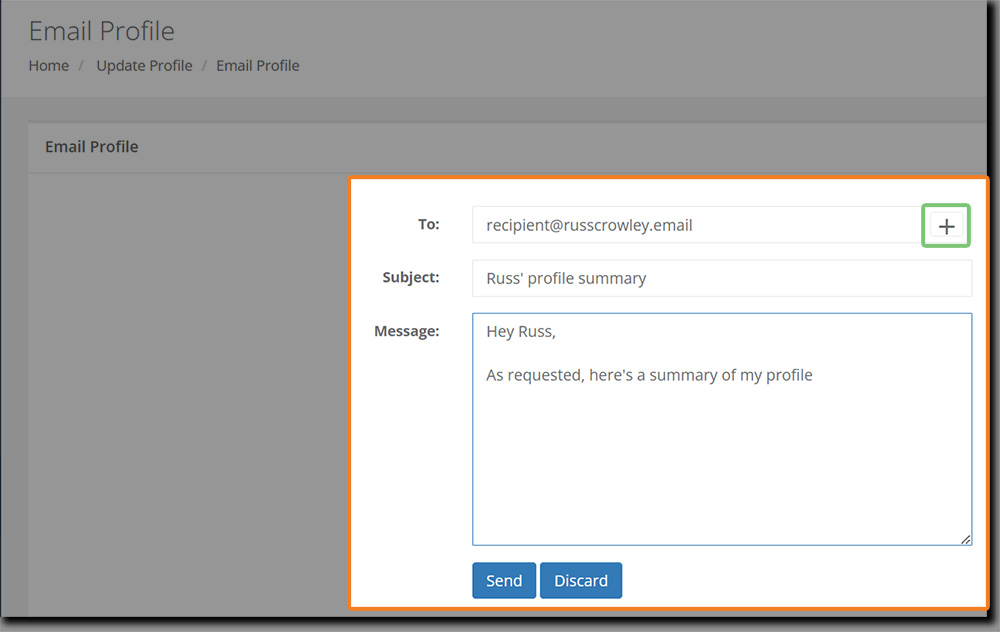
The Email Profile screen opens. Enter the recipient's email address in the To field.
To add additional recipients, click the + button beside the To field.
Enter a Subject for the email.
Enter your Message.
Review the recipients, subject, and message, then click Send.
A confirmation message appears when the profile has been successfully emailed.
CASSA packages your profile and associated information into a ZIP file and sends it to the recipient.
The recipient can download the ZIP file from the email and extract the contents to access your profile information.