

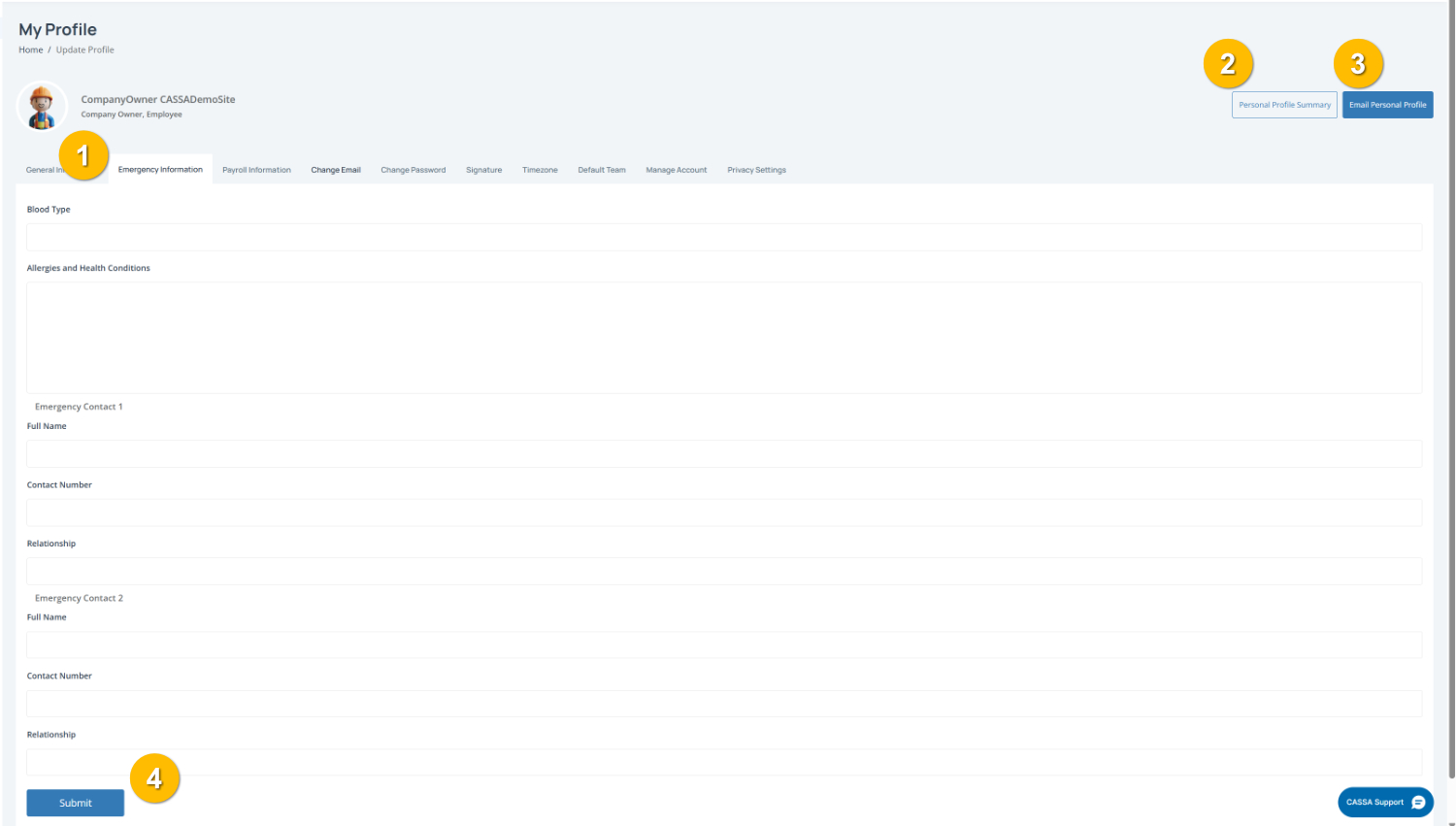
Use this tab (1) to add important health details and emergency contacts. This information may be used if an incident occurs on site or during training.
To complete this page:
1. Enter your health information
Complete any relevant medical details, including:
Blood Type (if knwn)
Allergies and Health Conditions – Include anything important that others should be aware of in an emergency.
2. Add your emergency contacts
Enter the details for at least one emergency contact, including:
Full Name
Contact Number
Relationship to you
You can add details for both Emergency Contact 1 and Emergency Contact 2.
Note: Choose someone who can be contacted quickly in an emergency.
Also, if you haven't done it already or if they don't know that they're an emergency contact, we also recommend notifying them of this fact.
3. Review your information
Double-check contact numbers and medical details to make sure everything is correct.
4. Save your changes
Click the Submit button (4) to save your information.
You can also:
View your Personal Profile Summary (2)
Email Personal Profile (3) to send yourself a copy of your profile details.