

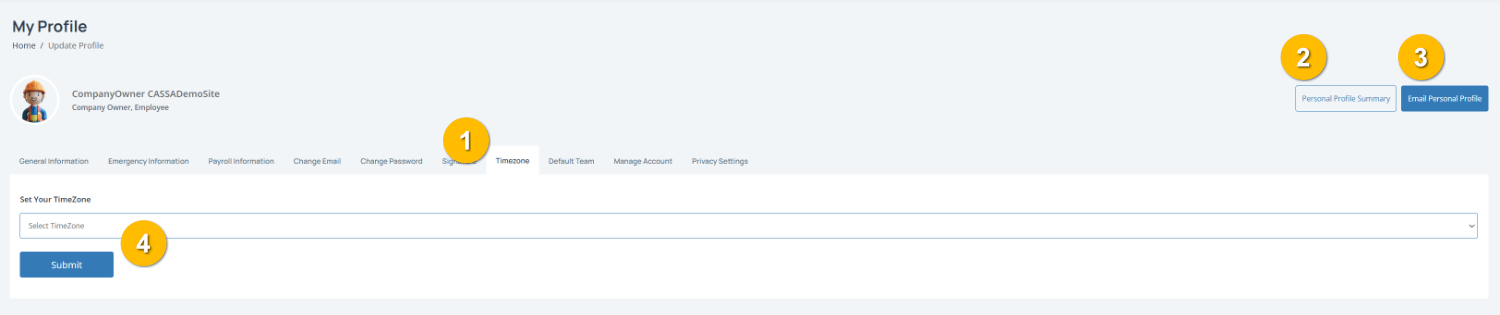
The Timezone tab (1) is where you select the timezone used for your CASSA profile. This will help ensure dates and times are displayed correctly.
To complete this page:
1. Select your timezone by clicking on the Select TimeZone dropdown and choosing your local timezone.
Note: Make sure you choose the timezone for your current location to ensure accurate times across CASSA.
2. Save your changes by clicking on the Submit button (4) to update your timezone.
You can also:
View your Personal Profile Summary (2)
Email Personal Profile (3) to send a copy of your profile details by email.