

The Overdue tab displays any assigned training courses that have passed their due date and still require completion. From this page, you can launch a course or review your previous activity for that course.
To manage overdue training:
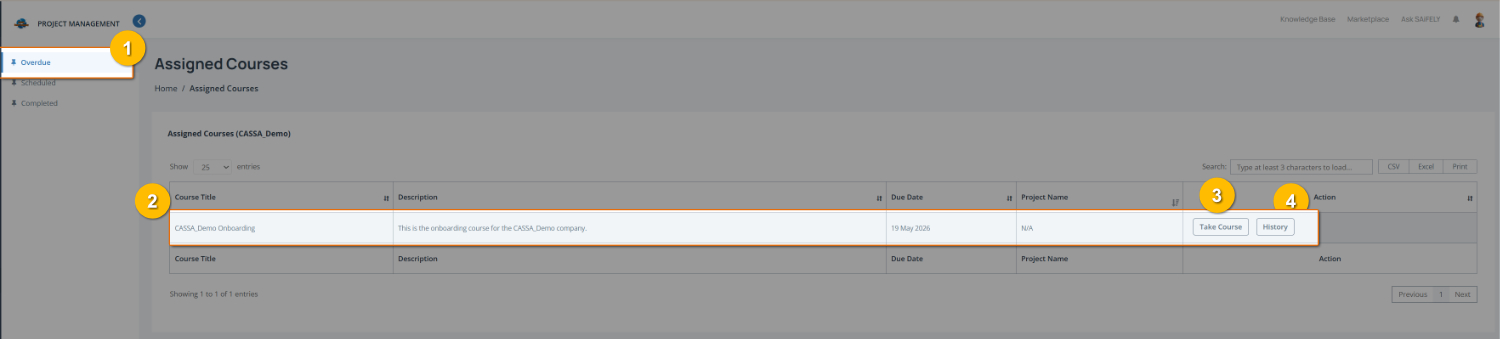
Open the Overdue training list by selecting Overdue from the training menu (1).
Review overdue courses in the course list (2). Each entry displays:
Course title
Description
Due date
Associated project (where applicable)
Start or continue a course by selecting Take Course (3). The course will open so you can complete the required training.
Review your training activity by selecting History (4) to view previous attempts or completion history for the selected course.
You can also:
Use the search field to locate a specific course.
Export the course list using CSV, Excel, or Print where required.