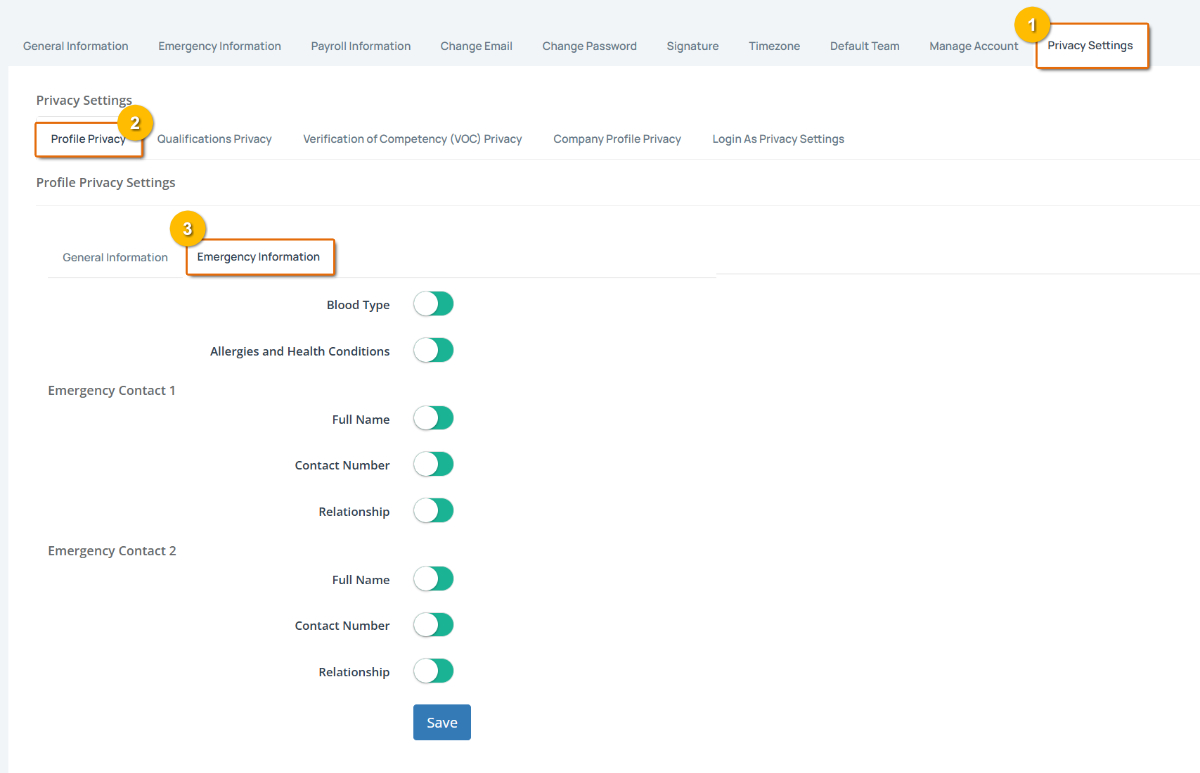
There are 2 profile privacy tabs:
General Information
Emergency Information
General Information
As the below image shows, by default, all your general information is visible to those authorised to see it, i.e., if you're an employee, your company owner, company administrators, etc., will be authorised to view this information.
To hide an item, click on it to toggle the item to hide/red.
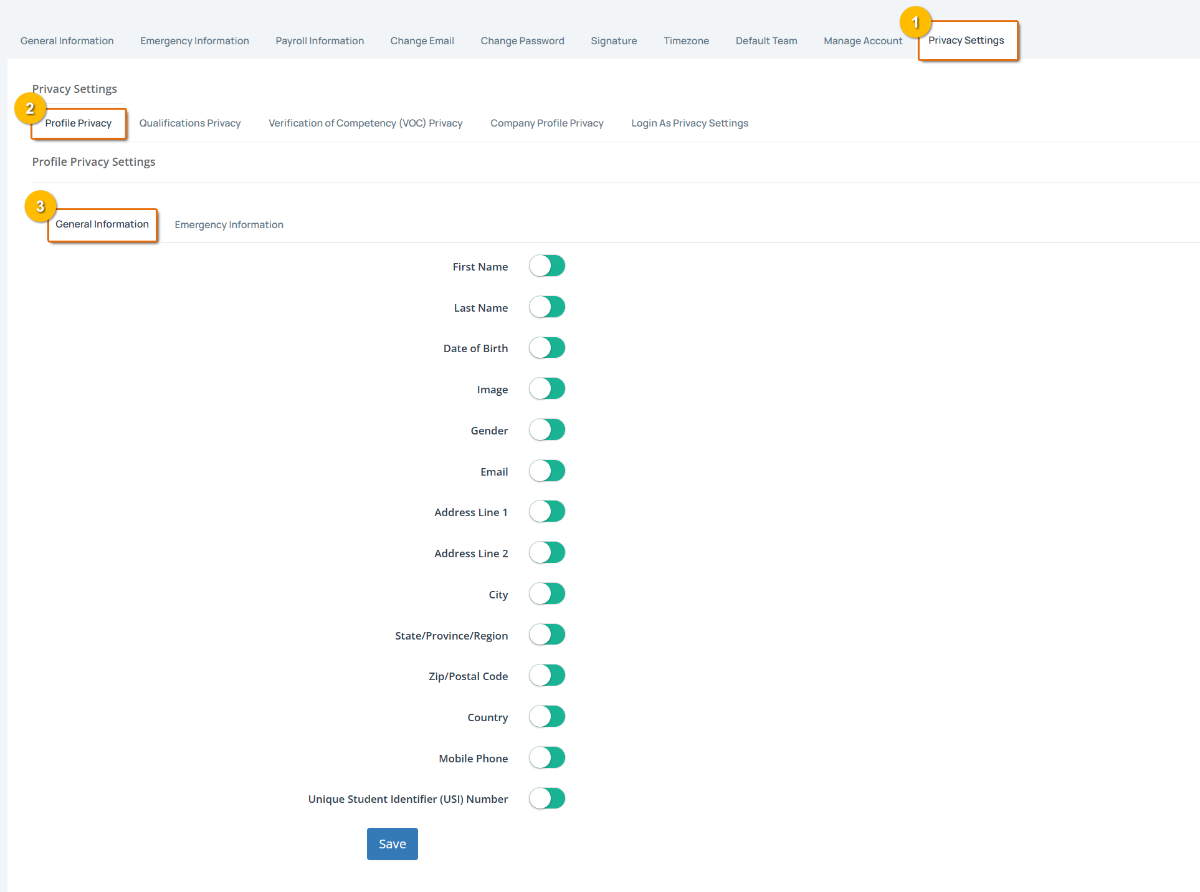
When done, click on the Save button.
Emergency Information
Likewise with your emergency information, select/deselect each item to show or hide it.
Click on Save when done.