The Manage Timesheets functions allow you to maintain your submitted timesheets. Depending on the timesheet status and your permissions, you can edit existing entries or delete timesheets that are no longer required.
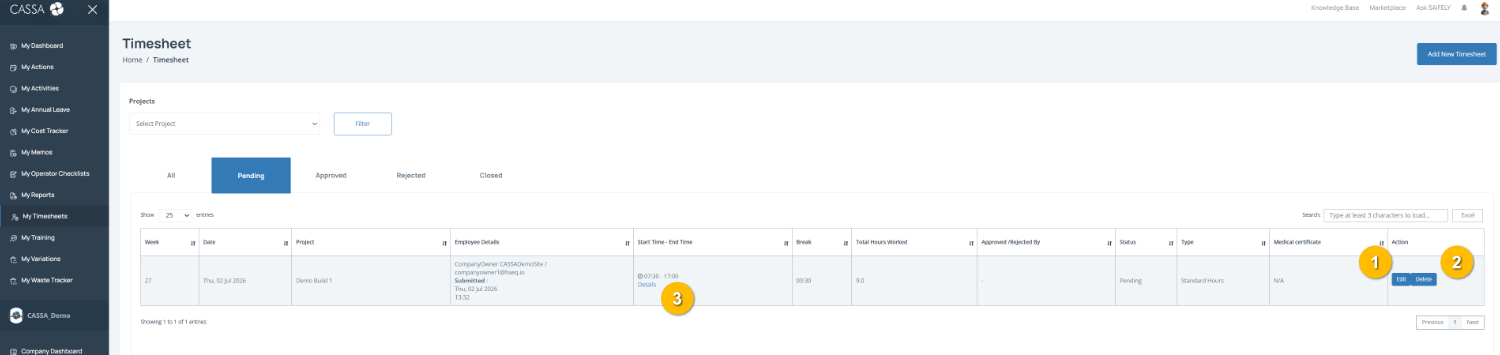
As you can see, we can:
Edit a timesheet
Delete a timesheet
View timesheet details
Edit a Timesheet
Update the details of an existing timesheet before it has been processed.
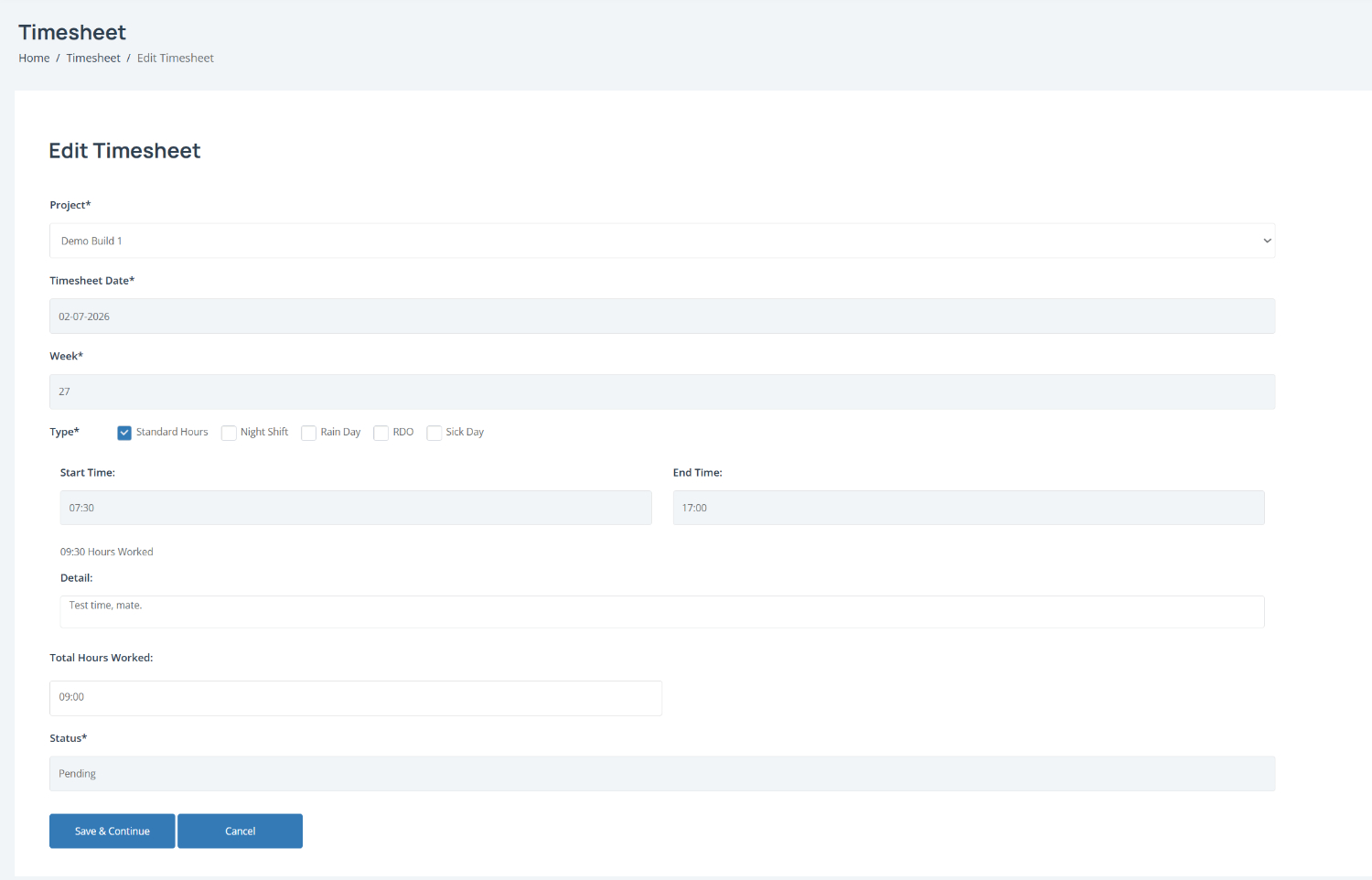
To edit a timesheet:
Open the required timesheet from the Timesheet dashboard by selecting Edit.
Update the timesheet details as required, including:
Project
Work type
Start and finish times
Work description
Review the calculated hours. The Hours Worked and Total Hours Worked fields are updated automatically based on the times entered.
Confirm the timesheet status. The current status is displayed before the timesheet is saved.
Note: If you work 5 hours or more, the finish time is automatically adjusted to include a 30-minute unpaid meal break, where applicable.
Save your changes by selecting Save & Continue, or select Cancel to discard your changes.
Delete a Timesheet
Remove a timesheet that is no longer required.
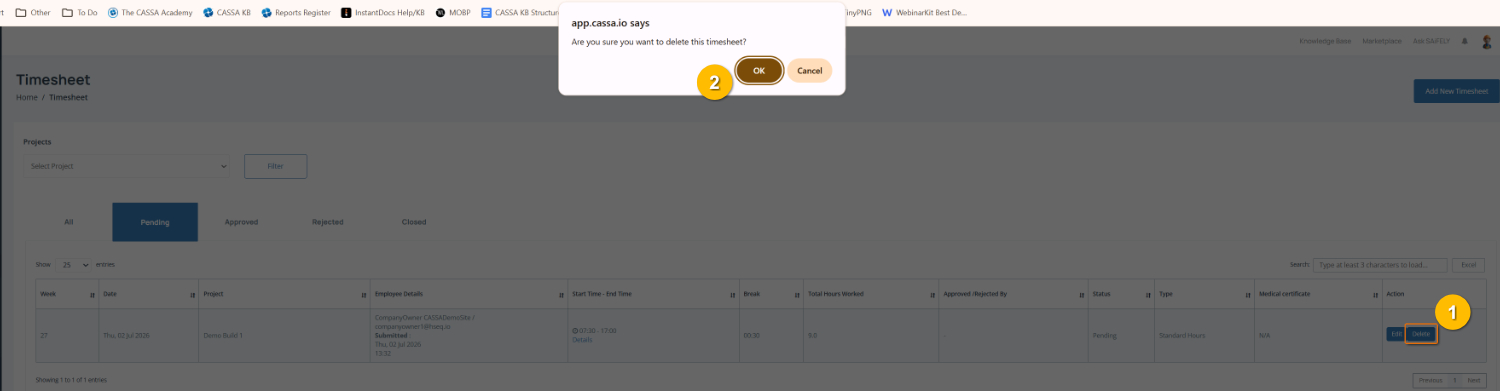
To delete a timesheet:
Select the required timesheet and choose Delete (1) from the Action column.
Review the confirmation message (2).
Select OK to permanently delete the timesheet, or Cancel to keep the record.
You can also:
Review a timesheet before making changes.
Update timesheet details while the timesheet is awaiting approval, depending on your permissions.
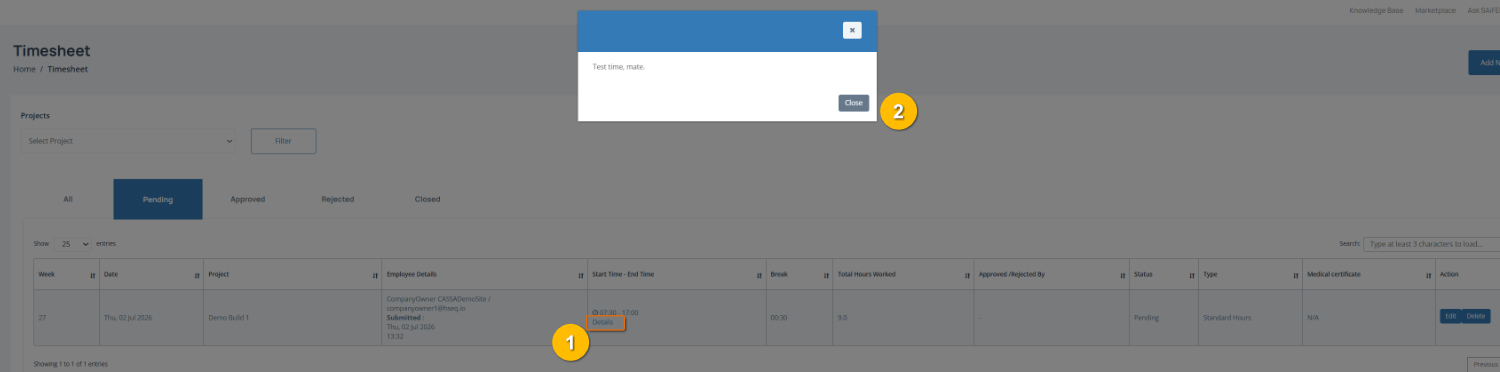
View Timesheet Details
To view timesheet details, click on the Details link (1) and the popup showing added details will display: